


7 Best Multiple Sclerosis Apps for Patients and Caregivers in 2026
For most families, My MS Manager is the free MS tracker to start with, built by MSAA for people with MS and their care partners, with charts and reports for the neurologist. Caring Village shares infusion rides, dose times and fatigue notes with the family, so whoever drives or collects refills sees the same plan. Then add a second app for the job that slips next: symptom detail, dose reminders or peer support.

Updated
At a Glance: 7 MS Apps Compared
| Rank | App | Main Job | Price | Available On |
|---|---|---|---|---|
| 1 | Caring Village | Family coordination | iPhone, Android, web | |
| 2 | My MS Manager | MS diary and reports | Free, per MSAA | iPhone, iPad and Android |
| 3 | icompanion | Diaries and questionnaires | Free and ad-free | iPhone, Android, web |
| 4 | Multiple Sclerosis Tracker | Relapse, DMT and MRI logs | Free download; purchases | iPhone, iPad |
| 5 | Multiple Sclerosis Journey | PDF visit summaries | Free download; purchases | iPhone, iPad, Android |
| 6 | MyTherapy | Medication reminders and refills | Free; ads and purchases | iPhone, iPad, Android |
| 7 | Shift.ms | Peer support | Free membership | iPhone and Android |
 Caring Village
 My MS Manager
 icompanion
 Multiple Sclerosis Tracker
 Multiple Sclerosis Journey
 MyTherapy
 Shift.ms
The 7 Best Multiple Sclerosis Apps
1. Caring Village: Best for Coordinating MS Care Across the Family
Caring Village on a laptop and a phone, shown in 4 steps: Fatigue Note, Dose Times, Infusion Day, Weekly Plan.
- Fatigue Note: Dana posts how fatigue and the afternoon heat went, so the whole family reads one update.
- Dose Times: Morning and evening dose times sit beside who gave each one, using the times the prescriber set.
- Infusion Day: Infusion day is on the shared calendar with Marcus driving, beside the neurology follow-up and therapy.
- Weekly Plan: A weekly care plan checks the dose, the fatigue note, the infusion ride and a rest break after lunch.

Dana posts how fatigue and the afternoon heat went, so the whole family reads one update.
Illustrative screens. Sample family information.
MS apps track the person; Caring Village organizes the people helping. It runs on iPhone, Android and web and centers each village on one loved one.
A partner, an adult child and a neighbor work from the same calendar, medication list, To Dos and Wellness Journal. Start free with one village and two members.
Picture an infusion week. Dana adds the 9 AM infusion to the Calendar with her brother as driver and posts that fatigue hit hard after lunch.
The pharmacy run becomes a To Do a neighbor volunteers for. One update reaches everyone who helps, and the person with MS chooses who joins; village information stays with its members.
Wellness Journal
one fatigue note keeps siblings current; Circle adds Care Plans and export.
Medications
current and past medications with their dose times.
Calendar
infusion days, MRIs and neurology visits, driver named; Circle syncs with Google, Apple and Outlook.
To Dos
rides, meals and refills the village volunteers for.
- Best for
- Families sharing rides, doses and updates around MS care.
- Price
- Free for 1 village and 2 members; Circle $14.99/month, or $12.49/month billed annually.
- Platforms
- iPhone, Android and web.
- Sharing
- Role-based access in each village; Circle allows 5 members per village.
2. My MS Manager: Best Free MS Tracker From a Nonprofit
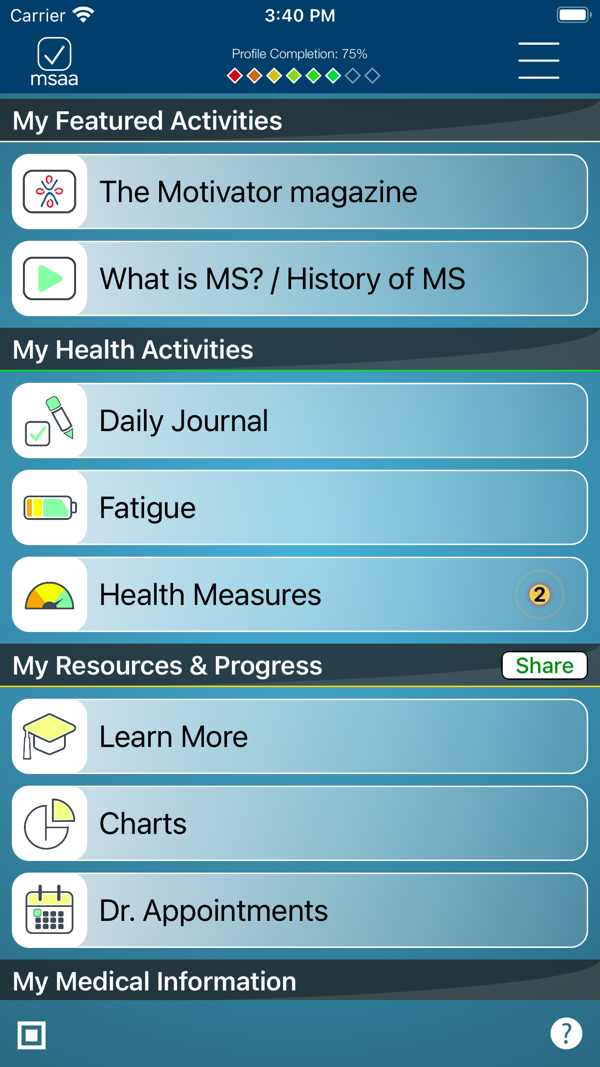

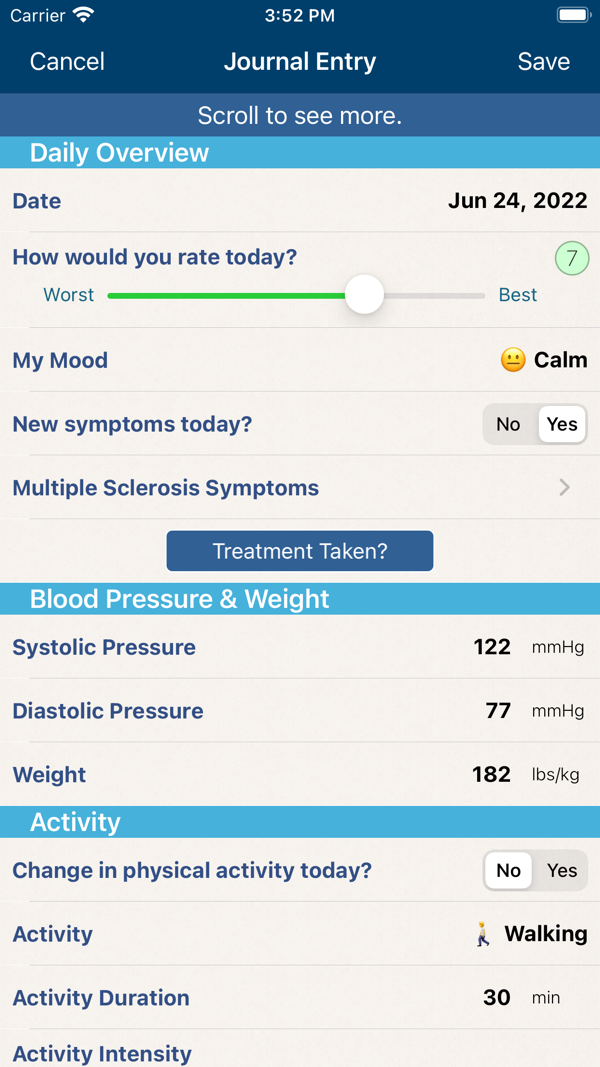
My MS Manager App Store screens.
The Multiple Sclerosis Association of America built My MS Manager for people with MS and their care partners, free on iPhone and Android.
One journal entry covers the day's rating, mood, new symptoms, treatment taken, blood pressure and activity.
- Entries become charts and reports across treatments, moods and symptoms.
- Reports go to clinicians on your care team through the app.
- Optional private reminders, among MSAA's HIPAA-compliant features, can prompt the evening entry.
- A care partner can log on a tired day and keep the record moving.
Say the neurologist asks how fatigue has changed since spring. After a few weeks of entries, you can open Charts together or share the report through the app.
The trade-off is a longer form than a one-tap diary: the journal scrolls through several sections, so plan a few quiet minutes each evening.
Start with My Medical Information and your appointments, then log the Daily Journal for a week before leaning on the charts. The App Store listing shows 3.7 stars from 23 ratings and a recent update.
- Best for
- A free, all-round symptom history to bring to neurology visits.
- Price
- Free.
- Platforms
- iPhone, iPad and Android.
- Caregiver sharing
- Built for the person with MS or a care partner; reports go to clinicians through the app.
- Provider
- MSAA, developed with At Point of Care.
- MSAA lists charts and reports covering treatments, moods and symptoms. Source: MSAA product page
- The app connects to clinicians on your care team to share reports. Source: MSAA My MS Manager page
3. icompanion: Best for Ad-Free Diaries and MRI Storage
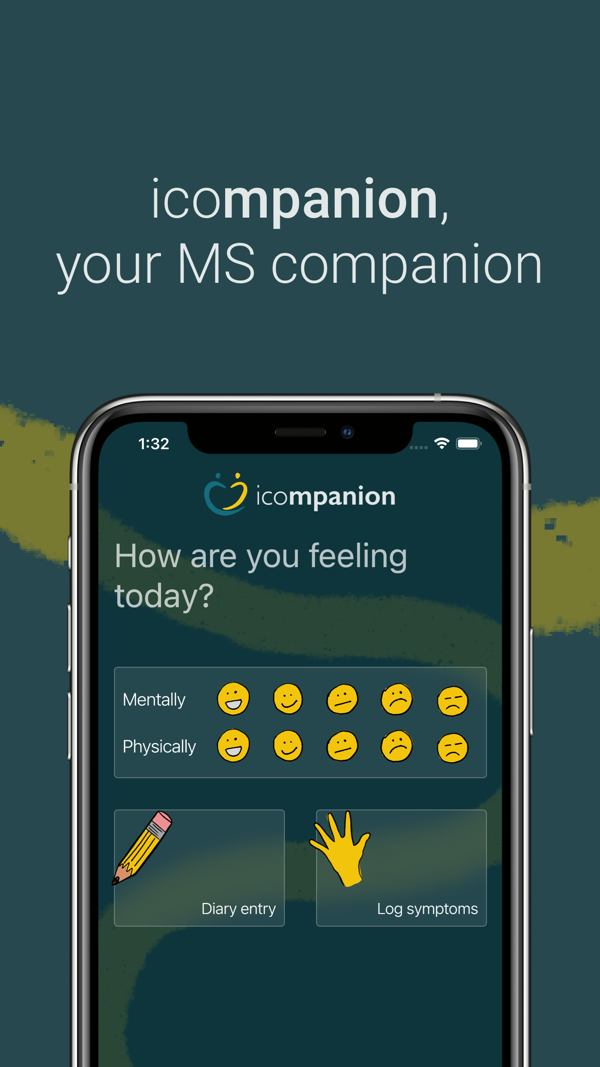
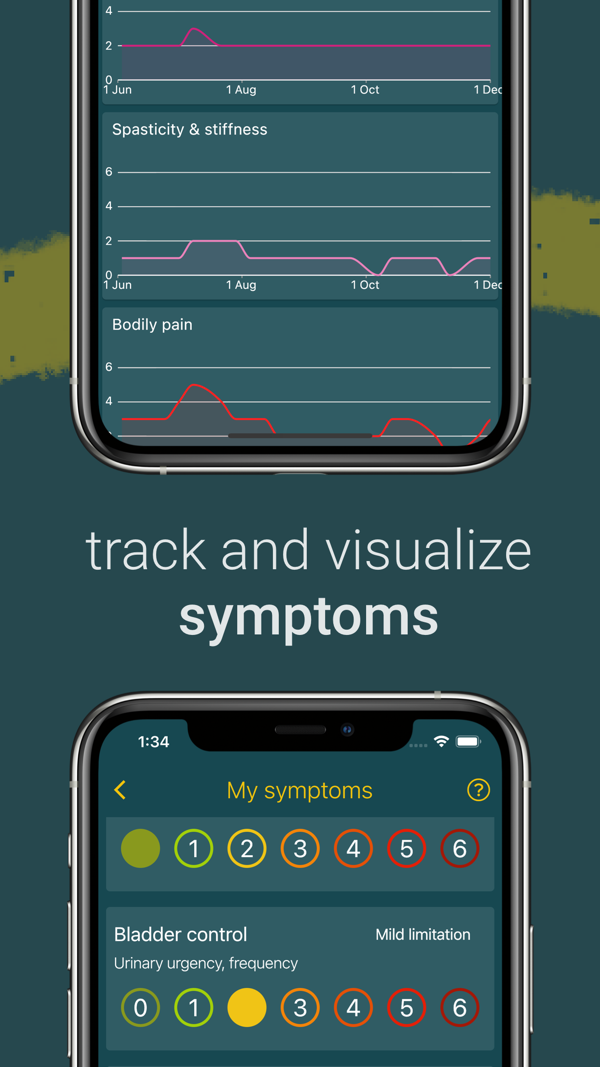
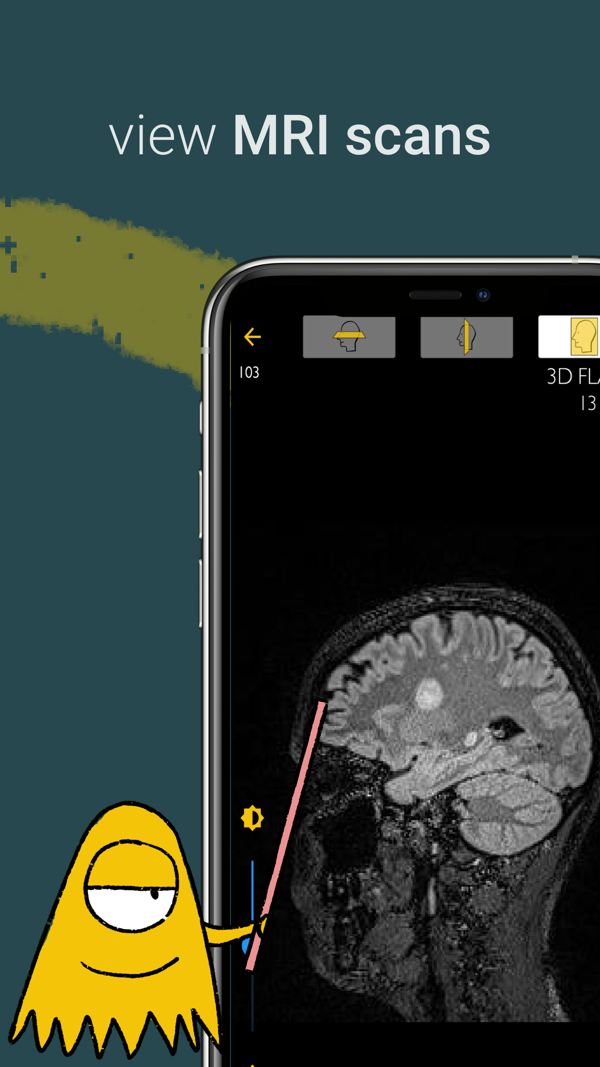
icompanion App Store screens.
icometrix makes icompanion free across the app and its web platform, with zero ads or in-app purchases.
Beyond a mood check-in and symptom log, it includes the patient-reported EDSS, a disability scale, plus fatigue and cognition questionnaires built on tests used worldwide to monitor MS.
- You can upload MRI scans and scroll through them on the web.
- Check-ins run daily, weekly or every two weeks.
- Trend lines show how fatigue and cognition move between visits.
- A knowledge center explains MRI terms and MS basics.
- The app collects Apple Health steps and sleep.
It suits someone who freezes in front of a blank diary. A few taps record mood and the day's symptoms, and the listing says daily logging takes only a few minutes.
Sharing runs through the web platform: signing in at icompanion.ms with the same account shares the record with the doctor, so set it up at a computer first.
Create the account, log in, then confirm the neurology clinic will open it. The App Store listing shows 4.4 stars from 19 ratings.
- Best for
- Structured MS questionnaires and an MRI archive to review with the neurologist.
- Price
- Free and ad-free.
- Platforms
- iPhone, iPad, Android and web.
- Caregiver sharing
- Doctor sharing through the web platform; ask icometrix about care-partner access.
- Provider
- icometrix (listed as Icometrix inc.).
- The developer describes icompanion as a registered medical device. Source: Apple App Store listing, icompanion
- Diaries, fatigue and cognition questionnaires, and MRI uploads on the web. Source: icompanion official Google Play listing
4. Multiple Sclerosis Tracker: Best for Detailed Relapse and DMT Logs
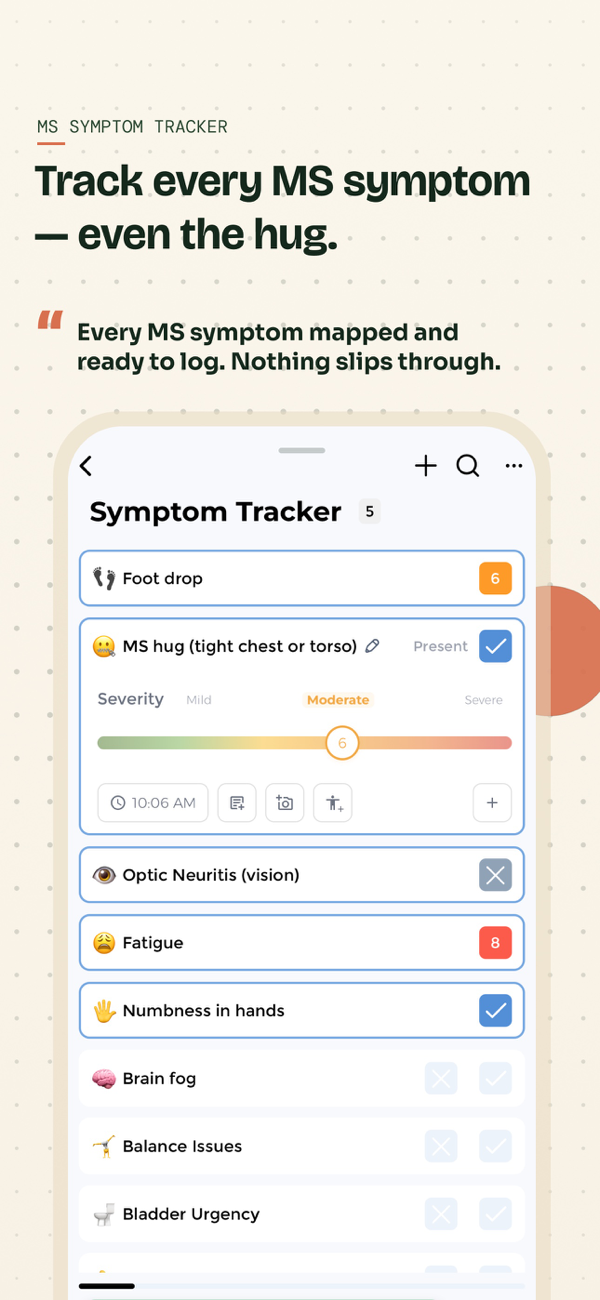
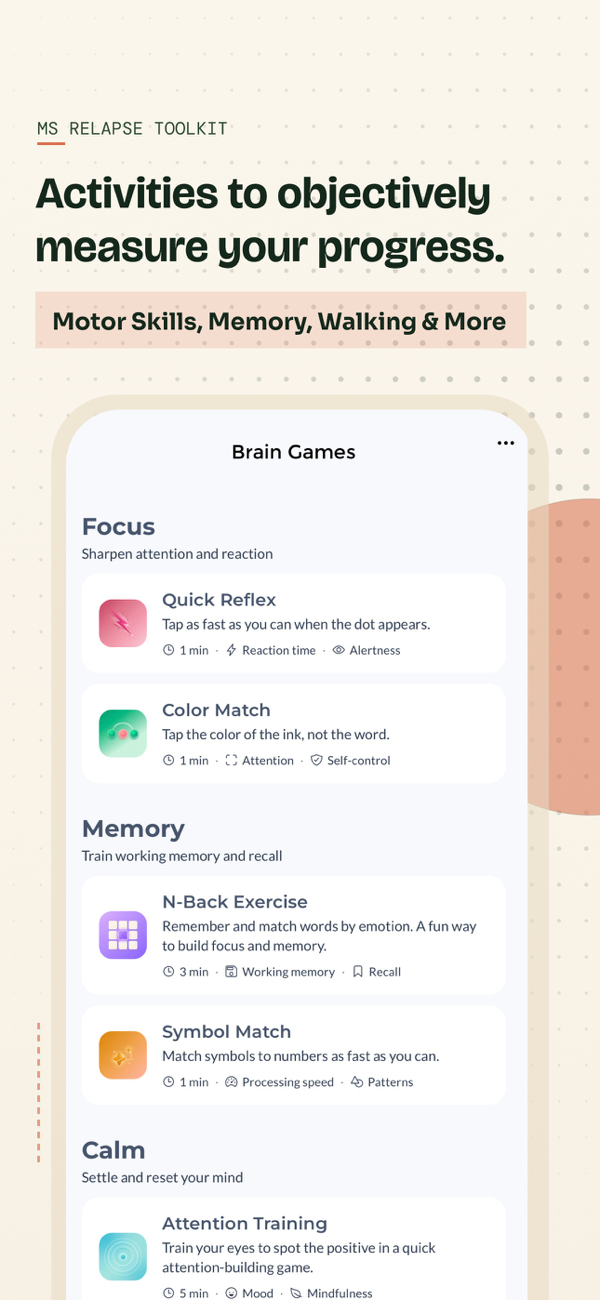
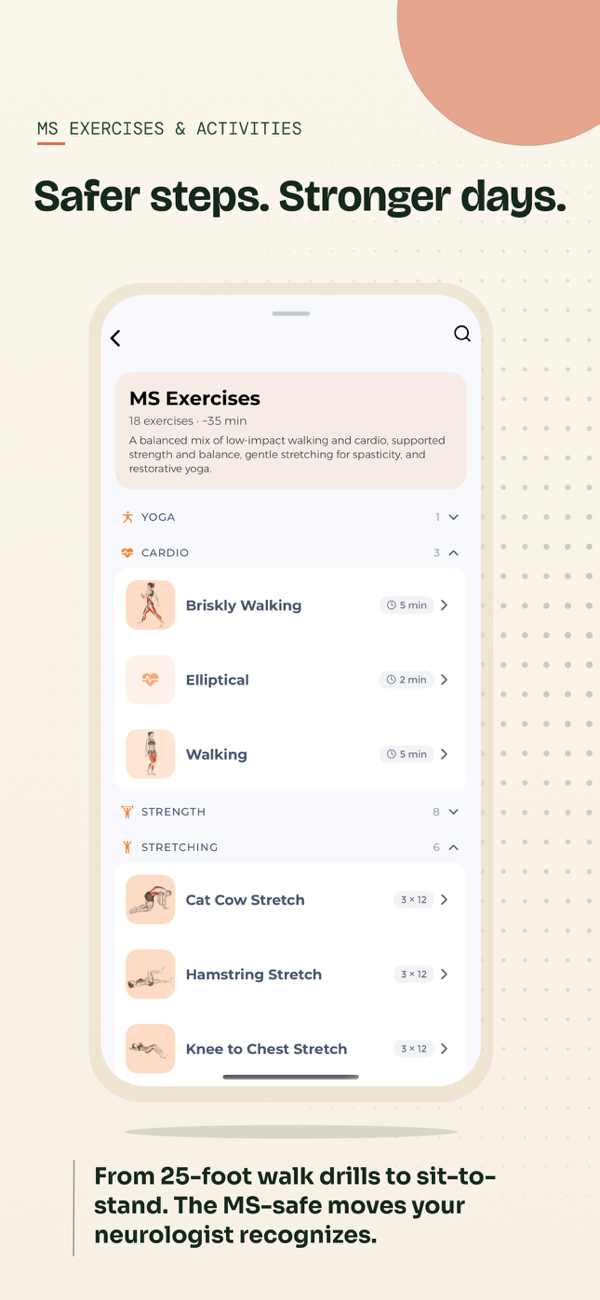
Multiple Sclerosis Tracker App Store screens.
Clarity Digital Therapeutics built Multiple Sclerosis Tracker for people who want every detail on file.
It earns its place during a relapse. When numbness spreads on a Tuesday, you log the start date the day it happens.
Weeks later the timeline shows the peak and the recovery. The listing also offers voice-to-text, large text, Apple Health sync and an offline mode for infusion center visits.
- Symptoms log by body region, with relapse start and recovery dates.
- Steroid tapers and disease-modifying therapy (DMT) schedules sit beside MRI lesion counts.
- EDSS history and labs such as the JCV antibody index and vitamin D share one timeline.
- Exports in PDF and CSV pull it together for neurology.
Detail is also the trade-off: more fields mean more typing on a hard day. The App Store listing sells yearly access at $39.99, so test one export before paying, and weigh the small sample of 2.0 stars from 3 ratings.
Enter the current DMT and the last MRI date first, since later entries build on those two dates.
- Best for
- Detailed relapse, DMT and MRI records kept over years.
- Price
- Free download; yearly access $39.99.
- Platforms
- iPhone and iPad.
- Caregiver sharing
- Share by exporting a PDF or CSV.
- Provider
- Clarity Digital Therapeutics Inc.
- Logs symptoms, relapses, DMT, MRI and EDSS with PDF and CSV exports. Source: Multiple Sclerosis Tracker App Store listing
- Voice-to-text, large text and offline mode for infusion centers. Source: Apple App Store listing, Multiple Sclerosis Tracker
5. Multiple Sclerosis Journey: Best for PDF Summaries to Share With a Neurologist
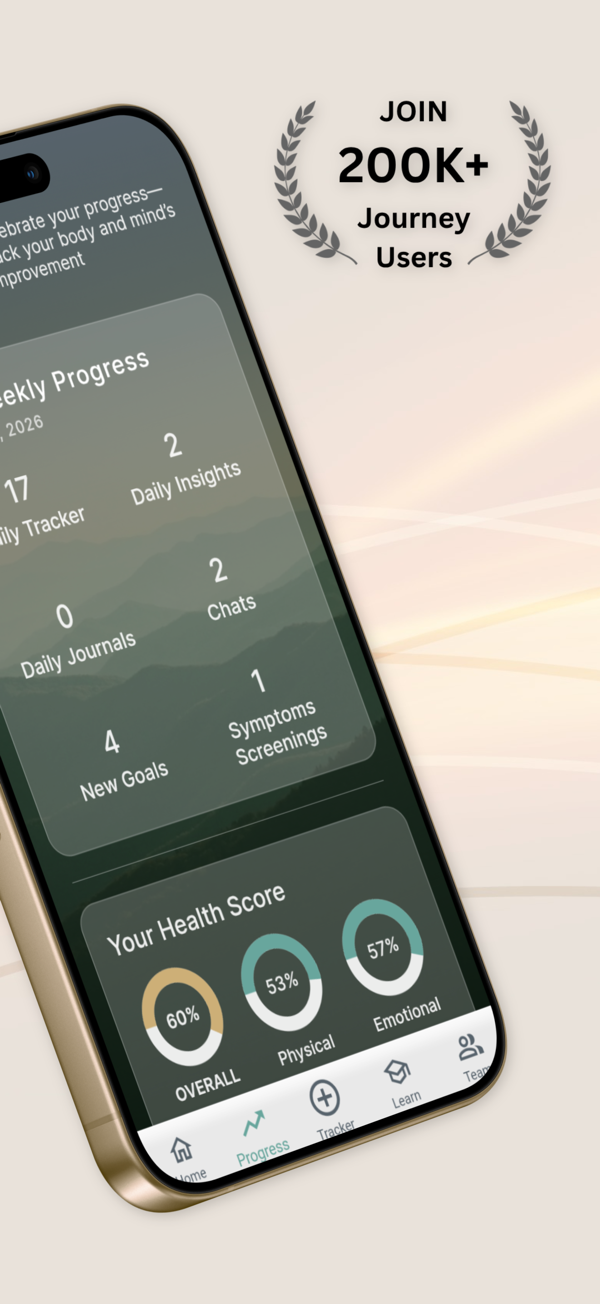
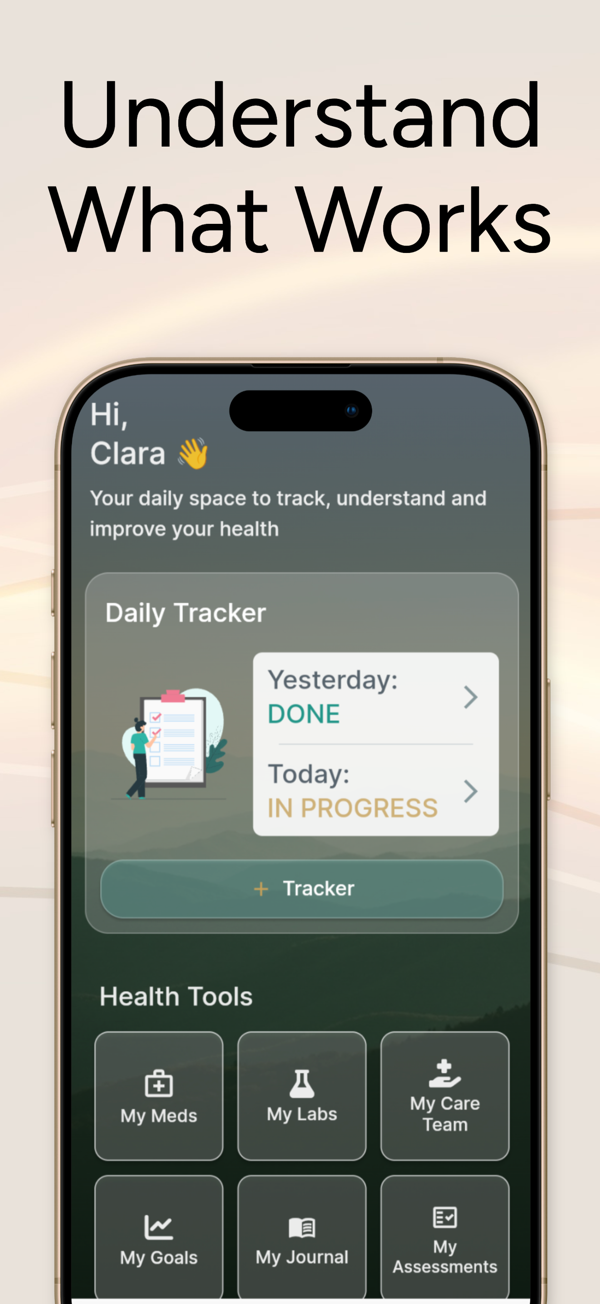
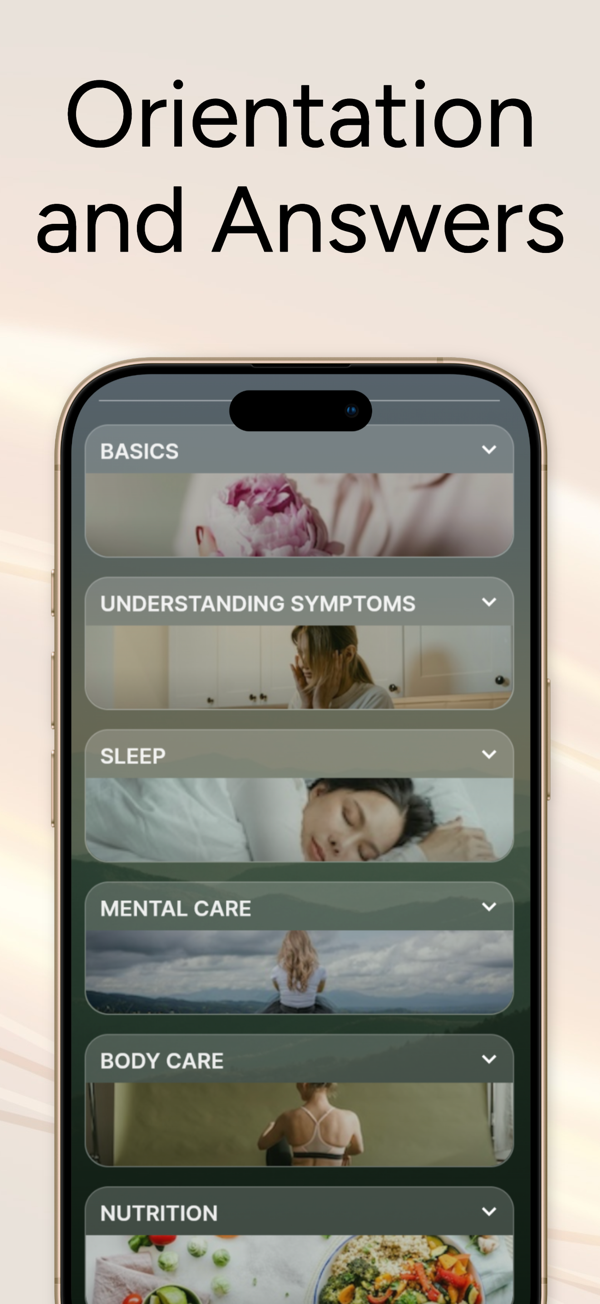
Multiple Sclerosis Journey App Store screens.
Onrival LLC's Multiple Sclerosis Journey logs neurological symptoms, fatigue, heat sensitivity, medications and daily context across 80+ markers, then builds PDF summaries for a neurologist or physical therapist.
Picture the week before a six-month check-up. You review the fatigue and heat-day entries from the last month and export one PDF that shows the pattern on a page.
- Health tools hold meds and labs, a flare log and assessments.
- A My Care Team contact list keeps the care team in one place.
- Symptom screenings in My Assessments add a standard measure beside the diary.
A care partner in the waiting room can scan the same page. The AI journal and knowledge center can suggest questions; treat its correlations as prompts for the neurologist.
Upgrades sit behind in-app purchases, and storefront labels leave the free and paid split unclear, so check the upgrade screen for export access, price and renewal terms.
Start with one daily entry and one sample PDF. It also runs on Android and shows a 4.5 rating from 14 reviews.
- Best for
- One-page PDF summaries before a neurology or physical therapy visit.
- Price
- Free download with in-app purchases.
- Platforms
- iPhone, iPad and Android.
- Caregiver sharing
- PDF summaries you can share, plus a My Care Team contact list.
- Provider
- Onrival LLC (Health Journey Labs).
- Logs neurological symptoms, fatigue and medications, with PDF summaries. Source: Multiple Sclerosis Journey official Google Play listing
- Tools include My Meds and Labs, My Care Team and a flares log. Source: Apple App Store listing, Multiple Sclerosis Journey
6. MyTherapy: Best for Medication Reminders and Refills
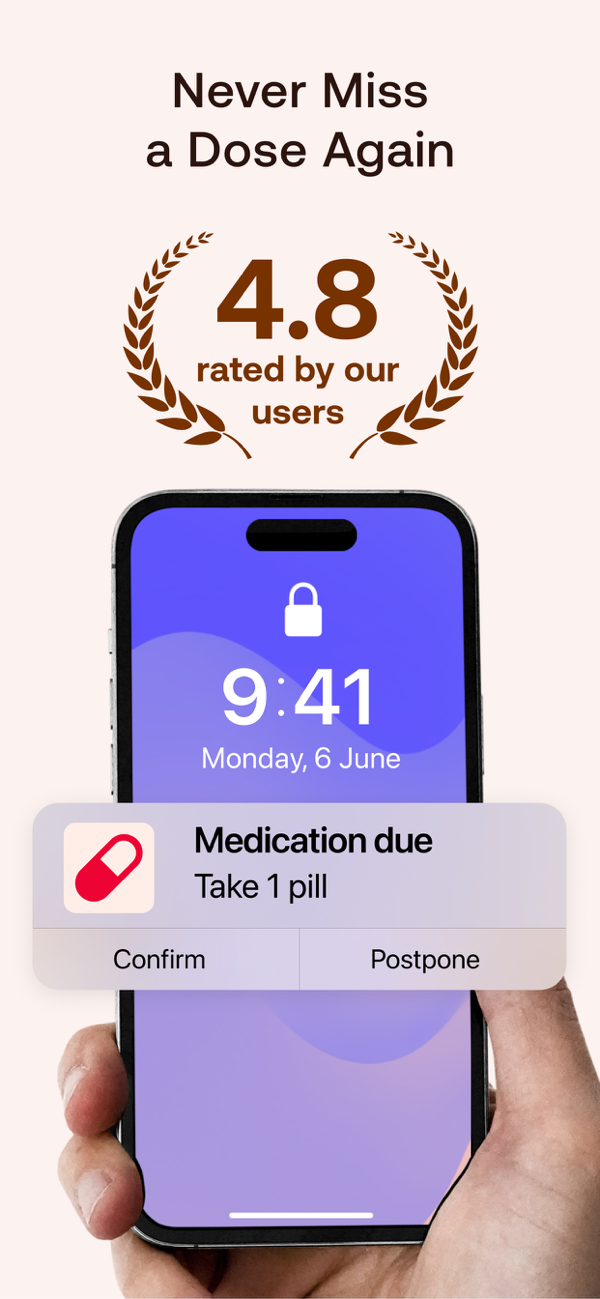
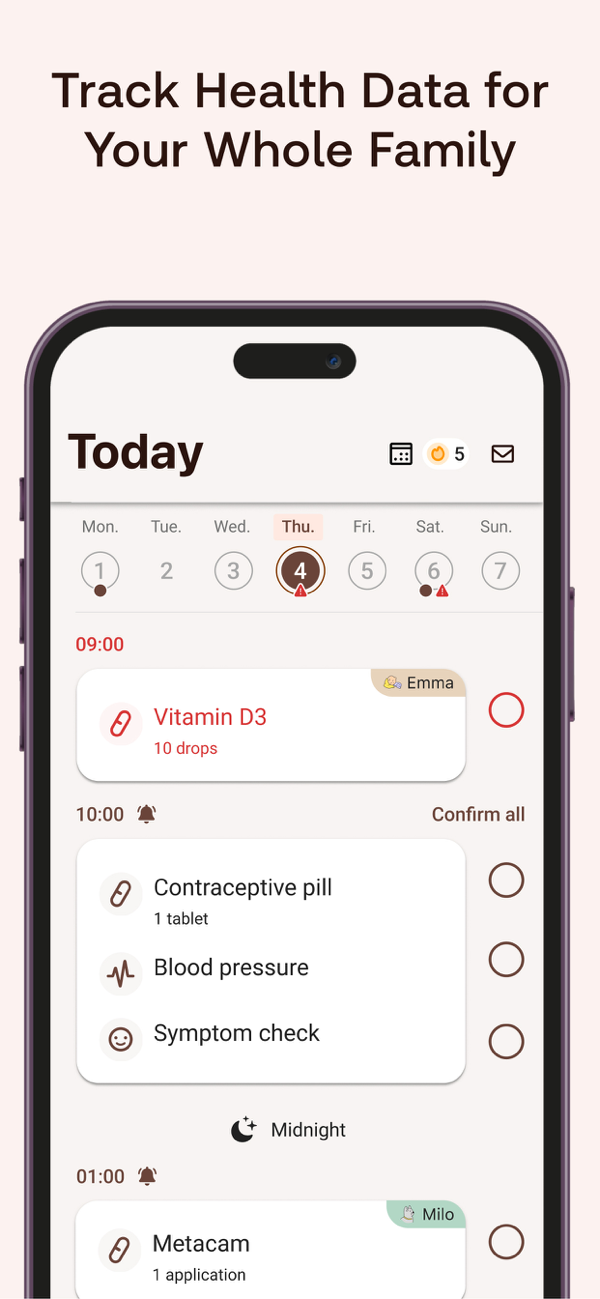
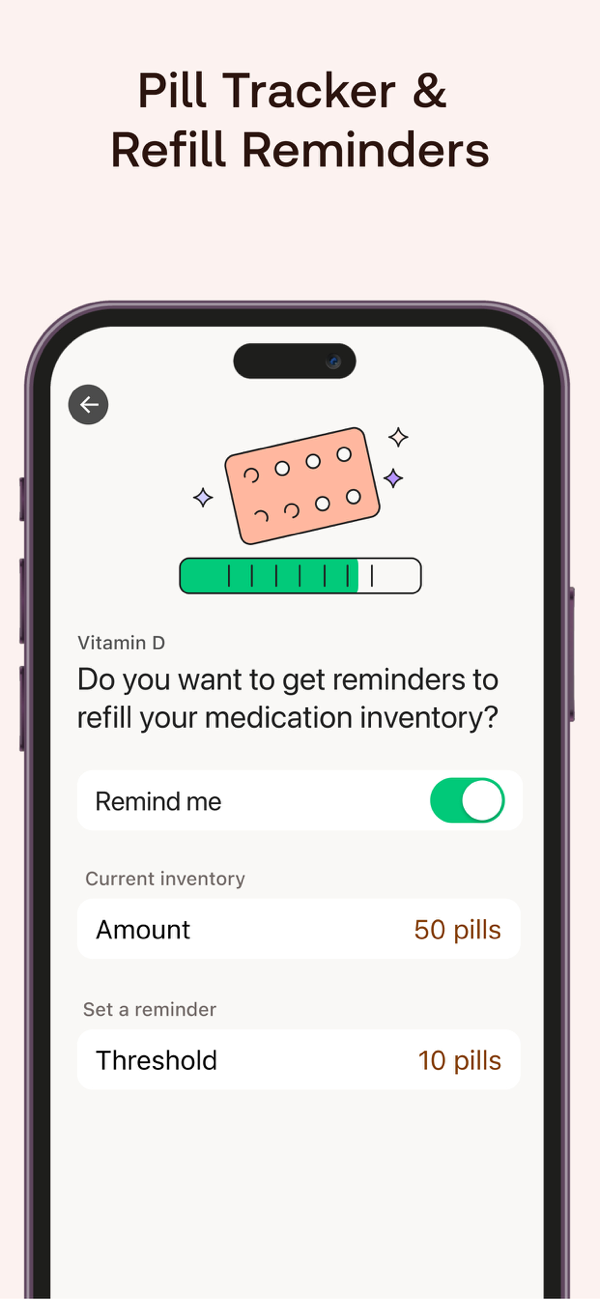
MyTherapy App Store screens.
smartpatient's MyTherapy is a dose reminder first, and family profiles in one account let one person manage a partner's routine too.
On a heavy-fatigue morning, the 8 AM alert arrives and you confirm the dose with a tap.
Before an appointment, MyTherapy can share the plan and intake diary with a clinician through a one-time code, so the neurologist sees what was actually taken.
- Flexible alarms come with a daily log of taken doses.
- Refill and prescription prompts fire before the box runs low.
- For injectable treatments, injection site tracking helps rotate sites.
- It records blood pressure, weight and 20+ other measurements and syncs with Apple Health.
The free version carries ads; ad-free options cost $0.99 or $9.99, and Plus Lifetime $49.99.
Family profiles live on one phone, so a partner on a separate phone sees doses once someone shares them.
Set up the regimen exactly as prescribed, then add a refill threshold that matches your pharmacy's turnaround. Its health reports turn the log into a summary for the doctor.
- Best for
- Dose reminders, refills and injection-site rotation.
- Price
- Free with ads; ad-free and Plus options.
- Platforms
- iPhone, iPad and Android.
- Caregiver sharing
- Family profiles in one account; clinician sharing by one-time code.
- Provider
- smartpatient GmbH.
- Lists flexible reminders, refill prompts and family profiles in one account. Source: MyTherapy App Store listing
- Rated 4.8 stars from 8,571 ratings, recently updated. Source: Apple App Store listing, Pill Reminder MyTherapy
7. Shift.ms: Best for Peer Community From Diagnosis
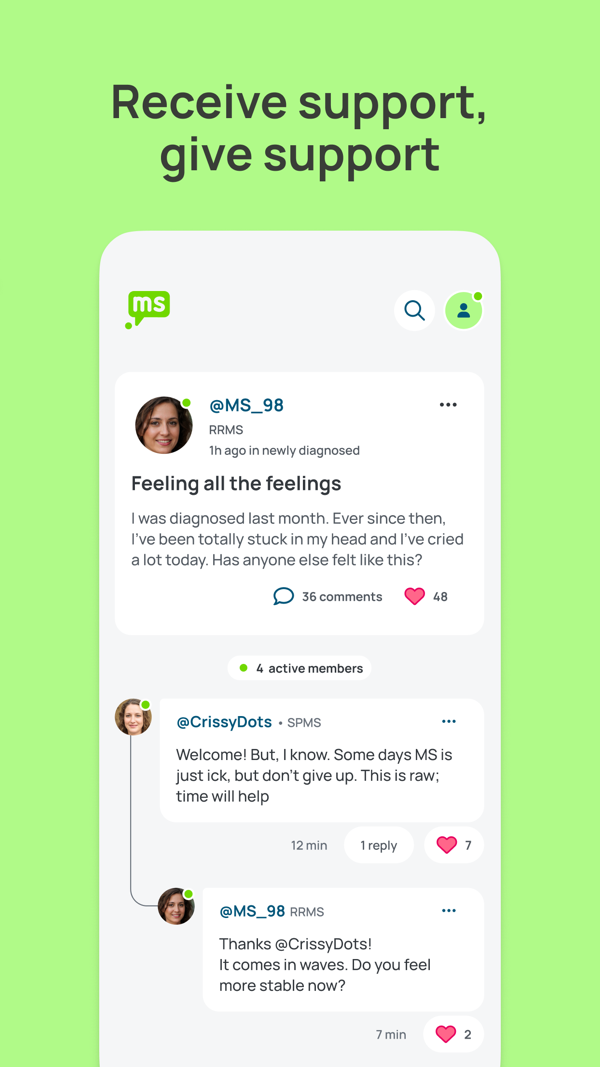
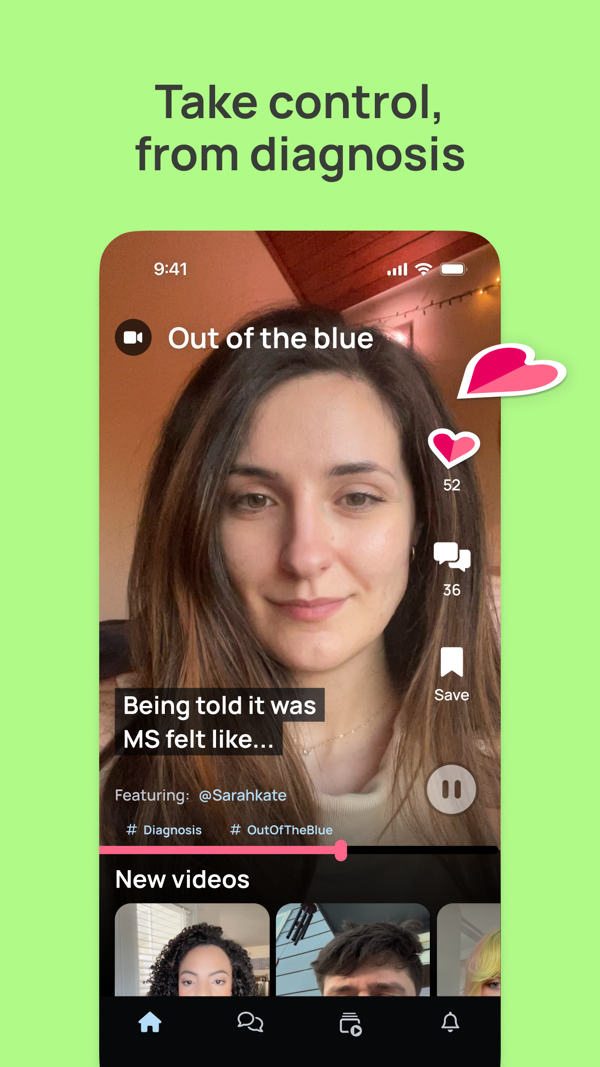
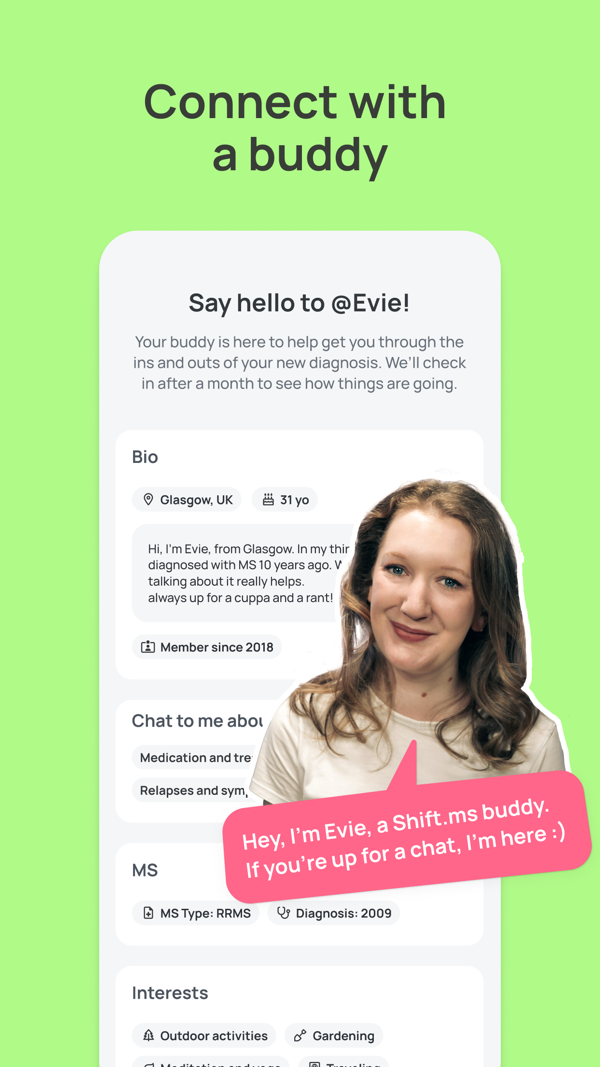
Shift.ms App Store screens.
Shift.ms is a UK charity's free app where more than 60,000 people with MS swap questions and stories.
It answers the question a tracker leaves open: who understands this?
A newly diagnosed member can post at night and wake to replies, or ask the Buddy Network for an experienced MSer offering one-to-one support.
- The live feed covers treatment choices, flare-ups, work rights and mental health.
- Weekly video stories and polls sit beside direct messages between members.
- Personal profiles and reply notifications keep conversations going.
- Practical topics include income benefits and lifestyle changes like stopping smoking.
The same login works on the website, handy on laptop days. Peer stories are lived experience, so bring treatment ideas to the neurologist first.
The charity was started in 2009 by its CEO, diagnosed at 22, and runs on donations.
Set up a profile with your MS type and interests, then read the feed for a week before posting. One member quoted on the listing calls it a trusted space where you decide how much to engage.
- Best for
- Peer support from diagnosis onward.
- Price
- Free app and membership.
- Platforms
- iPhone, Android and web.
- Caregiver sharing
- Peer support for the person with MS; private messages between members.
- Provider
- Shift.ms, an independent UK charity.
- Free app and membership, with a Buddy Network for one-to-one support. Source: Shift.ms official app page
- Rated 4.8 stars from 1,198 ratings, recently updated. Source: Apple App Store listing, Shift.ms: Your MS Community
How to Pair a Patient App With a Family Plan
Agree who enters updates, then share what the person with MS chooses, such as the ride, the refill and the visit date.
| Situation | Personal Tool | Family Task |
|---|---|---|
New diagnosis feels overwhelming | Shift.ms; My MS Manager for logging | Start with one shared appointment calendar. |
Medication timing is the problem | MyTherapy | Agree who handles refills; keep one current medication list. |
More help needed at home | My MS Manager | Assign rides, meals and errands. Discuss mobility changes with the care team. |
Relatives live elsewhere | Your preferred tracker | Choose one person to post the agreed family update. |
Remote helpers can use these long-distance caregiving tips. If mobility aids come up with the care team, see walkers and rollators compared.
Line Up Help for Harder MS Weeks
Add rides, meals and pharmacy runs as Caring Village To-Dos and ask your village to volunteer. Everyone can see who is covering what.
Create your village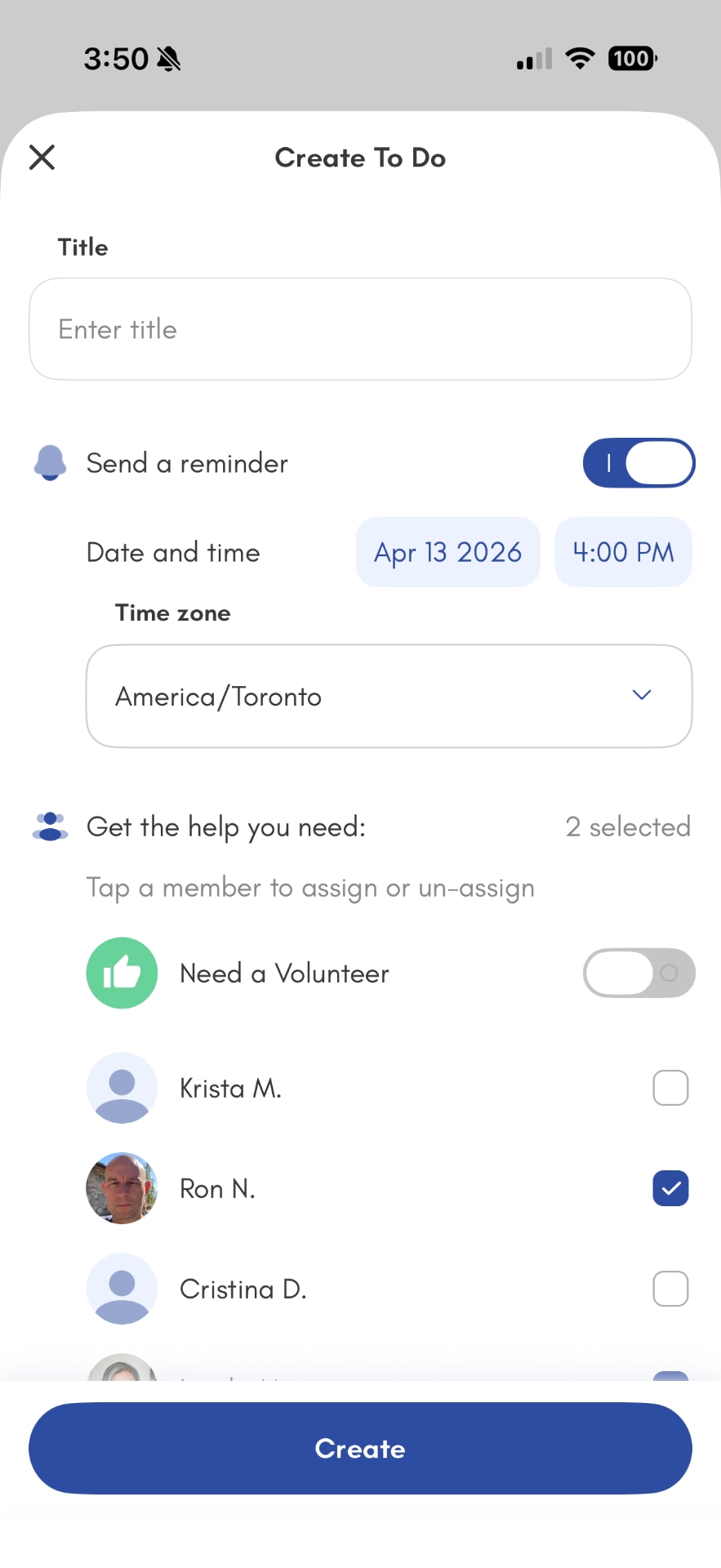
Before the Next Neurology Visit: A Two-Week Log
Two weeks of brief notes is enough. To get more from each appointment, record changes plainly and pick three questions for the neurologist.
| Record | Person With MS | Care Partner, With Permission |
|---|---|---|
Date and change | When it started; what felt different; how long it lasted. | Add an observation, labeled with who noticed it. |
Effect on the day | What became harder: walking, reading, cooking or concentrating. | Note help needed, such as a ride or meal. |
Medication context | Doses taken, missed or worth discussing. | Current list and refill questions; dose changes stay with the prescriber. |
Visit handoff | Select questions and check the report. | Confirm transport, send the agreed summary and take notes. |
Ask the neurologist which changes to report between visits. Call the MS nurse or neurology team promptly about sudden new symptoms, as the MS Society advises; the log can wait.
A doctor’s visit checklist organizes paperwork and questions; the download asks for an email.
Keep Visit Notes and Medication Changes in One Place
After the neurology visit, save the summary in Documents and update Medications so everyone helping finds the same current list.
Organize care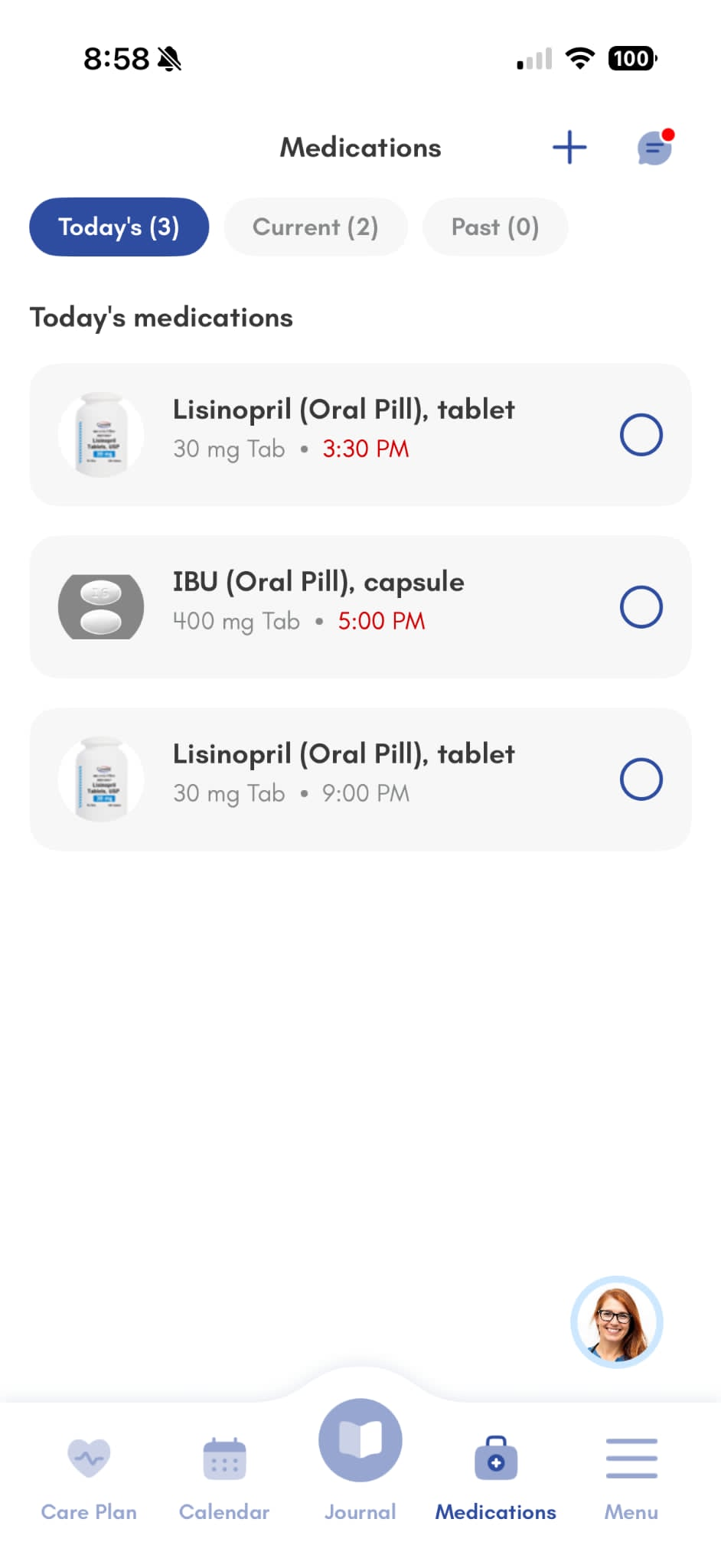
MS Apps You May See Recommended Elsewhere
- Bezzy MS: A Google Play listing loads; confirm it installs.
- Floodlight: Roche describes it as a research tool; ask your clinic about current access.
- Cleo: Biogen lists it on the German App Store; check your app store for availability.
Privacy Checks Before You Download
- Match the developer name and update history; similar names can belong to different apps.
- Read what is collected, who receives it, and how to export records or delete an account.
- Agree what relatives see; the person with MS chooses what to share.
Caring Village keeps health information private to the members you invite, with role-based access in each village and a published privacy commitment on its pricing page.
Frequently Asked Questions
What Is the Best App for Tracking MS Symptoms?
My MS Manager is the best free start, built by MSAA for people with MS and care partners. Pick an app you can use on a low-energy day.
Are Multiple Sclerosis Apps Free?
My MS Manager, icompanion and Shift.ms are fully free. Multiple Sclerosis Tracker and Journey charge for some features, and MyTherapy is free with ads.
Can I Share MS App Data With My Neurologist?
Yes. My MS Manager connects to clinicians, icompanion shares through its web platform, and the Tracker and Journey export PDFs. Ask which format your clinic accepts.
Is There an MS App for Caregivers or Family?
Yes. Caring Village is built for the family side of MS care, with a shared calendar for infusion rides, a medication list, To Dos and Wellness Journal updates. The person with MS decides who joins and what they see.
Where Can People With MS and Their Families Find Support?
Shift.ms offers a peer community and a Buddy Network; MSAA provides education. Your MS nurse knows local support.
The Bottom Line
Start with one usable log and one shared family plan. Set up a shared caregiver calendar, then check the report before the appointment. If one partner carries every handoff, see these caregiver burnout solutions.
Give Your MS Care Team One Shared Place
Keep your MS app for symptoms. Use Caring Village for the people, plans and paperwork around them.
Caring Village has been a lifesaver for our family. My siblings live in different states, and now everyone stays in the loop without me having to repeat myself constantly.
