


General information for families, not medical advice. Talk to the care team before changing how diabetes is monitored or treated. Caring Village has no commercial relationship with the app developers ranked here and earns no commission from these app links.
12 Best Diabetes Apps for Families and Caregivers in 2026
Compare glucose sharing, carb counting, medication reminders, and clinic-ready reports, with current pricing, platform support, and the exact number of people who can follow a reading.

 Medically reviewed by Brooke Lounsbury, RN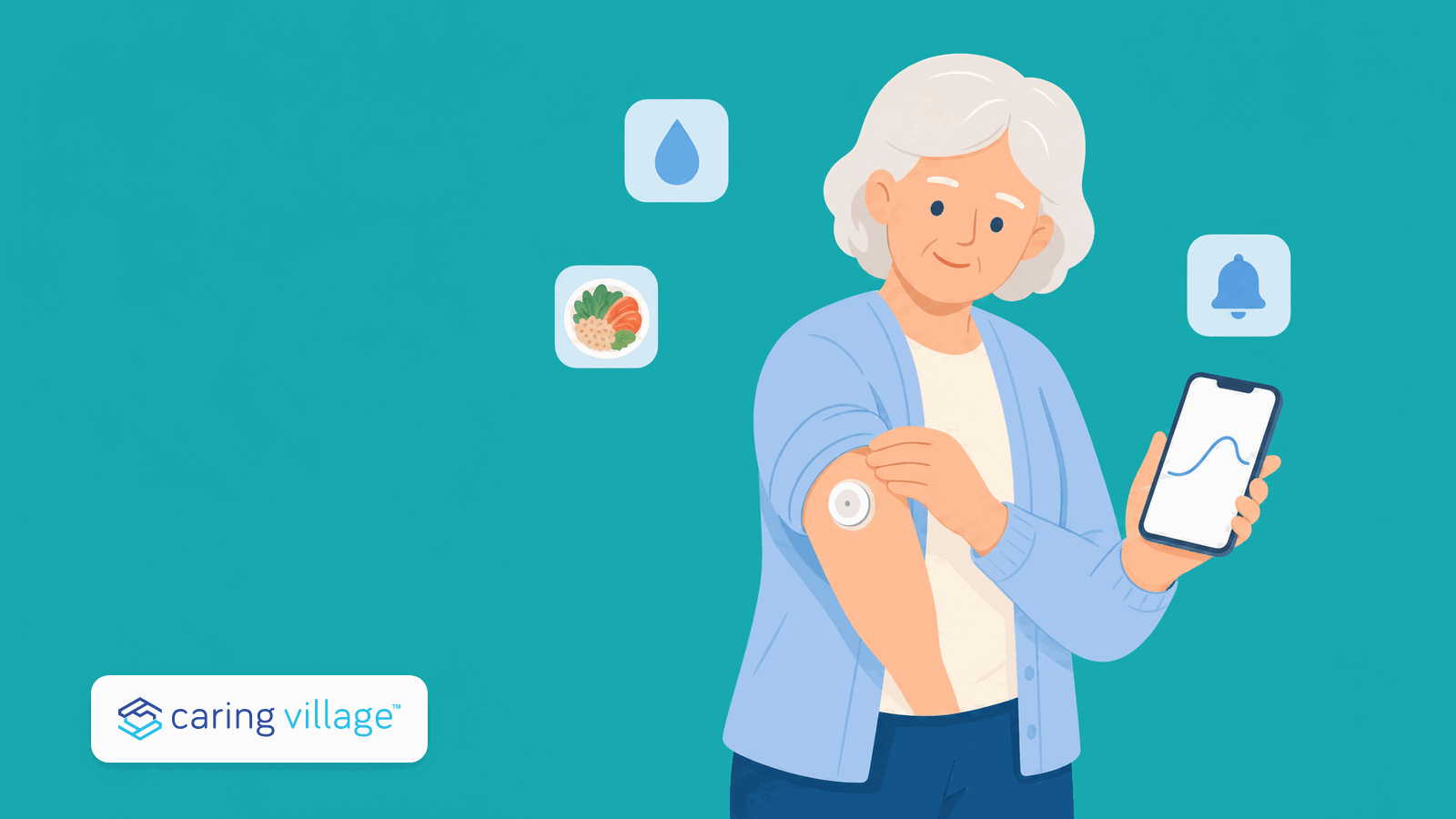
If the person you care for wears a Dexcom sensor, the Dexcom G7 app paired with Dexcom Follow is the pick: a low reading becomes an alert on up to 10 other phones, with no password sharing. On a Libre sensor, the Libre app with LibreLinkUp does the same job.
Every other app here covers a different piece of the week: carb counting, medication reminders, a logbook the clinic can read, or a shared feed the family writes into.
This guide sorts them by the job you need covered, and says which ones let a second person see anything.
✓ Verified at the source App features and prices change often, so every figure below is linked to the page it came from.
Not Sure Where to Start?
Jump straight to the app that matches your situation.
The 12 Best Diabetes Apps at a Glance
Tap an app to jump to its full write-up. Caring Village sits at the top of the table because it holds the medication list, the appointment calendar, and the family updates that surround whichever tracker you choose.
| App | Best For | Available On | Pricing |
|---|---|---|---|
| Caring Village Care Coordination Layer | Keeps the medication list, appointment calendar, documents, and family updates of diabetes care visible to everyone helping, beside whichever tracker reads the glucose. Used by over 85,000 families. | ||
01Dexcom G7 + FollowBest for real-time family sharing | Alerts landing on someone else’s phoneCGM app pair | iPhone, Android, Apple Watch | Free apps, prescribed sensor |
02Libre app + LibreLinkUpBest for Libre households | Minute-by-minute readings for the familyCGM app pair | iPhone, Android, Apple Watch | Free apps, prescribed sensor |
03GlurooBest for several helpers at once | A log everyone can write into, not just readShared logbook | iPhone, Android, web | Free while in testing |
04GlookoBest for mixed devices | Meter, pump, and CGM data in one viewDevice hub | iPhone, Android | Free app |
05MedisafeBest for missed doses | Reminders with a second person alertedMedication app | iPhone, Android | Free; in-app purchases $2.99 to $39.99 |
06mySugrBest simple daily logbook | One screen for sugar, carbs, and insulinLogbook | iPhone, Android | Free; U.S. App Store PRO $4.99 a month or $39.99 a year; compatible-device unlock available |
07Glucose BuddyBest for fingerstick logs | Printable logs without a sensorLogbook | iPhone, Android | Free; in-app purchases $14.99 to $59.99 |
08MyNetDiaryBest food-first tracker | Eating patterns beside glucose readingsFood and glucose tracker | iPhone, Android, Apple Watch | Free; Premium $8.99 a month or $59.99 a year |
09Carb ManagerBest for fast carb counting | Counting carbs at a restaurant tableCarb counter | iPhone, Android, web | Free; Premium from $8.49 a month |
10Sugarmate by TandemBest extra view on Dexcom data | An overnight low that has to wake someoneDexcom companion | iPhone, Apple Watch | Free |
11Diabetes:MBest report set for appointments | Detailed charts for an endocrinology visitLogbook | iPhone, Android, Mac, Apple Watch | Free; $4.99 a month or $49.99 a year |
12TidepoolBest free nonprofit data home | One screen of device data before a visitNonprofit web platform | Web; optional iPhone and Android companion apps last updated in 2020 | Free |
Scroll the table sideways to see platforms and pricing.
Pricing verified from each company’s official pages and current app store listings. Sensor and prescription costs are separate and depend on insurance.
The Family Diabetes App Fit Matrix
Most roundups score apps on features. Families are usually deciding four other things. Each ranked app is scored 0 to 3 on Family sharing, Device fit, Medication support, and Report quality, so you can weight the column that matches your household.
| App | Type | Family Sharing | Device Fit | Medication Support | Report Quality |
|---|---|---|---|---|---|
| Dexcom G7 + Follow | CGM app pair | 3 | 2 | 1 | 3 |
| Libre app + LibreLinkUp | CGM app pair | 3 | 2 | 1 | 3 |
| Gluroo | Shared logbook | 3 | 3 | 2 | 2 |
| Glooko | Device hub | 1 | 3 | 2 | 3 |
| Medisafe | Medication app | 2 | 1 | 3 | 2 |
| mySugr | Logbook | 1 | 2 | 2 | 3 |
| Glucose Buddy | Logbook | 1 | 2 | 2 | 3 |
| MyNetDiary | Food and glucose | 1 | 1 | 2 | 3 |
| Carb Manager | Carb counter | 1 | 1 | 1 | 2 |
| Sugarmate by Tandem | Dexcom companion | 3 | 1 | 1 | 2 |
| Diabetes:M | Logbook | 2 | 2 | 2 | 3 |
| Tidepool | Nonprofit web platform | 2 | 3 | 1 | 3 |
CGM App, Logbook, or Medication App?
CGM apps come with a prescribed sensor and show glucose continuously. The American Diabetes Association notes that a CGM can transmit readings and alerts to other people, including a loved one or a clinician, which is the whole reason they matter to caregivers.
Logbooks are for fingersticks, insulin doses, meals, and notes typed by hand. They cost less, work without a sensor, and produce the printable report a clinic asks for.
Medication apps do not track glucose at all. They track whether the dose happened, which is a different failure and often the more common one.
Most families end up with two apps, not one. The pairing section below covers the combinations that hold up week after week.
Low-glucose safety. An app alert is not a standalone treatment instruction. Follow the person’s clinician-approved low-glucose plan. If symptoms do not match a CGM reading, confirm with a blood glucose meter according to the device instructions. If the person has emergency symptoms, has a seizure, or is unconscious, call 911 or local emergency services and follow the emergency plan.
How These Apps Were Evaluated
These picks were researched and reviewed, not clinically tested. Official product pages, support documentation, and current app store listings were checked directly at the source for availability, platform, cost, and current features.
Extra weight went to the things that decide whether an app survives past the first month:
- Can a second person see it? A named follower feature, with a stated limit, beats a shared password every time.
- Does it match the hardware already in the house? A brilliant app that does not read the sensor on the arm is not the right app.
- Does it cover medications? Insulin, oral medications, and refills are where most weeks actually break down.
- Will the clinic accept the output? A PDF or a shared portal beats a photograph of a phone screen.
- What does it really cost? Free tiers, subscription prices, and any feature locked behind a paid plan.
- Is it still maintained? Update history and current ratings, because abandoned health apps are common.
The 12 Best Diabetes Apps for Families and Caregivers
Start with the constraint that is hardest to change: the sensor on the arm, the doses being missed, or the fact that nobody else can see anything.

Where Caring Village Fits Alongside Diabetes Apps
Caring Village appears first but remains outside the ranking because it handles the coordination work around the glucose numbers rather than measuring them. The insulin and oral medication list, the endocrinology and lab dates, the pharmacy and meal-prep to-dos, and the discharge paperwork all sit in one private village every helper can open.
Each to-do carries a named owner and role-based access decides who sees the full medical file and who only sees a ride, so the sibling three states away and the aide on Tuesday morning read the same plan from their own phones.
- Medication list, calendar, documents, and to-dos in one shared place
- Used by over 85,000 families
- 4.5 stars on the App Store
Dexcom G7 App and Dexcom Follow
★ Best for real-time family sharingThe only pairing here that turns a low reading into an alert on someone else’s phone, with a published follower limit and no password sharing.

- Best forFamilies who need low alerts on their own phones, including from another state
- Available oniPhone, iPad, Apple Watch, and Android
- PricingBoth apps are free; the G7 sensor is a prescribed device billed separately
- SharingShare with up to 10 followers; one Follow account can receive data from up to 25 Sharers
- Works withDexcom G7 sensor, direct-to-watch readings, Clarity for clinic reports, Siri shortcuts
Follower limits, Apple Watch behavior, and pricing verified on the Dexcom G7 App Store listing and the Dexcom Follow listing.
Check Out the Dexcom G7 AppThe G7 app runs on the sensor wearer’s phone. Followers install Dexcom Follow separately, and Dexcom’s listing states that a follower can receive glucose information from up to 25 different Sharers, which matters when one adult child is watching both parents.
The Apple Watch detail is the one caregivers notice most. G7 can connect directly to an Apple Watch, so readings continue when the phone is in another room.
Share and Follow still need the phone within about 20 feet and an internet connection on both ends.
What works well: a published follower limit, alerts that reach a second household, direct-to-watch readings, and a clinic path through Clarity.
Dexcom G7 and Follow considerations
- Sharing depends on both phones having internet and notifications switched on, so send a test alert before anyone relies on it overnight.
- The Follow app currently carries a 1.6 out of 5 App Store rating, with reviewers citing changes to widgets and watch support. Set it up early rather than during a first low.
- The apps only work with a prescribed Dexcom sensor. Coverage and out-of-pocket cost depend on the insurance plan.

The Medication List Sits Where Every Helper Can Check It
Dexcom Follow sends the glucose reading, but it does not show whether the long-acting dose was given at breakfast or who needs to reorder the pen. Caring Village keeps current and past medications in one shared list with timing and a photo of the label, so every helper can check the same record.
- Current and past medications in one list
- A photo of the bottle and label on each entry
- Refill tasks with a named owner and a reminder
Libre App and LibreLinkUp
★ Best for Libre householdsReadings that refresh every minute with no scanning, plus a following app that one relative can use to watch several people.

- Best forLibre sensor users whose family wants minute-by-minute readings without scanning
- Available oniPhone and Android; the Libre app for Watch is Apple Watch only
- PricingBoth apps are free; the sensor is prescribed and billed separately
- SharingLibreLinkUp; one account can support up to 20 people, so one relative can follow several
- Works withFreeStyle Libre 2 Plus and 3 Plus sensors, LibreView for clinicians, Libre Assist food guidance
App features verified on the Abbott Libre app page, with the connection limit on librelinkup.com.
Check Out the Libre AppSharing starts inside the Libre app. The sensor wearer opens Connected Apps and invites a family member, who installs LibreLinkUp and accepts. There is no shared login anywhere in that flow.
Abbott’s own site says one LibreLinkUp account can support up to 20 people, so a single adult child can follow a parent, a spouse, and a sibling from one screen.
The app also shows a 12-hour glucose graph and lets the follower set their own alarm levels.
Libre Assist is the newer piece. Photograph a meal and the app predicts its glucose impact and suggests ways to lower it.
Abbott states plainly that the AI feature may not always be accurate, so treat it as a prompt for a conversation, not an instruction.
What works well: automatic readings without scanning, a generous following limit, clinician sharing through LibreView, and a clear invitation flow a non-technical parent can complete.
Libre app and LibreLinkUp considerations
- Abbott states that LibreLinkUp is not intended to be a primary glucose monitor, and data transfer depends on internet connectivity on both phones.
- The Google Play listing shows a 4.1 rating across roughly 38,000 reviews, with recurring reports of connection problems after updates.
- Compatibility is limited to certain phones and operating systems, so check the device list before promising a relative it will work.
Gluroo
★ Best for several helpers at onceBuilt as a shared feed rather than one person’s data with viewers attached, which is a real difference when three people take turns.

- Best forHouseholds where more than one person logs and watches, including a parent, an aide, and a sibling
- Available oniPhone, Android, Apple Watch, Wear OS, and the web
- PricingFree to use; Gluroo says it has not settled on a long-term model
- SharingA GluCrew group where every member can read and write, not just view
- Works withDexcom G5, G6, G7 and One+, Libre 2, 3 and 3+, Omnipod, Tandem t:slim, Medtronic InPen
Device support, group model, and cost verified on the Gluroo site and its support FAQ.
Check Out GlurooMost CGM apps give one person the data and everyone else a window. Gluroo inverts that.
Boluses, meals, pump settings, and reminders land in one feed the group adds to, so the aide who gave the afternoon snack and the sibling watching from a distance are looking at the same record.
Meals can be logged by photographing the plate for an AI estimate of carbs and macronutrients, or by describing it out loud. A built-in assistant called Roo answers pattern questions about how meals compare.
What works well: a genuinely shared log, wide device coverage across two CGM brands and several pumps, and no cost today.
Gluroo considerations
- Gluroo states that it has not yet decided how it will sustainably fund the app, while committing to keep it available at no cost to anyone for whom paying would cause hardship. Plan for a price to appear eventually.
- Libre data arrives through a separate LibreLinkUp account, which is one more setup step than Dexcom users face.
Glooko
★ Best for mixed devicesThe widest device list here by a distance, which matters when the house already contains an old meter, a newer sensor, and a pump.

- Best forPulling meter, CGM, and pump data into one view before a clinic visit
- Available oniPhone and Android
- PricingThe mobile app is free for patients
- SharingA ProConnect code sends data to a clinic; there is no family follower feature
- Works withMore than 200 diabetes and health devices, plus Apple Health, Fitbit, and Strava
Device count, cost, and sharing model verified on the Glooko patients page and the Glooko App Store listing.
Check Out GlookoGlooko is the app to reach for when the answer to “which device does she use” is three devices.
It pulls glucose, insulin, weight, exercise, food, and medications into charts that match the ones the clinic sees, so nobody arrives at an appointment with mismatched numbers.
The company shipped a redesigned mobile app in March 2026, and the App Store listing currently shows a 4.7 rating across about 9,700 ratings.
What works well: unmatched device breadth, a clean path into the clinic’s own reporting, and no cost to the family.
Glooko considerations
- Glooko is built around the clinic relationship rather than the family one. There is no follower feature comparable to Dexcom Follow, so a relative cannot watch readings in real time.
- Recent reviewers report that the redesign changed food logging and reduced some customization. If a specific workflow matters, test it before switching everything over.
The Shared Calendar Holds the Lab Draw and the Ride to It
Caring Village puts the endocrinology visit, the fasting lab draw, and the ride to it on one shared calendar with a named owner on each, so the person driving and the person watching the fasting window are reading the same plan.
- Appointments and rides with a named owner
- Priority events flagged for the whole village
- Sync with Google, Apple, and Outlook calendars
Medisafe
Medication app · Not a glucose trackerThe app for the week that breaks down on doses rather than readings, with a second person alerted when one is missed.

- Best forOral diabetes medications and insulin doses that keep getting missed
- Available oniPhone and Android
- PricingFree to use; in-app purchases run $2.99 to $39.99
- SharingMedfriend, a named person who is alerted when a dose is missed, plus a family view of several pillboxes
- Works withApple Health for blood glucose, blood pressure, weight, pulse, and temperature
Features and pricing verified on the Medisafe App Store listing.
Check Out MedisafeDiabetes rarely falls apart because nobody looked at a number. It falls apart because the evening tablet was skipped three nights running and nobody noticed until the next appointment.
Medisafe’s family feature synchronizes several household pillboxes into one account, so a caregiver can manage a parent’s schedule from their own phone.
It also carries refill reminders and, in the United States, drug-to-drug interaction warnings, which is useful when a new prescription joins an already long list.
If medication is the main pressure point, the deeper Caring Village guide to medication reminder apps for caregivers is the better next read, because it compares the alerting behavior of several of these apps side by side.
What works well: a real second-person alert, refill tracking, interaction checks, and a 4.7 rating across roughly 101,000 App Store ratings.
Medisafe considerations
- Medisafe records blood glucose as a measurement synced through Apple Health. It does not read a sensor, so it sits beside a CGM or logbook app rather than replacing one.
- The in-app purchase range is wide, so check what the specific plan on offer includes before subscribing.
mySugr
★ Best simple daily logbookThe gentlest starting point on this list, and the only one where the paid tier can become free by connecting a meter.

- Best forSomeone who wants one screen for blood sugar, carbs, and insulin without a learning curve
- Available oniPhone and Android
- PricingFree; in the U.S. App Store, PRO is $4.99 a month or $39.99 a year. Pricing varies by platform and country. Syncing a compatible diabetes device can unlock PRO at no charge.
- SharingPDF and Excel reports on PRO; CSV export on the free plan
- Works withAccu-Chek meters including Instant, Aviva Connect, Performa Connect and Guide, plus Apple Health
Pricing, meter list, and report formats verified on the mySugr US site and the mySugr App Store listing.
Check Out mySugrmySugr is the app to suggest when someone has just been handed a meter and told to write things down. Readings from a connected Accu-Chek meter import automatically, meals can be photographed, and the home screen stays deliberately plain.
It also calculates an estimated HbA1c from logged readings, which gives a family something to talk about between lab draws. That estimate is a trend indicator, not a lab result, and should never be used to adjust treatment.
What works well: a genuinely free path to the PRO features for Accu-Chek users, clean PDF reports for appointments, and a 4.7 rating across roughly 33,000 App Store ratings.
mySugr considerations
- There is no family follower feature. A relative sees the data only when a report is sent to them.
- The free plan exports CSV only, so the shareable PDF most clinics prefer sits behind PRO or a connected meter.
Glucose Buddy
★ Best for fingerstick logsA long-running manual logger for households without a sensor, with the export a clinic actually asks for.

- Best forType 2 without a CGM, where readings are still typed in by hand
- Available oniPhone and Android
- PricingFree; in-app purchases $14.99 to $59.99, with cross-device sync at $12.99 a year
- SharingPDF and CSV reports a family member can email to the clinic
- Works withDexcom and Apple Health
Platform availability verified on the Glucose Buddy site, the App Store listing, and the Google Play listing.
Check Out Glucose BuddyGlucose Buddy logs blood glucose, carbs, medication, insulin, weight, and activity, then rolls them into daily, weekly, and monthly summaries with an A1C trend view. For a parent who tests three times a day and brings a notebook to appointments, that summary is the upgrade.
The iPhone listing was updated July 24, 2026 and showed 4.8 out of 5 from about 25,000 ratings. Google Play was last updated July 15, 2024 and showed 2.0 out of 5 from 14,500 reviews.
What works well: a mature food database, clean PDF and CSV exports, and Dexcom plus Apple Health connections if a sensor arrives later.
Glucose Buddy considerations
- The free tier carries advertising, and reviewers regularly mention how often it appears.
- The Android listing is much less current and poorly rated, so Android users should test logging, syncing, and export before relying on it. Syncing across a second device is a separate annual charge.
MyNetDiary Diabetes Tracker
★ Best food-first trackerBuilt for the household where the biggest lever is what is on the plate, with glucose fields sitting alongside the food log.

- Best forType 2 households where eating patterns are the main thing being changed
- Available oniPhone, iPad, Apple Watch, and Android
- PricingFree; Premium $8.99 a month or $59.99 a year, Premium Plus $14.99 a month or $99.99 a year, lifetime $89.99
- SharingDaily and weekly analysis with charts and reports to send on
- Works withApple Health; Fitbit, Garmin, and Withings on Premium
Features and subscription pricing verified on the MyNetDiary Diabetes Tracker App Store listing.
Check Out MyNetDiaryThe diabetes-specific touches are what separate this from a general calorie counter. Pre-meal and post-meal target ranges can be set separately, out-of-range readings are highlighted, and insulin can be logged in half-unit increments.
It also tracks A1C, LDL, HDL, and blood pressure in the same place, and the food database supports total carbs, net carbs, and diabetes carb counting with a barcode scanner.
What works well: serious food logging joined to serious glucose fields, a 4.7 rating across more than 6,000 App Store ratings, and Apple Watch support.
MyNetDiary considerations
- There is no family follower feature, so a relative sees the data only through an exported report.
- Device integrations and meal planning sit behind Premium, and the tier list is long enough to be worth reading twice.
Carb Manager
★ Best for fast carb countingThe quickest way to get a carb number for an unfamiliar plate, which is usually the moment counting stops happening.

- Best forCounting carbs at a restaurant or a family table, not at a kitchen scale
- Available oniPhone, iPad, Android, and the web
- PricingFree with net-carb tracking and unlimited barcode scanning; Premium from $8.49 a month, with annual plans between $29.99 and $59.99
- SharingRecords can be shared digitally with a medical provider
- Works withApple Health, Garmin, and Fitbit; Keto Mojo and Biosense for ketones
Features and Premium pricing verified on the Carb Manager diabetes page and the Carb Manager App Store listing.
Check Out Carb ManagerPhotograph the plate and the app estimates macros from the picture, or scan a barcode without a scan limit on the free tier. Blood glucose, ketones, and insulin can be logged against each meal, so the carb count and the reading that followed sit together.
The food database runs past a million entries, and the app holds a 4.8 rating across roughly 734,000 App Store ratings, the largest review base in this guide.
What works well: the fastest logging on this list, a generous free tier, and glucose fields attached to individual meals.
Carb Manager considerations
- The app is built around keto and low-carb eating, so its defaults reflect that. Carbohydrate targets should come from the care team, not from the app’s suggestions.
- Photo estimates are approximations. Check the number against a label when the meal matters for a dose.
Sugarmate by Tandem
Companion app · Needs a Dexcom sensorA free second view on Dexcom data whose standout feature is a phone call, not a notification.

- Best forAn overnight low that has to wake somebody, plus a more visual read on Dexcom data
- Available oniPhone and Apple Watch, iOS 15.1 or later
- PricingFree
- SharingShare CGM data with up to 20 followers; the sharing feature is currently available in the US only
- Works withDexcom CGM data through the Dexcom Partner Web API, Apple Health, and Tandem Source
Follower limit, region note, and features verified on the Sugarmate features page and the Sugarmate App Store listing.
Check Out SugarmateThe feature families come for is the urgent low phone call. Sugarmate can place an actual call when glucose drops, which cuts through a silenced phone in a way a push notification often does not.
Beyond that it is a customization layer: more than 30 dashboard tiles, a bedside nightstand mode, automatic exercise detection through Apple Health, and spreadsheet exports. The app holds a 4.7 rating across roughly 15,000 App Store ratings.
What works well: a free follower model with a stated limit, an alert type nothing else here offers, and dense but readable glucose graphs.
Sugarmate considerations
- Sugarmate reads Dexcom data through a partner connection. It is a companion to the Dexcom app, not a standalone monitor, and adds a step between the sensor and the screen.
- It is iPhone only, so an Android relative cannot use it to follow.
Diabetes:M
★ Best report set for appointmentsThe deepest logbook here, aimed at the family that wants the endocrinologist looking at charts rather than anecdotes.

- Best forAppointments where the clinician wants charts, patterns, and a full picture
- Available oniPhone, iPad, Apple Watch, Mac, and Android
- PricingFree; subscriptions at $4.99 a month, $13.99 for three months, $24.99 for six, or $49.99 a year
- SharingPDF and Excel reports emailed to a clinician, plus tracking for more than one family member
- Works withImported files from glucometers and insulin pumps, and Apple Health
Features and subscription pricing verified on the Diabetes:M App Store listing.
Check Out Diabetes:MDiabetes:M covers Type 1, Type 2, and gestational diabetes, and supports tracking for more than one person from a single account, which suits a caregiver managing two households.
Its reporting is the reason to pick it: trend analysis, pattern recognition, and ambulatory glucose profile reports exported as PDF or Excel. There is also a bolus calculator with safety checks, which should only be set up alongside the prescribing clinician.
What works well: report depth, multi-person tracking, wide platform support including Mac, and a 4.5 rating across roughly 990 App Store ratings.
Diabetes:M considerations
- Meter and pump data arrives through exported files rather than a live connection, so it takes more setup than a CGM-native app.
- The bolus calculator is a clinical tool. Its settings belong to the prescriber, not to a family member adjusting numbers on a phone.
Tidepool
Nonprofit web platform · Not a phone-first appA free nonprofit place to see pump, sensor, and meter data on one screen, as long as you treat the website as the product.

- Best forGetting pump, CGM, AID-system, and meter data into one place before a clinic visit
- Available onThe web in desktop Chrome or Edge, with limited smartphone-browser support; optional iPhone and Android companion apps were last updated in 2020
- PricingFree, from a registered nonprofit
- SharingData can be shared with caregivers, clinicians, friends, and researchers you choose
- Works withMore than 85 pumps, CGMs, AID systems, and meters; cloud-connected accounts can update continuously, while other devices need Tidepool Uploader on Mac or Windows
Nonprofit status, sharing model, and cost verified on tidepool.org. Current device count and connection methods were verified on the Tidepool Data Platform page; browser and companion-app limits were checked in browser support and Tidepool Mobile support.
Check Out TidepoolTidepool is a 501(c)(3) nonprofit, which means the family is not the product and there is no upsell waiting after setup. Connect a supported cloud account or upload a cable-connected device, open the web view, and pump, sensor, and meter data appear on the same timeline.
Sharing is deliberately broad. A parent can grant access to a sibling, a clinician, or both, without anyone exchanging login details.
What works well: genuinely free, unusually wide device support for a nonprofit, and a data view built for a conversation with a clinician.
Tidepool considerations
- Treat Tidepool as a current web data platform, not a current mobile app. Its optional iPhone and Android notes apps were last updated in 2020.
- This is useful for review and sharing, but it is not a real-time low-alert app.
How to Pair Two Apps Without Doubling the Work
Almost nobody needs one app. Most families need one that watches the glucose and one that catches everything around it. Four combinations cover the majority of households.
1) A Dexcom or Libre Household With a Long-Distance Sibling
Use the sensor’s own app pair for the numbers: G7 with Follow, or the Libre app with LibreLinkUp. Add Caring Village so appointments, the medication list, and the family updates sit in one shared place instead of a group text.
If the distance is the hard part, the Caring Village guide to long-distance caregiving covers the routines that make remote monitoring feel supportive rather than intrusive.
2) Newly Diagnosed Type 2 Without a Sensor
Start with mySugr or Glucose Buddy for the readings and Medisafe for the doses. Both logbooks export a report the clinic can read, and Medisafe covers the part a logbook cannot see.
Add a food app only if the care team has asked for carb counting. Two apps that get used beat four that get abandoned in week three.
3) Gestational Diabetes With Frequent Prenatal Visits
Appointments come thick and fast, so favor whichever app produces the cleanest printable log. Diabetes:M and mySugr both do this well, and Diabetes:M explicitly covers gestational diabetes.
Keep the visit schedule and the lab paperwork somewhere both partners can open, because this is the situation where the calendar breaks before the tracking does.
4) A Parent Whose Real Problem Is Missed Doses
Lead with Medisafe and name a Medfriend before anything else. Then add a logbook only if the clinic has asked for readings.
If several people share the week, Gluroo is worth a look instead, because everyone can write into the same log rather than reporting back to one person.
Sharing Glucose Data Without Handing Over a Password
Use the app’s own follower feature every time. Dexcom Follow, LibreLinkUp, Sugarmate’s follower list, and Gluroo’s GluCrew all exist so a second person can see readings under their own login, with their own alert settings.
Sharing a username and password instead breaks the audit trail, risks locking the sensor wearer out, and usually violates the app’s terms.
Two platform-level options sit underneath all of this. Apple Health lets a person share selected health data with family and, in some cases, a provider, and Android’s Health Connect controls which apps can read and write health data on the phone.
Both are permission systems, not monitoring tools, so they complement a follower app rather than replacing it.
Three habits keep this working over time:
- Test an alert on purpose. Confirm it reaches the follower’s phone before anyone depends on it overnight.
- Review who has access every few months. Follower lists collect people, and an ex-aide does not need glucose readings.
- Ask the person first. An adult with diabetes gets to decide who watches. Being followed without agreement is the fastest way to have the app deleted.
Keeping the human side of that organized is a separate job, and the Caring Village guide to building a caregiving plan is a useful companion once the apps are chosen.
Frequently Asked Questions
Which diabetes app is best for a caregiver who wants to see readings in real time?
It depends on the sensor. For a Dexcom G7, the G7 app paired with Dexcom Follow is the answer, because readings and alerts reach up to 10 followers on their own phones. For a FreeStyle Libre sensor, the Libre app paired with LibreLinkUp does the same job. Sugarmate is a free alternative view for Dexcom users, and adds a phone call when glucose drops. None of these work without the matching prescribed sensor.
How many family members can follow a CGM?
Dexcom’s App Store listing says a user can share with up to 10 followers, and one Dexcom Follow account can receive data from up to 25 different Sharers. Abbott states that one LibreLinkUp account can support up to 20 people. Sugarmate allows sharing with up to 20 followers, and notes the feature is currently available in the United States only.
What is the best diabetes app if there is no CGM?
mySugr and Glucose Buddy are the strongest manual logbooks. Both track blood glucose, carbs, medication, and insulin, and both export a report a clinic can read. mySugr’s PRO tier becomes free while a compatible Accu-Chek meter is connected. If missed doses are the bigger problem, pair either one with Medisafe.
Are any diabetes apps prescription only?
Every app in this guide can be downloaded without a prescription, although the Dexcom and Libre sensors that feed them are prescribed devices. Separate prescription digital therapeutics exist as well. The Digital Therapeutics Alliance notes that Welldoc Diabetes Rx, which adds insulin management features, requires a prescription. A clinician has to start that kind of product.
Can I share Apple Health or Android health data with family?
Yes, within limits. Apple Health includes health sharing that lets a person send selected data to family members, and in some cases to a provider. On Android, Health Connect controls which apps may read or write health data on that phone. Both are permission layers rather than live monitoring tools, so a dedicated follower app is still the better route for glucose alerts.
Do these apps replace medical care?
No. Every app in this guide is a tracking, sharing, or reminder tool. None of them diagnose, none of them should be used to change insulin doses without a clinician, and estimated A1C figures inside an app are trend indicators rather than lab results. Bring the exported reports to the care team and let them make the treatment decisions.
The Bottom Line
Start with the sensor already on the arm, then ask who else needs to see a reading at two in the morning.
Dexcom G7 with Follow ranks first because it is the clearest path from a low reading to another person’s phone, with a published limit and no shared passwords.
The Libre app with LibreLinkUp is the equal answer on Abbott hardware, Gluroo is the better fit when several people share the week, and Medisafe deserves an early look when the doses, not the numbers, are what keep slipping.
Whichever you choose, write down who is following, who reorders supplies, and which app holds the report.
Caring Village can hold that alongside the appointments and family updates, and the wider roundup of elderly care apps for families is the natural next read if diabetes is only one part of the picture.
Keep Everyone Aligned Between Readings
Caring Village gives the family one private place to share updates, keep the medication list current, store lab paperwork, and hold the calendar together.
- Role-based access for the village
- Shared calendar and to-dos with reminders
- Documents for lab orders and care plans
“We tried three other apps. Nothing else came close.”
Caring for Ellen's mother
This guide is general educational information and is not medical advice. Diabetes care, insulin doses, target ranges, and monitoring decisions belong to the person with diabetes and their clinician. Talk to the care team before changing how glucose is monitored, how medications are taken, or how data is shared.
Sources
- Dexcom G7 App Store listing and Dexcom Follow App Store listing
- Abbott FreeStyle Libre app features and LibreLinkUp
- LibreLinkUp on Google Play
- Gluroo and the Gluroo support FAQ
- Glooko for patients and the March 2026 Glooko mobile app refresh
- Medisafe App Store listing
- mySugr United States site and the mySugr App Store listing
- Glucose Buddy, its App Store listing, and its Google Play listing
- MyNetDiary Diabetes Tracker App Store listing
- Carb Manager for diabetes and the Carb Manager App Store listing
- Sugarmate features and the Sugarmate App Store listing
- Diabetes:M App Store listing
- Tidepool, the Data Platform page, browser support, Tidepool Mobile support, and the Tidepool Mobile App Store listing
- American Diabetes Association diabetes technology guide
- Apple health data sharing and Android Health Connect
- Digital Therapeutics Alliance entry for the Welldoc app


