6 Best Home Care Scheduling Software for Agencies in 2026
AxisCare is the first scheduler to demo for caregiver matching and call-out coverage. ShiftCare publishes per-user prices, CareSmartz360 suits multi-location teams, Alora links recurring visits to billing, and Connecteam is free for teams under 10 employees. Caring Village Professional shows each client's family the visits, shift notes and meds given, alongside whichever scheduler you choose.

Updated
Compare the 6 Best Home Care Scheduling Software at a Glance
| Rank | Option | Best For | Price Basis | EVV / Family Access |
|---|---|---|---|---|
| 1 | Caring Village Professional | Family layer: visit schedules, shift notes and meds shared with families | Per agency, yearly: from $499.99 | Runs alongside your scheduler and EVV; families join free |
| 2 | AxisCare | Caregiver matching | Personalized quote | EVV and family portals in base price |
| 3 | ShiftCare | Per-user budgeting | From $8/user/month, annual | Family Portal and Medicaid EVV claims on Premium |
| 4 | CareSmartz360 | Multi-location teams | Quote per active client | EVV, caregiver and family portals; confirm package |
| 5 | Alora | Recurring visits into billing | Quote by users or patients | EVV with telephony backup; ask about family access |
| 6 | Connecteam | Very small private-pay teams | Free under 10 employees | GPS time clock; confirm EVV needs directly |
 Caring Village Professional
 AxisCare
 ShiftCare
 CareSmartz360
 Alora
 Connecteam
What Home Care Scheduling Software Should Do
Home care agency scheduling software assigns client visits, maintains recurring rosters and helps cover open shifts. Evaluate matching, clock-in, notifications and billing or payroll handoffs together.
Non-medical agencies should match the tool to their payer mix; skilled home health agencies also need clinical documentation.
Under the Cures Act, states must require EVV for Medicaid personal care and home health visits. Scheduling plans the visit; EVV records what happened. EVV captures six data elements:
- Service type
- Person receiving the service
- Service date
- Service location
- Person providing the service
- Service start and end time
This is general information. Confirm EVV and billing rules with your state Medicaid program and payer contracts, since compliance rests on the visit record your state's system accepts.
What Each Option Costs at Your Agency’s Size
| Plan / Formula | 8 Staff / 15 Clients | 25 Staff / 60 Clients |
|---|---|---|
$83.33/month (Network, 25 villages) | Custom quote (Hub covers 50) | |
ShiftCare Basic: staff × $8 | $64/month | $200/month |
ShiftCare Professional: staff × $13 | $104/month | $325/month |
ShiftCare Premium: staff × $20 | $160/month | $500/month |
AxisCare: size/client-based quote | Request quote | Request quote |
CareSmartz360: active-client quote | Quote for 15 clients | Quote for 60 clients |
Alora: users/patients quote | Request quote | Request quote |
Connecteam Operations Basic | $0 if free-plan eligible | $29/month |
Connecteam Operations Advanced | $0 if free-plan eligible | $49/month |
Per-user costs grow with headcount; per-client costs grow with census. Ask every vendor for a written first-year total with implementation, training and renewal terms. A caregiver schedule template for agencies can bridge a small roster while you shortlist.
The 6 Best Home Care Scheduling Software for Agencies
Entry 1 is the family layer; entries 2 to 6 run your schedule. Pair one scheduler with the family view your clients ask for.
1. Caring Village Professional: Best for Sharing Visit Schedules With Clients and Families
Caring Village on a laptop and a phone, shown in 4 steps: Shift Note, Meds Given, Client Calendar, Care Plan.
- Shift Note: The aide posts the shift note from her phone, and the family reads it the same day.
- Meds Given: Each dose is checked off as given, so the family sees the routine stay on track.
- Client Calendar: The family adds a cardiology visit beside the visits your scheduler booked.
- Care Plan: The daily care plan reaches 100% as each visit's questions are answered.
The aide posts the shift note from her phone, and the family reads it the same day.
Illustrative screens. Sample family information.
Caring Village Professional gives each client a private village where caregivers post the visit from their phone. Shift notes, doses checked off and a shared calendar answer the call families make most: what happened today.
Picture a Tuesday call-out. Your scheduler fills the 8 AM visit, and Rosa, the replacement aide, posts her shift note at noon and checks off the morning medication. Dana, the daughter, reads both at lunch and adds Wednesday's cardiology visit.
It runs alongside your scheduling, EVV and billing software. Villages go live in days, priced per agency and billed annually; families and caregivers join free, and every plan includes Google Calendar sync. Set expectations with a family update plan.
Wellness Journal
caregivers post a shift note after each visit
Medications
doses checked off as given, visible to the family
Calendar
families see visits and add their own appointments
Care Plans
daily questions answered visit by visit
- Best for
- Agencies whose client families call to ask how today's visit went.
- Price
- Community $499.99/year for 10 villages; Network $999.99 for 25; Hub $1,499.99 for 50
- Platforms
- iPhone, Android and web
- Sharing
- a private village per client; families and caregivers join free
2. AxisCare: Best for Caregiver Matching and Open-Shift Fill
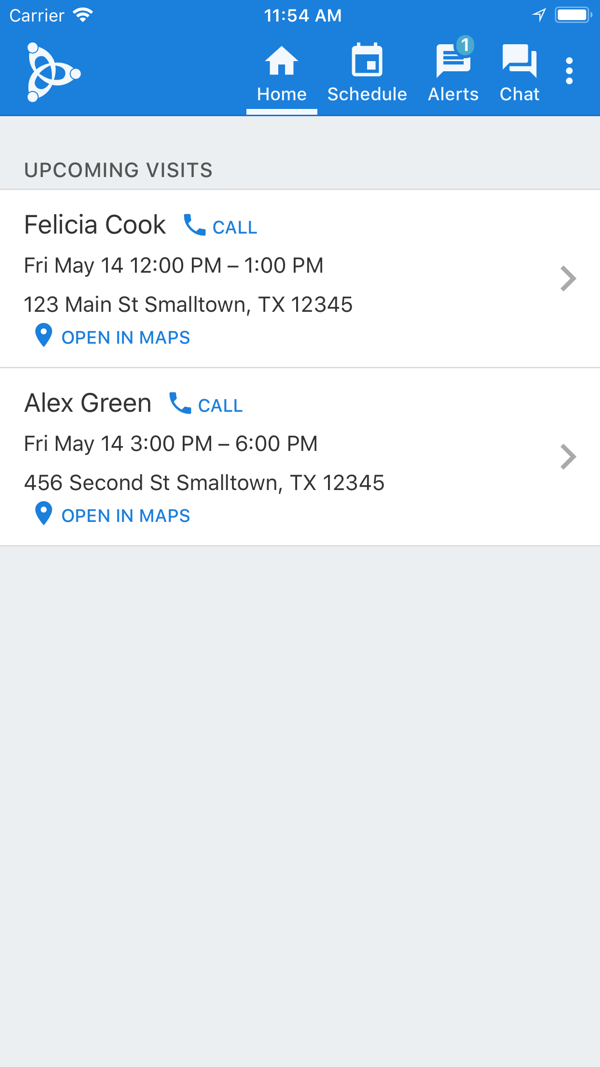
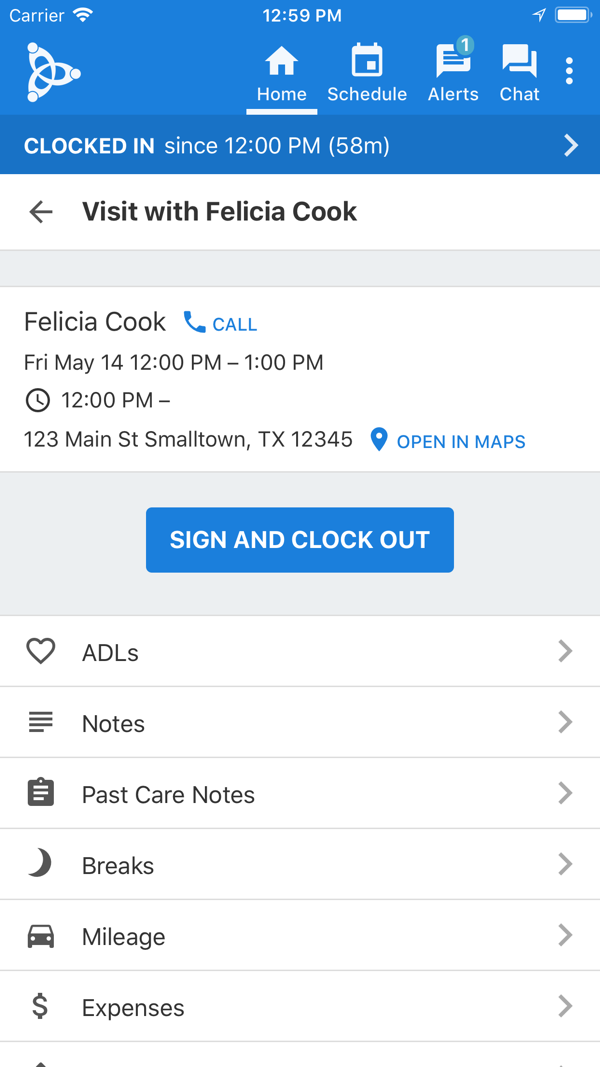
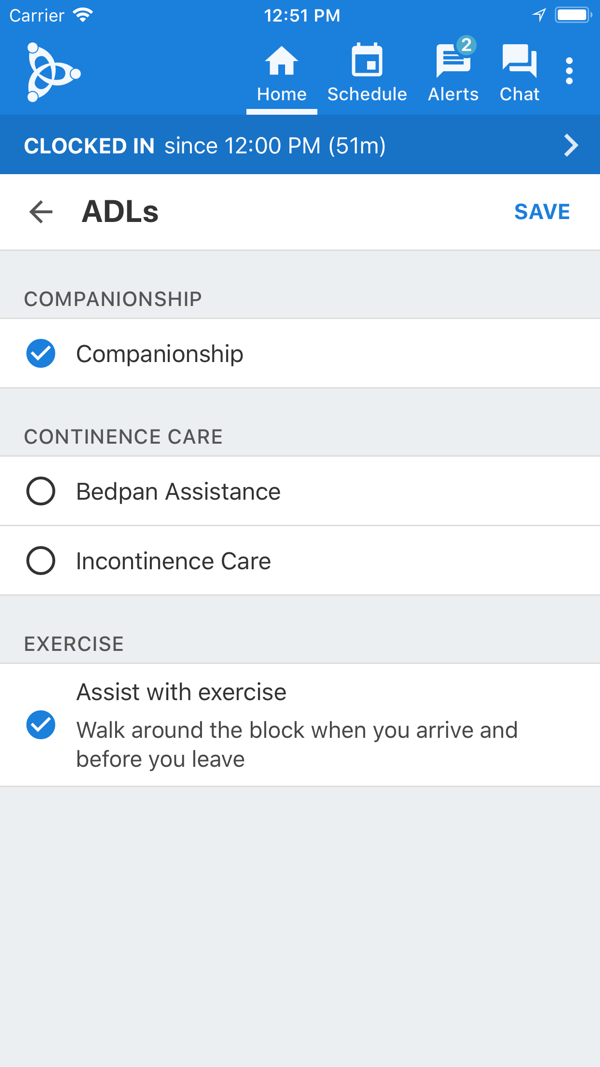
From the AxisCare Mobile App Store listing.
AxisCare's scheduling page describes caregiver recommendations weighed by availability, skills, driving distance and overtime, and open visits sent to selected caregivers by text, email or app.
When a caregiver accepts, AxisCare Mobile carries the visit, from geofenced clock-in to care notes on the client profile.
- Clocks caregivers in inside a GPS geofence
- Records ADLs and care notes, mileage and photos on the client profile
- Lists scheduling, EVV, billing and family portals in the base price
- Adds AI Transcribe, which fills visit forms by voice where the agency turns it on
Picture 6:30 AM: an aide calls out of a 9 AM visit. The scheduler filters for nearby caregivers under overtime and sends the open visit to three of them.
The first acceptance appears in the replacement's app with directions to the client's home, and the office sees the clock-in when she arrives.
AxisCare quotes by agency size and clients served. Recurring edits are where schedulers spend their mornings, so ask the demo to change a recurring visit for future weeks and show who received each offer.
- Best for
- Growing agencies where matching and call-out coverage drive the decision.
- Price
- personalized quote by agency size and clients
- Platforms
- web office software and the AxisCare Mobile caregiver app
- Caregiver sharing
- client and family portals listed in the base price
- Provider
- AxisCare (Centex AxisCare Inc)
- Matching on availability, skills, driving distance and overtime. Source: AxisCare scheduling
- Geofenced clock-in, ADLs, care notes and open visit requests in the app. Source: AxisCare Mobile App Store listing (developer description, version 3.53.0)
- Base price lists scheduling, EVV, billing and family portals. Source: AxisCare pricing
3. ShiftCare: Best for Published Per-User Pricing
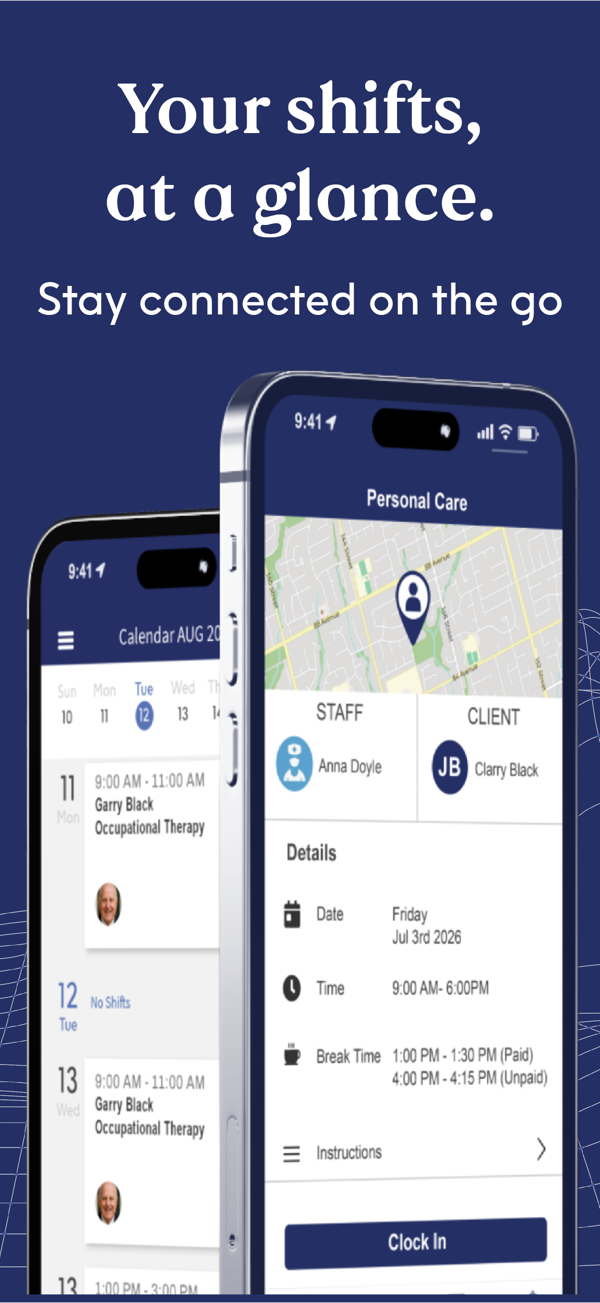
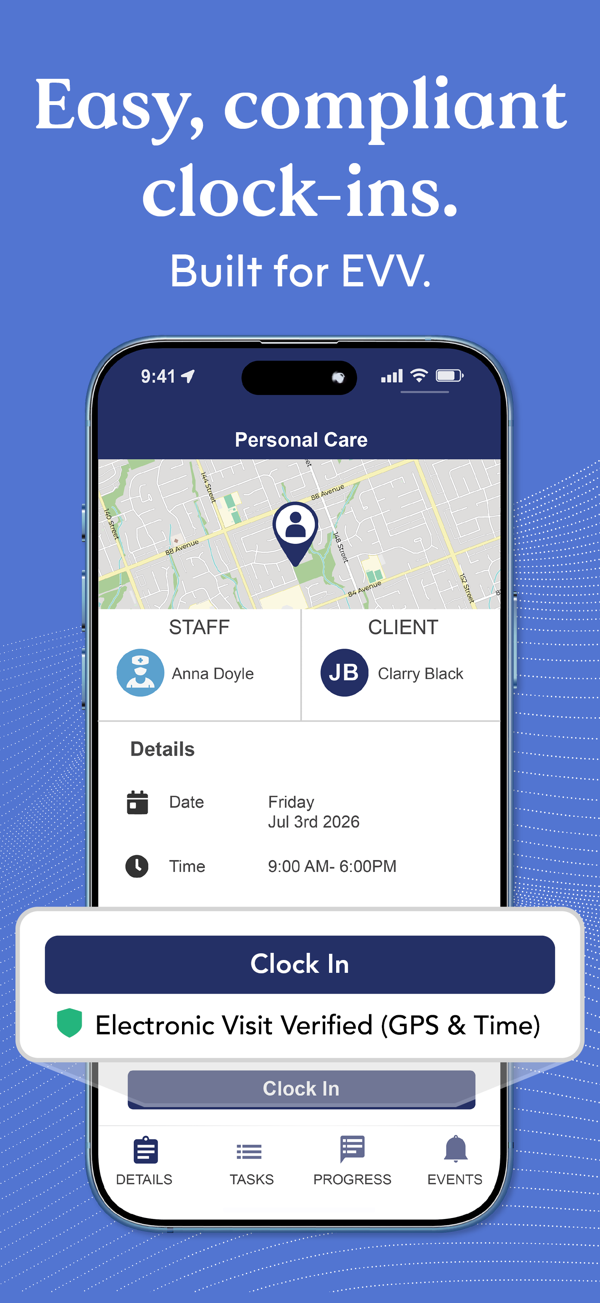
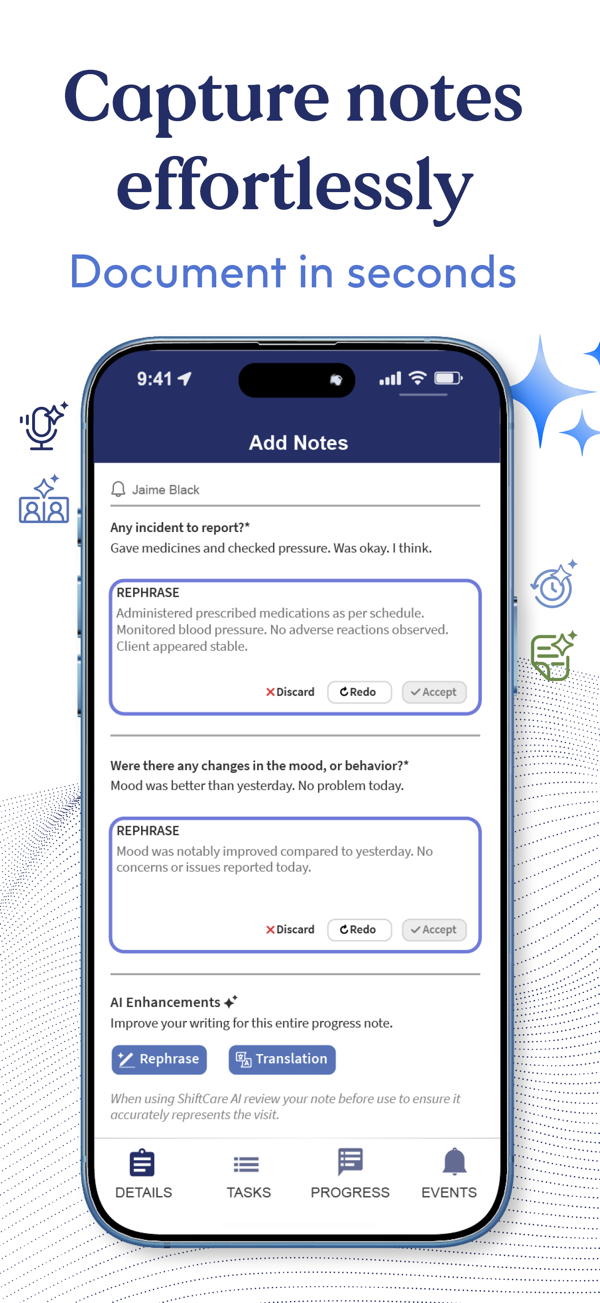
From the ShiftCare App Store listing.
ShiftCare publishes its prices, so the budget is easy to build before a sales call: Basic, Professional and Premium run $8, $13 and $20 per user a month, billed annually.
Its app lists SmartMatch caregiver matching by skills, preferences and availability.
- Clocks visits in and out with GPS
- Keeps care plans and client profiles caregivers read before each visit
- Takes progress notes and mileage in real time
- Offers a Family Portal on the Premium tier
- Logs incident reports and expenses from the caregiver's phone
The tier decides how much of a call-out it resolves. Professional adds vacant-shift offers to qualified staff and team messaging, so the first qualified aide claims the open visit.
Premium adds the Family Portal and direct Medicaid claims with EVV integration, which matters once a daughter asks to see the week.
Count every login, since admins and caregivers both count as users and plans start at five. Run the seven-day trial on the tier you plan to buy. ShiftCare says more than 8,000 providers use it worldwide.
- Best for
- Agencies wanting a budget before a sales call.
- Price
- $8, $13 or $20 per user/month, billed annually
- Platforms
- web plus the ShiftCare app for iPhone and iPad
- Caregiver sharing
- Family Portal on Premium
- Provider
- ShiftCare Pty. Ltd.
- Professional adds vacant-shift offers; Premium adds the Family Portal and Medicaid EVV claims. Source: ShiftCare pricing
- SmartMatch, GPS clock-in, care plans and progress notes in the app. Source: ShiftCare App Store listing (developer description, version 4.2.9)
- 8,000+ providers worldwide, per ShiftCare. Source: ShiftCare homepage
4. CareSmartz360: Best for Multi-Location Teams
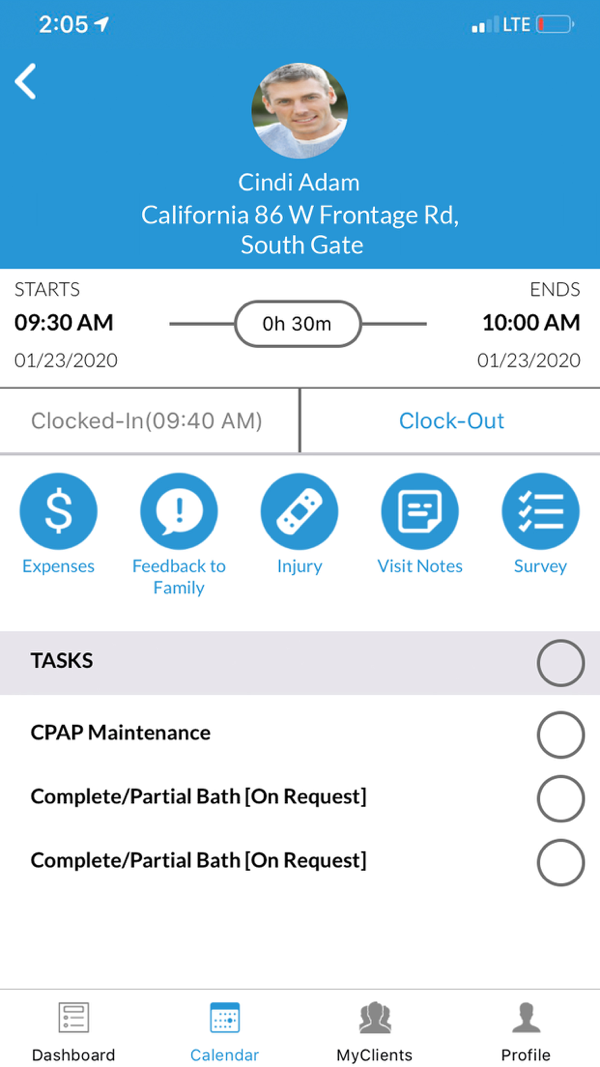
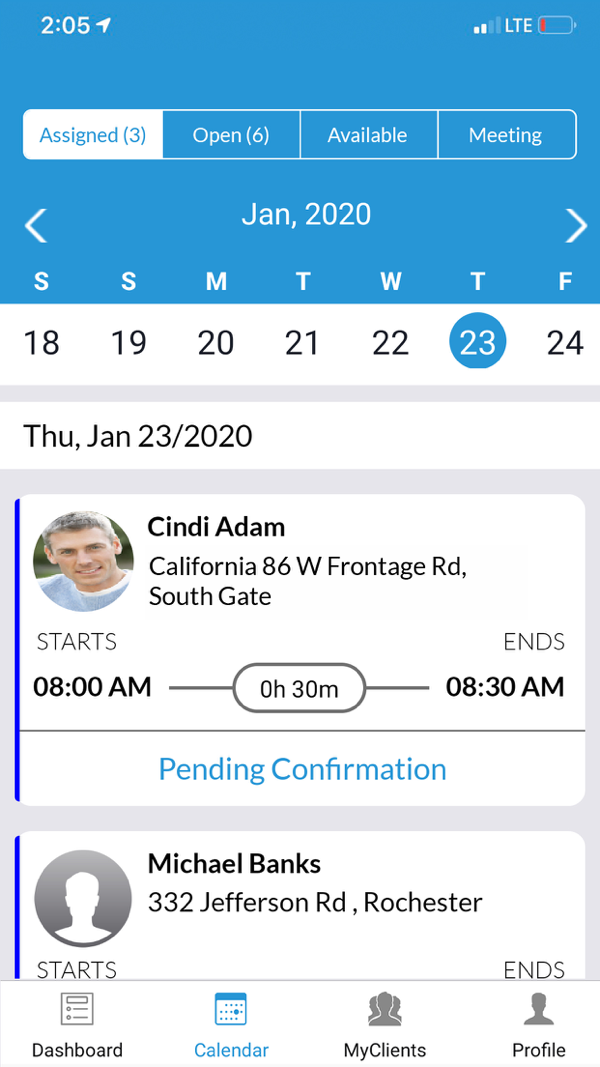
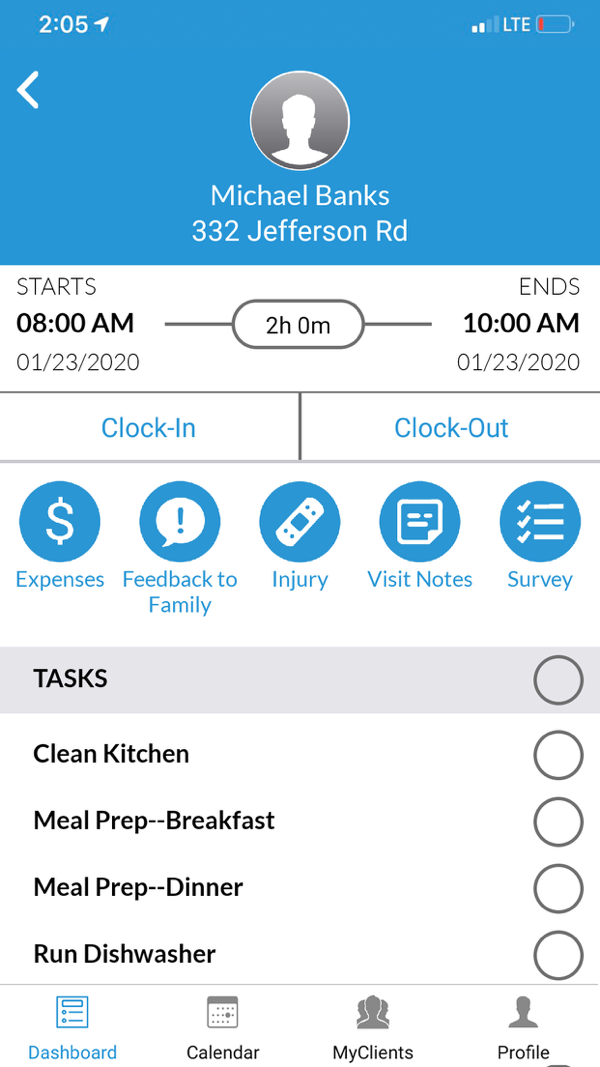
From the CareSmartz360 App Store listing.
CareSmartz360 is built for non-medical home care agencies and franchisors, joining intake, scheduling, caregiver management, billing and payroll in one system.
Its scheduling page describes master schedules with day-to-day exceptions across locations, matching on skills, availability and proximity.
- Sends bulk open-shift messages to selected caregivers
- Shows created schedules in the caregiver and family portals
- Gives caregivers their calendar, client details and emergency contacts by role
- Leads with AI-powered features; ask which ones your plan includes
- Covers intake, assessment, CRM, training and reporting beside scheduling
For a franchise owner with three offices, that means one recurring master schedule per client, branch-level views for each scheduler and caregivers clocking in from the app.
When a caregiver calls out, the scheduler sends one bulk message to selected caregivers, and the replacement lands on that branch schedule, visible in the family portal.
Pricing runs per active client by quote, so define an active client in writing. Price every add-on you need in the proposal, including branch access, portals, onboarding and training for each office.
- Best for
- Agencies coordinating multiple offices or franchises.
- Price
- quote per active client
- Platforms
- web plus the CareSmartz360 mobile app
- Caregiver sharing
- caregiver and family portals
- Provider
- CareSmartz, Inc
- Master schedules, proximity matching and bulk open-shift notices. Source: CareSmartz360 scheduling
- Role-based app with calendar, clock-in and client emergency contacts. Source: CareSmartz360⁺ App Store listing (developer description, version 2.58)
- Built for non-medical agencies, franchisors and staffing providers. Source
5. Alora: Best for Recurring Visits That Flow Into Billing
From the Alora Anywhere App Store listing.
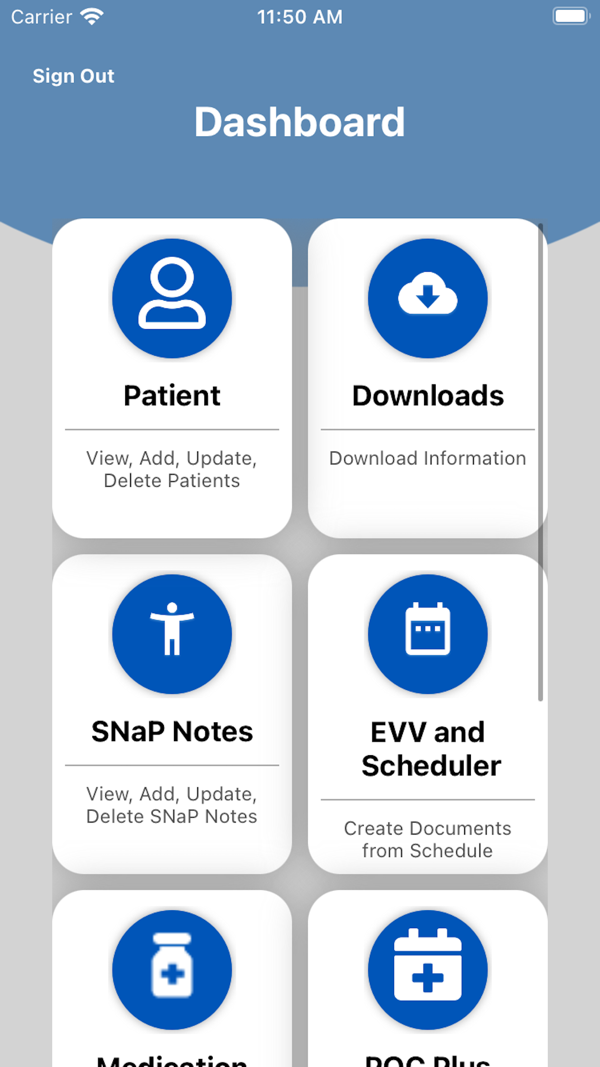
Alora's home care software page addresses the recurring roster: create a visit series once, then carry completed visits into billing and payroll.
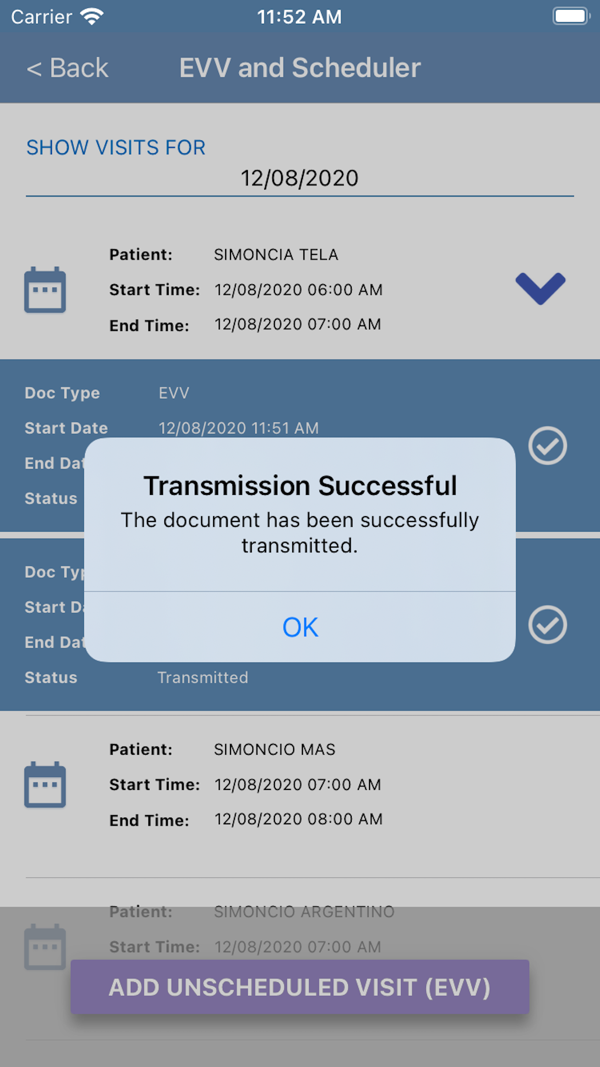
Conflict and authorization alerts appear while the scheduler builds each series, and live monitoring flags delayed visits and no-shows in real time on a phone, tablet or computer.
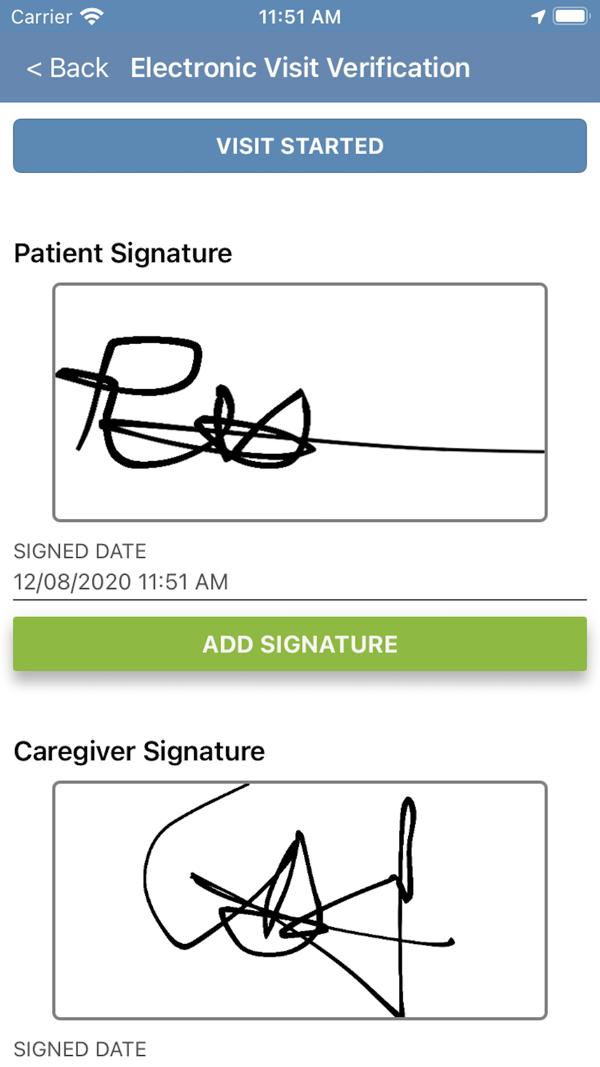
- Works offline in Alora Anywhere, uploading documentation back in signal
- Captures client and caregiver signatures with GPS
- Keeps a telephony backup for EVV
- Notifies caregivers about open shifts and visits yet to start
- Builds care-plan documentation, including OASIS for skilled visits
The offline app suits rural routes with patchy coverage: the aide records EVV and signatures, then uploads once back in signal. Aides sign in with their AloraPlus email, so each keeps one account.
Pricing depends on users or patients served, by written quote, and Alora says new features arrive at the same price.
Ask which edition fits your payer mix, since the app also covers skilled documentation such as OASIS, then demonstrate a mid-series change and confirm family access and training terms in writing.
- Best for
- Agencies connecting repeating visits to back-office work.
- Price
- quote by users or patients
- Platforms
- web on phone, tablet or computer, plus the Alora Anywhere app
- Caregiver sharing
- confirm family access in the demo
- Provider
- Alora Healthcare Systems, LLC
- Recurring visits, conflict alerts and visits flowing into billing and payroll. Source: Alora Home Care Software
- Offline EVV with signatures and GPS, plus open-shift notifications. Source: Alora Anywhere App Store listing (developer description, version 1.6.16)
- New features added regularly at the same cost, per Alora. Source: Alora home care software page
6. Connecteam: Best Free Option for Very Small Teams
From the Connecteam App Store listing.
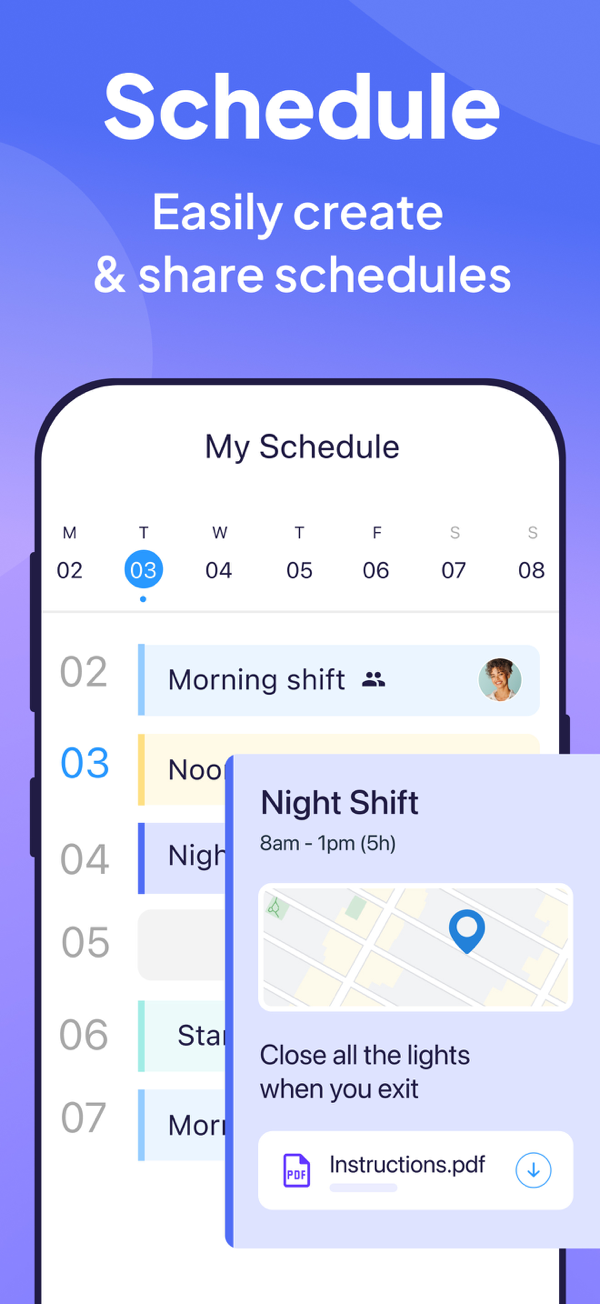
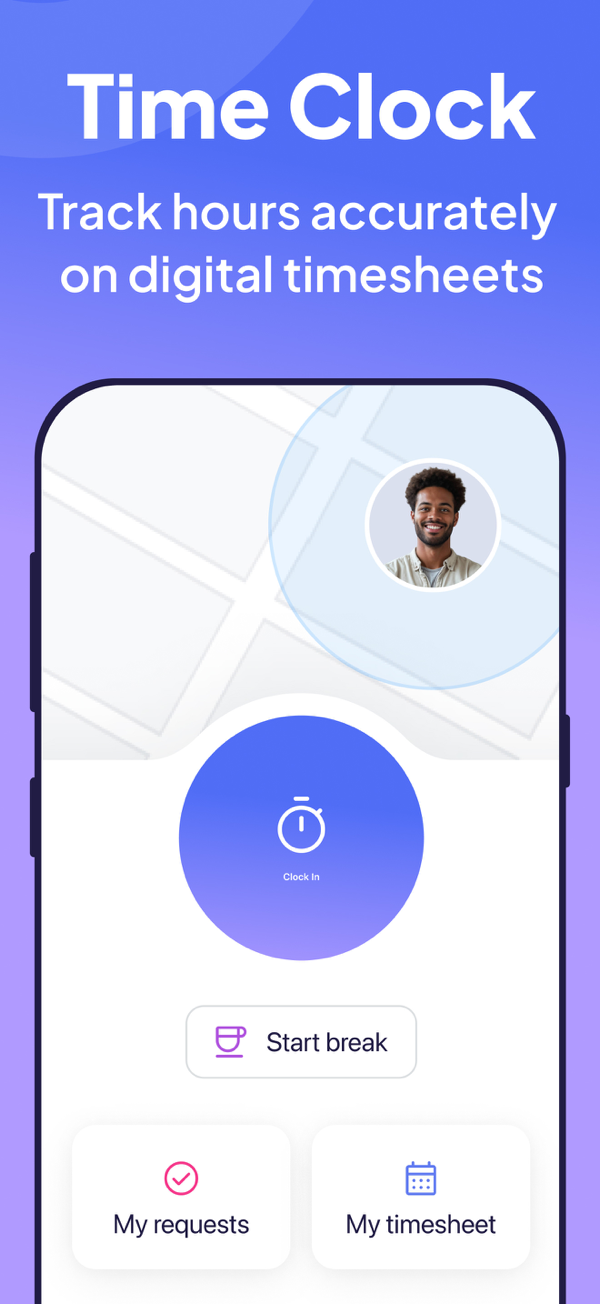
Connecteam is a general workforce app for non-desk teams. Its Operations Hub bundles scheduling and open shifts with a GPS time clock with geofences and payroll integrations.
An auto-scheduling tool builds a week in one click, and automated break, overtime and double-time rules keep timesheets ready for payroll.
- Includes a free Small Business plan for fewer than 10 employees
- Attaches client addresses and files to each shift
- Sends push reminders before each shift starts
- Adds repeating shifts and a shareable live schedule link on Advanced
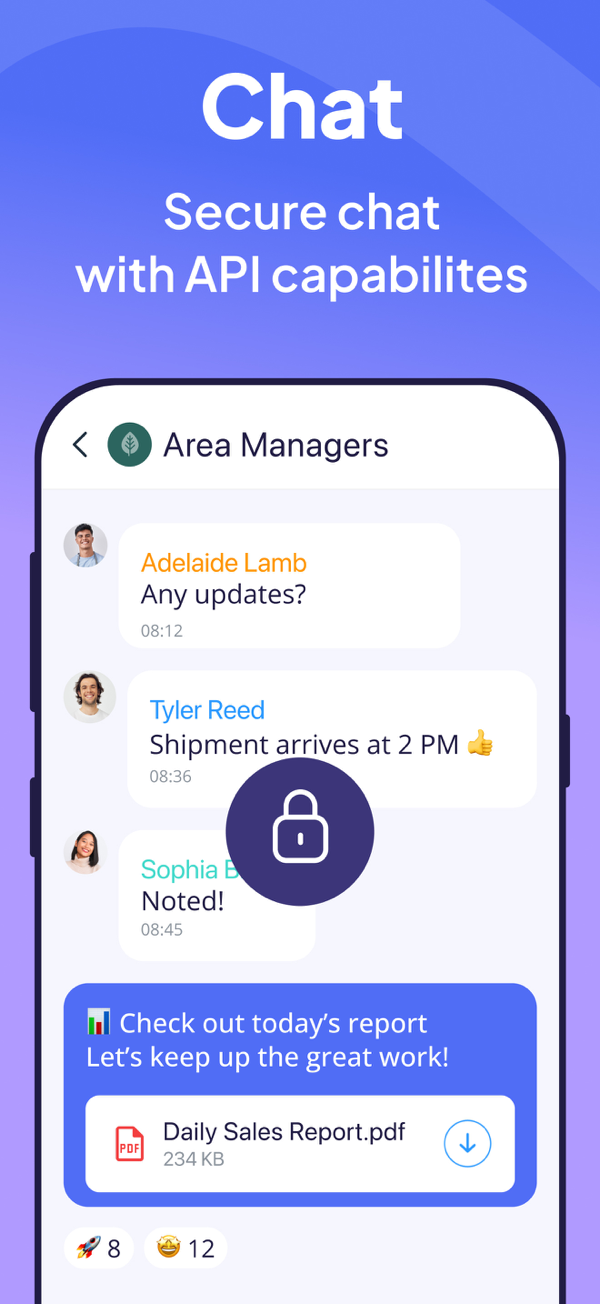
- Keeps secure chat and company updates for non-desk staff
For a four-aide private-pay agency, the free plan can carry the whole week: shifts, clock-ins with location, and a chat thread for swaps the owner reads on the go.
Chat and company updates sit in a separate hub. Paid hubs cover the first 30 users, then charge per user, after a 14-day trial.
Home care specifics such as Medicaid EVV, ADL documentation and client portals sit outside its standard feature list, so confirm EVV needs before you take Medicaid clients.
- Best for
- Private-pay teams under the free-plan employee limit.
- Price
- free under 10 employees; Operations Basic $29/month billed yearly
- Platforms
- mobile app and web dashboard
- Caregiver sharing
- shareable live schedule link on Advanced
- Provider
- Connecteam, Inc.
- Open shifts, GPS time clock and payroll integration on Operations Basic. Source: Connecteam pricing
- Auto-scheduling, geofenced time clock and secure chat in the app. Source: Connecteam Team Management App App Store listing (developer description, version 10.0.1)
- Each hub is priced separately, covering the first 30 users. Source
Give Client Families One Shared Place for Care
Invite caregivers into each client's village to post shift notes and check off doses. Families see today's visit, and your office fields fewer status calls.
- Shift notes posted from the field
- Doses checked off as given
- Families join free
Shift 8 AM to 12 PM: Evelyn ate most of her breakfast, walked 10 minutes in the hall and enjoyed her call with Dana. In good spirits.
I noted Evelyn’s mood
I noted Evelyn’s symptoms
Thank you, Rosa. I’ll check in with Evelyn tonight.

Frequently Asked Questions
What Is the Difference Between Home Care Scheduling Software and EVV?
Scheduling assigns the visit in advance, and EVV records the visit that took place. Ask the vendor to show a corrected clock-in reaching your payer.
Is There Free Home Care Scheduling Software?
Yes. Connecteam lists a free plan for businesses with fewer than 10 employees. Check who counts toward that limit, including administrators.
How Much Does Home Care Scheduling Software Cost?
ShiftCare lists plans from $8 per user a month, billed annually. Other vendors quote by roster size or client census, so ask for a first-year total with setup and training.
Can Families See the Caregiver Schedule?
AxisCare and CareSmartz360 list family portals, and ShiftCare includes one on Premium. Caring Village Professional adds a private village per client, where families and professional caregivers share visits, shift notes and doses. Change one visit in the demo and check what a relative sees.
Seven Scenarios to Run in Every Demo
| Scenario | Ask Live / Pass Criteria | Score |
|---|---|---|
1. Call-out two hours before visit | Filter eligible replacements; send the shift; see recipients and responses. | 0 / 1 / 2 |
2. Recurring change next week | Move Tue/Thu to Mon/Wed/Fri; preserve past visits and downstream records. | 0 / 1 / 2 |
3. Weekly hour cap | Assign beyond your configured cap; warning appears before saving. | 0 / 1 / 2 |
4. Late/out-of-geofence clock-in | Record actual time/location; flag exception, reason and office notification. | 0 / 1 / 2 |
5. Medicaid visit | Show all six EVV elements and written support for your state’s receiving system (aggregator). | 0 / 1 / 2 |
6. 24/7 or live-in client | Build back-to-back shifts with clean handoffs; show handoff notes. | 0 / 1 / 2 |
7. Family schedule request | Open the family view; identify its price, permissions and update process. | 0 / 1 / 2 |
Private-pay agencies can skip scenario 5 and aim for 9 of 12, with at least a 1 on scenarios 1 and 2.
For Medicaid visits, require a 2 on scenario 5 and aim for 11 of 14. These thresholds are a buying aid; your state program sets EVV compliance.
A coordinated caregiver calendar also captures appointments outside the agency roster, so name who keeps it current.
Share the Week With the Whole Family
Add each client's visits and appointments to the village calendar, so invited relatives see the planned week and arrange their own help around it.
View Plans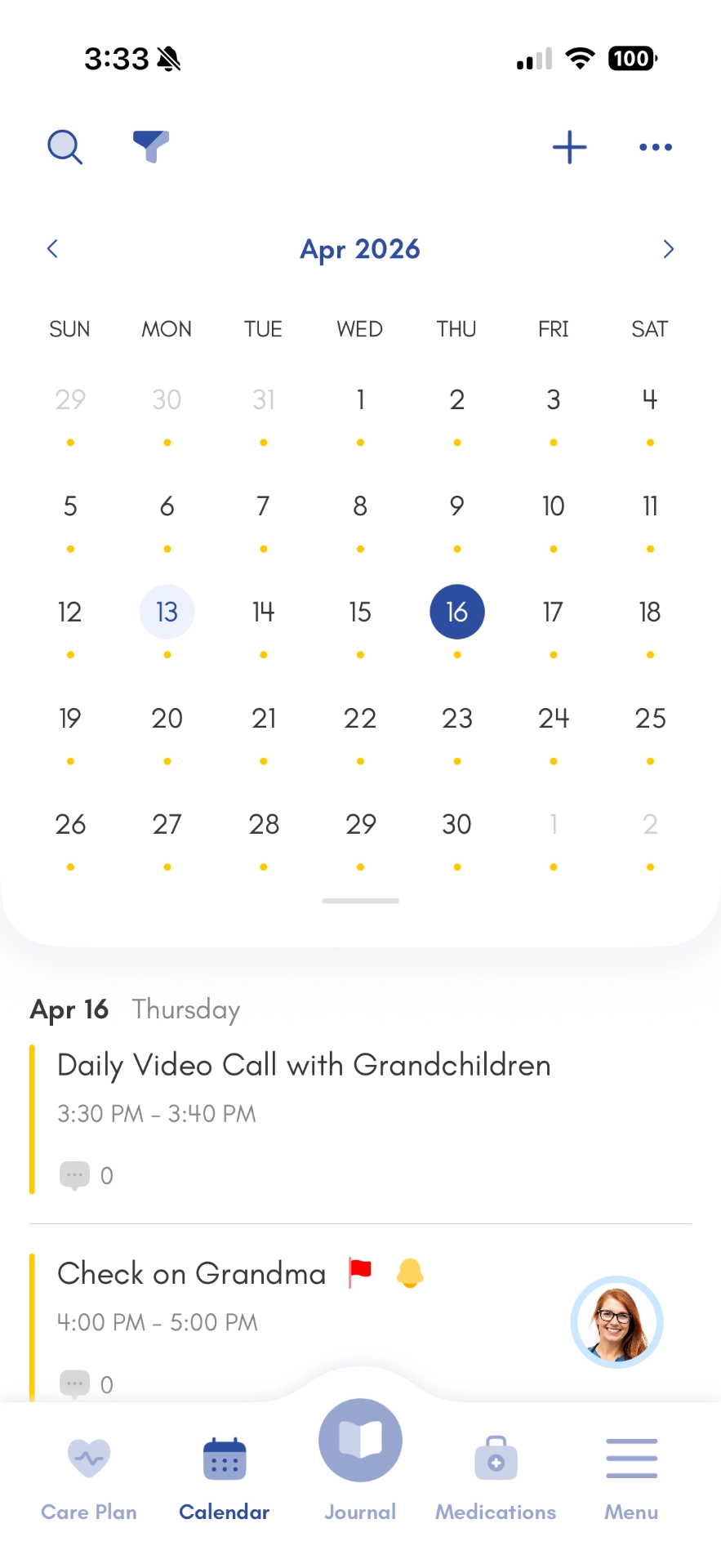
The Bottom Line
Bring one real call-out to every demo. Choose the scheduler that fills the visit, alerts the right people and fits your written first-year quote.
Then give each client's family the view they ask for. For billing and payroll depth, compare full home care software platforms.
Keep Every Client Family on the Same Page
Caring Village Professional brings visits, shift notes, medications and updates into one private village for each client's family.
As a professional caregiver managing multiple clients, this app keeps me organized. The daily log feature is incredibly easy to use.