Most families do not actually need help choosing a tablet. They need help choosing a tablet they can keep running.
A cheap tablet that nobody can set up, update, or troubleshoot becomes the most expensive option in the house. So this guide ranks tablets the way a caregiver experiences them: how much hands-on setup each one needs, how much ongoing support it asks of you, and how well it fits the day-to-day of coordinating care.
The hardware matters too, and we cover it. But the real decision is whether the people around your loved one can keep the device useful after the box is opened.
What changed in our 2026 update
We refreshed this guide to current-generation devices and re-checked every price at the source in July 2026.
- Swapped in the latest models: the iPad (A16), iPad mini (A17 Pro), Fire HD 10 (2023), Galaxy Tab A11+, and Lenovo Tab M11.
- Added the Amazon Fire Max 11 as a larger, sturdier budget option.
- Retired discontinued picks that families could no longer buy new, and updated the links to live product pages.
Prices and availability were verified within the last 30 days and can still change.
Not sure where to start?
Jump straight to the pick that matches the situation.
Top Picks Compared
The setup column is the one most buying guides leave out. It is the difference between a tablet that gets used and one that ends up in a drawer.
| # | Product | Setup burden | Screen | Price | Best For |
|---|---|---|---|---|---|
| 01 | 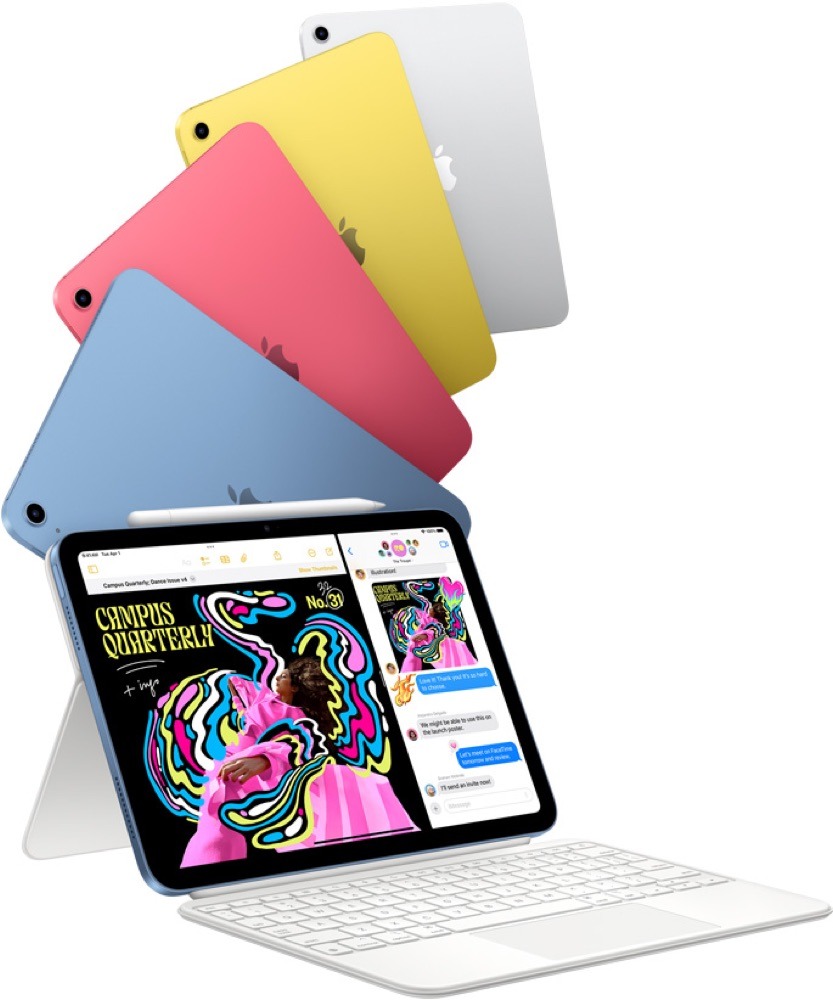 Apple iPad (A16)★ Best overall Apple iPad (A16)★ Best overall |
Low to moderate | 11-inch | ~$449+ | Video-call families wanting long support |
| 02 | 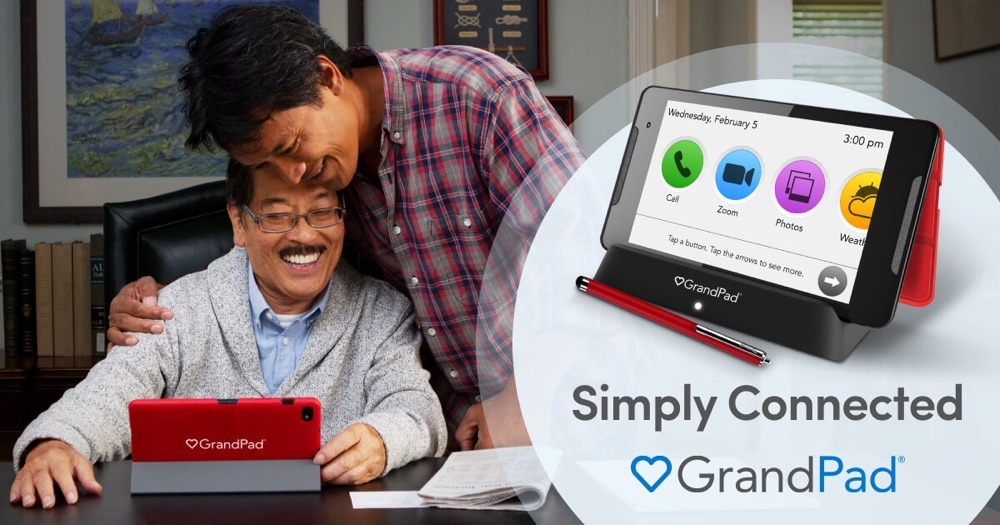 GrandPad ServiceLowest support burden GrandPad ServiceLowest support burden |
Lowest | ~8-inch | ~$299 + ~$40/mo | Less tech-comfortable loved ones |
| 03 | 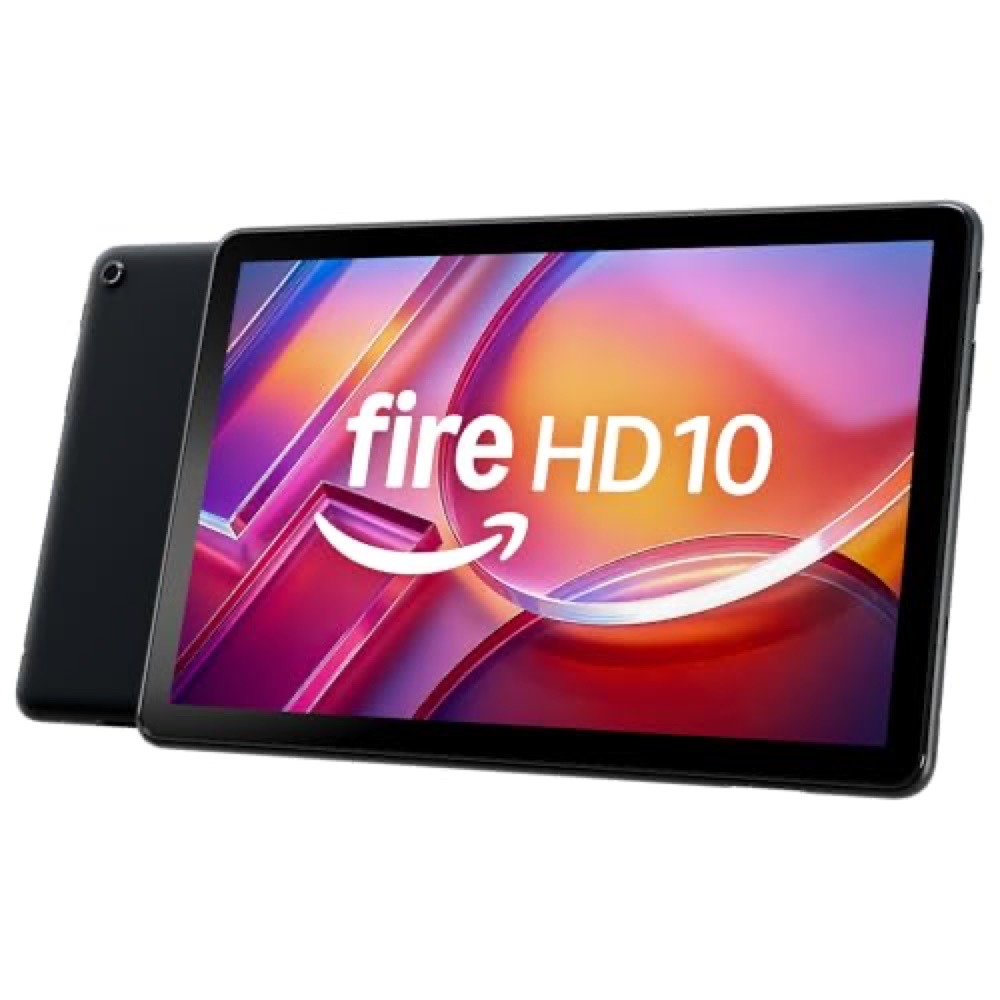 Amazon Fire HD 10Best budget pick Amazon Fire HD 10Best budget pick |
Moderate | 10.1-inch | ~$140 | Budget video calls, reading, streaming |
| 04 | 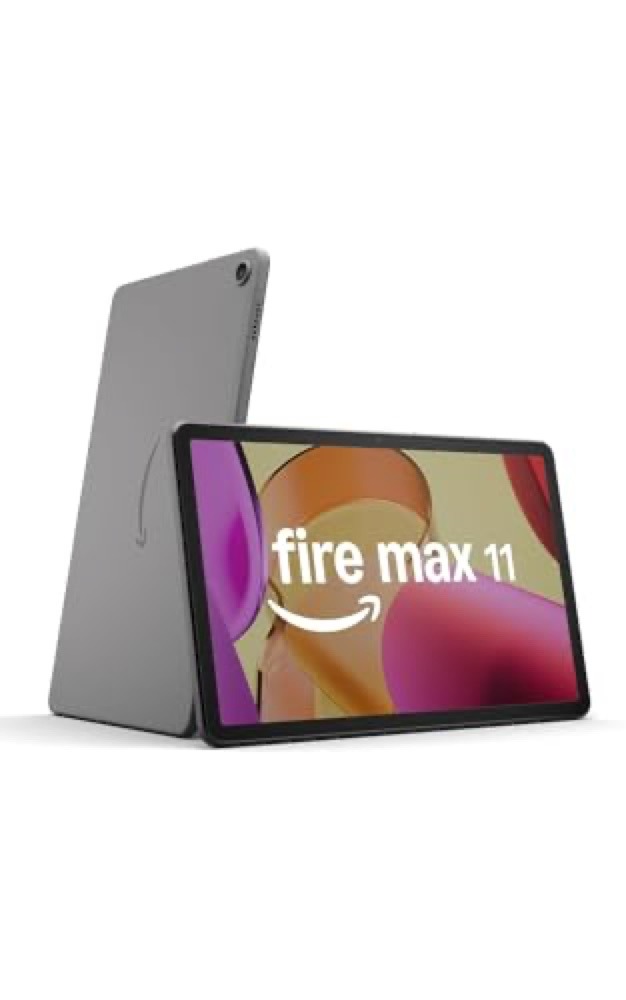 Amazon Fire Max 11Best larger Fire Amazon Fire Max 11Best larger Fire |
Moderate | 11-inch | ~$230 to $280 | A bigger, sharper budget screen |
| 05 | 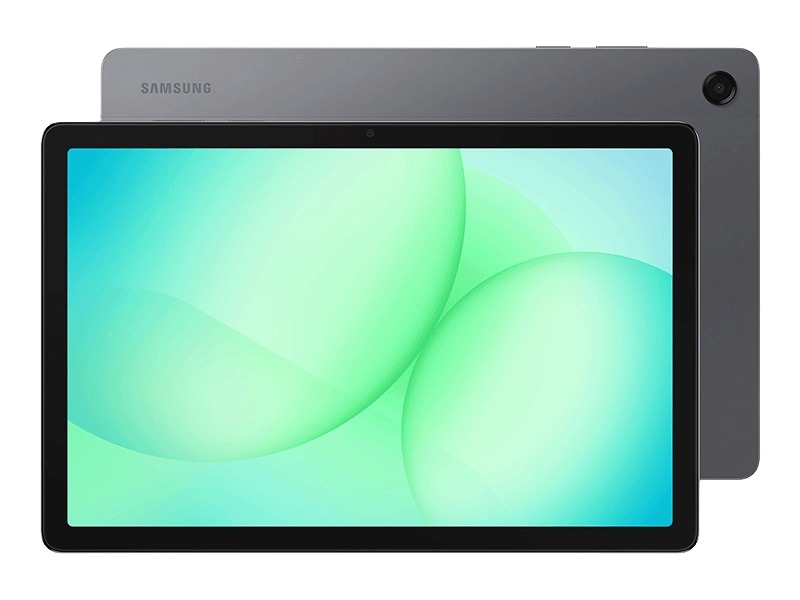 Samsung Galaxy Tab A11+Best mid-budget Android Samsung Galaxy Tab A11+Best mid-budget Android |
Moderate to high | 11-inch | ~$210 to $300 | Long-lived Android with expandable storage |
| 06 |  Apple iPad miniBest lightweight pick Apple iPad miniBest lightweight pick |
Low to moderate | 8.3-inch | ~$599+ | Lightest one-hand-friendly iPad |
| 07 | 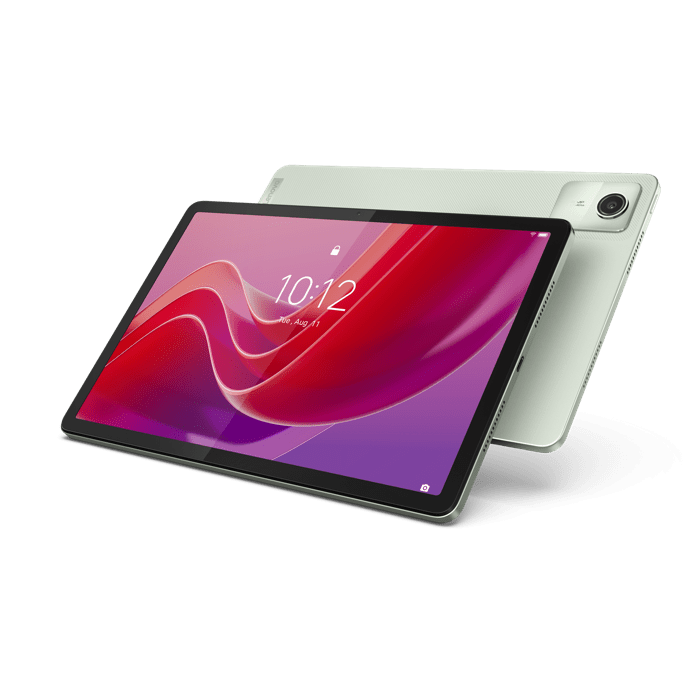 Lenovo Tab M11Budget Android value Lenovo Tab M11Budget Android value |
Moderate to high | 11-inch | from ~$180 | Cheap Android with a long update promise |
All pricing verified July 2026 at manufacturer and retailer pages. Subject to change.
How we ranked this: Our ranking is based on caregiver fit, not on commission. The iPad earns the top spot because it is the easiest device for a family to set up and support over time.Senior Tablet Setup Burden Score
How much hands-on work each tablet asks of a family before and after the box is opened. Higher is easier on the caregiver.
| Tablet | Out-of-box ease | Ongoing support | Video calling | Caregiver app fit | Burden score |
|---|---|---|---|---|---|
| GrandPad | 5remote setup | 5 | 4 | 3 | 17/20 |
| Apple iPad | 4 | 4 | 5 | 5 | 18/20 |
| Apple iPad mini | 4 | 4 | 5 | 5 | 18/20 |
| Amazon Fire HD 10 | 3 | 3 | 3 | 3 | 12/20 |
| Amazon Fire Max 11 | 3 | 3 | 3 | 3 | 12/20 |
| Samsung Galaxy Tab A11+ | 2 | 4 | 4 | 4 | 14/20 |
| Lenovo Tab M11 | 2 | 2 | 4 | 4 | 12/20 |
The score rewards two things buying guides usually ignore: whether a caregiver can do the setup remotely, and whether the device keeps working without someone re-teaching it every month. That is why GrandPad and the iPads sit at the top despite being very different products at very different prices. The ranking still separates by caregiving model: GrandPad is the lowest-effort managed option, while iPad is the strongest mainstream tablet when family support is available.
First-week tablet setup checklist
Do these once, in order, and most of the support calls that follow simply do not happen.
Make it usable
- Add contacts and emergency information. Family, doctor, pharmacy, and one in-case-of-emergency contact, with photos where the device allows.Photos make calling far easier.
- Increase text size and contrast. Bump font size, turn on bold text, and raise display brightness before handing it over.
- Set up the video call apps. Install and sign in to FaceTime, the GrandPad call screen, or whichever app the family already uses, then place a test call together.
Make it coordinate care
- Add Caring Village if coordination is part of the use case. A shared place for the calendar, medications, documents, and family updates so the tablet does more than entertain.
- Add a medication or care reminder app only if your loved one will actually use it. An unused app is just clutter.
Make it safe to leave alone
- Enable backups, automatic updates, and a passcode. Turn on cloud backup, set updates to install automatically, and choose a passcode the owner can use, with recovery access stored securely.
- Turn on find-my-device. Find My on iPad, or the equivalent locator on Android and GrandPad, so a misplaced tablet is recoverable.
How We Judged These Tablets
We started from the current article’s older roster, dropped models that are discontinued or no longer a good fit, and replaced them with current generations. Every price and spec below was checked against the manufacturer or a current retailer listing in July 2026.
Rather than rank on raw power, we weighted the things that decide whether a tablet survives in an older adult’s home.
- Setup burden. How much hands-on configuration the device needs before a loved one can use it alone, and whether a caregiver can do that remotely.
- Support burden. How often someone has to step in afterward for updates, password resets, app clutter, or accidental changes.
- Video calling. Camera quality and how simply a family member can start a call, since connection is the most common reason families buy.
- Accessibility. Text size, contrast, magnification, and voice features that make the screen usable for aging eyes and hands.
- Caregiver app fit. Whether the device runs the apps families rely on, including a shared coordination app like caregiver apps for families and medication reminder apps.
- Total cost of ownership. The real price over time, including subscriptions, ad-removal fees, and accessories, not just the sticker.
The Top Picks, Reviewed
Seven current tablets, ranked for real caregiving situations, from the long-term family default to the lowest-effort option and the budget choices.
Apple iPad (A16, 11th generation)
★ Best overallThe lowest-friction long-term choice for families who video call.
- Best forFamilies who video call and want the longest app support
- Price$449 (128GB Wi-Fi) to $749 (512GB Wi-Fi); cellular from $599
- Screen11-inch Liquid Retina
- Chip / storageA16; 128GB / 256GB / 512GB
- ConnectivityWi-Fi 6; optional 5G cellular
Specs and pricing verified July 2026 at apple.com.
Check out AppleThe standard iPad earns the top spot for one caregiver reason above all: it stays easy for years. FaceTime is the smoothest way to bring family onto a screen, the App Store runs everything a coordinating family needs, and Apple supports each generation with software for a long time, so you are not forced into a new device or a relearning curve every couple of years.
The accessibility suite is the deepest here. Text size, VoiceOver, Magnifier, and AssistiveTouch are built in, and a family member can walk a loved one through them in a few minutes or set them up ahead of time.
What works well
- Best-in-class FaceTime for connecting with family
- Long iPadOS support window and a huge app library
- Excellent built-in accessibility: text size, VoiceOver, Magnifier, AssistiveTouch
- In-person and online Apple support for setup help
Worth knowing
- Higher up-front price than budget Android or Fire tablets
- No included charger brick in some configurations
- Cellular adds cost if the loved one needs connectivity away from Wi-Fi
GrandPad Service
Lowest support burdenA locked-down, caregiver-managed tablet built for the least tech-comfortable loved ones.
- Best forLowest possible setup and support burden
- Device~$299 via Consumer Cellular ($349 direct, ~$399 on Amazon)
- Service~$40/mo via Consumer Cellular ($38/mo with AARP) or ~$65/mo direct
- Screen~8-inch HD (1920 x 1200)
- ConnectivityBuilt-in 4G LTE; no home Wi-Fi required
Pricing verified July 2026. Subscription pricing varies by plan and partner.
Check out GrandPad ServiceGrandPad is the answer when the obstacle is not money, it is confidence. The interface is large, curated, and locked down, so there is no app store to get lost in and no spam to fall for. A caregiver manages contacts and content remotely through a companion app, which means much of the setup happens before the device ever reaches your loved one.
Because it ships with its own cellular plan, it works without home Wi-Fi, which removes one of the most common points of failure for older adults living alone. For a deeper look at staying connected from afar, see our guide to long-distance caregiving tips.
What works well
- Designed for seniors: large icons and a curated, locked-down experience
- Caregivers manage contacts and content remotely, cutting setup burden
- Cellular plan means it works without home Wi-Fi
- No app-store clutter or spam exposure
Worth knowing
- Ongoing monthly subscription, not a one-time purchase
- Locked ecosystem; cannot install arbitrary apps
- Total cost of ownership is higher over time than a standard tablet
The cost over time
At about $40 a month, GrandPad costs roughly $480 a year in service on top of the device. Over three years that is well past the price of a mid-range iPad. You are paying for the removed support burden, which is often worth it, but it is a subscription, not a one-time buy.
Amazon Fire HD 10 (2023, 13th generation)
Best budget pickA genuinely affordable 10-inch screen, best with a little caregiver configuration.
- Best forBudget video calls, reading, streaming, and Alexa
- Price~$140 (64GB) when checked; add ~$15 to remove lockscreen ads
- Screen10.1-inch 1920 x 1200 Full HD
- Storage32GB or 64GB, expandable to 1TB via microSD
- BatteryUp to 13 hours
Pricing verified July 2026 at amazon.com.
Check out Amazon Fire HD 10The Fire HD 10 is the easiest tablet to recommend on price alone. You get a large, readable Full HD screen, hands-free Alexa that helps less tech-comfortable users, and expandable storage, for a fraction of an iPad. For reading, streaming, and the occasional video call, it is plenty.
The catch is the ecosystem. Fire OS uses Amazon’s Appstore rather than Google Play or the App Store, so some familiar apps are missing, and the device shows lockscreen ads unless you pay to remove them. It rewards a caregiver who spends twenty minutes turning off the up-sells and installing the right apps up front.
What works well
- Very low price for a 10-inch screen
- Adjustable text size and good readability for the price
- Alexa voice control helps less tech-comfortable users
- Expandable storage
Worth knowing
- Fire OS app selection is limited versus Google Play or the App Store
- Lockscreen ads unless you pay to remove them
- Cameras and performance are basic; not ideal for heavy video calling
- Best configured carefully by a caregiver to avoid Amazon up-sells
Amazon Fire Max 11
Best larger FireA bigger, sharper, sturdier Fire tablet for the same Fire OS world.
- Best forA larger, more premium Fire for streaming and reading
- PriceList $279.99 (128GB, no ads); the 64GB version lists at $229.99
- Screen11-inch 2000 x 1200
- Storage64GB or 128GB, expandable to 1TB via microSD
- BatteryUp to 14 hours
Price verified July 2026 at Staples; Amazon’s own listing was out of stock when checked.
Check Fire Max 11 priceIf the Fire HD 10’s screen feels small or flimsy, the Fire Max 11 is the step up. The display is the largest and sharpest in the Fire lineup, the aluminum body feels more solid in arthritic hands, and battery life is excellent. An optional keyboard turns it into a light productivity device for a loved one who still does a bit of work or correspondence.
It runs the same Fire OS, though, so the same app limitations and lockscreen ads apply. If your loved one only video calls and reads, this is more tablet than the situation needs.
What works well
- Largest, sharpest screen in the Fire lineup
- Premium aluminum build feels sturdier in the hand
- Long battery life and expandable storage
- Optional keyboard turns it into a light productivity device
Worth knowing
- Same Fire OS app limitations as the Fire HD 10
- Ad-removal fee still applies even at this higher list price
- More than a budget shopper needs if the loved one only video calls and reads
Samsung Galaxy Tab A11+
Best mid-budget AndroidA newer full-Android tablet with Google Play, expandable storage, and a longer support runway than the older A9+.
- Best forFlexible full-Android tablet with long software support
- PriceAbout $210 to $300 depending retailer and configuration
- Screen11-inch 1200 x 1920, 90Hz
- Processor / RAMUpgraded A-series chipset; 6GB or 8GB RAM
- ExtrasQuad speakers, microSD, Samsung DeX, 7-year update policy
Pricing and model availability verified July 2026 at Samsung, Amazon, and Best Buy. Subject to change.
Check out Samsung Galaxy Tab A11+The Galaxy Tab A11+ is the sensible Android middle ground between a locked-down Fire tablet and a full-price iPad. You get Google Play, an 11-inch 90Hz screen, quad speakers, expandable storage, Samsung accessibility tools, and a much stronger support window than older budget Android tablets.
The tradeoff is setup. Android still asks more of the caregiver than an iPad or GrandPad during the first week, and Amazon listings can mix official, international, and accessory-bundle variants. Buy the current 128GB Wi-Fi model if you want the cleanest caregiver setup.
What works well
- Full Android and Google Play, unlike Fire OS
- 90Hz screen, quad speakers, and expandable storage are strong for the price
- Seven-year Samsung update policy gives it a better long-term runway
- Samsung accessibility features: text size, magnifier, hearing settings, and DeX
Worth knowing
- More setup support needed than an iPad or GrandPad
- Still a budget tablet, not a heavy multitasking machine
- Listings can mix official, international, and bundle variants, so confirm the exact model
Apple iPad mini (A17 Pro, 7th generation)
Best lightweight pickThe lightest, most one-hand-friendly tablet that still runs full iPadOS.
- Best forThe lightest tablet that still runs full iPadOS
- Price$599 (128GB Wi-Fi) to $1,049 (512GB cellular); cellular from $749
- Screen8.3-inch Liquid Retina (2266 x 1488), True Tone
- Chip / RAMA17 Pro; 8GB RAM
- SecurityTouch ID in the top button
Specs and pricing verified July 2026 at apple.com.
Check out AppleThe iPad mini solves a real problem: a full-size tablet can be heavy and awkward for weaker or arthritic hands. The mini is light enough to hold one-handed for a long video call and small enough to slip into a bag for appointments, while still running the full App Store and FaceTime.
The two things to weigh are price and screen size. It is the most expensive entry in this roster, and the smaller display can be harder for low-vision readers than a 10 or 11-inch tablet. For a loved one who reads a lot of text, the larger standard iPad may be the kinder choice.
What works well
- Very light and easy to hold for arthritic or weaker hands
- Full iPadOS, FaceTime, and App Store
- Strong accessibility suite and Apple support
- Fits in a bag or large pocket for travel and appointments
Worth knowing
- Highest entry price in this roster
- Smaller screen can be harder for low-vision readers than a 10 to 11-inch tablet
- More device than needed if the loved one only video calls at home
Lenovo Tab M11
Budget Android valueAn inexpensive full-Android tablet with a surprisingly long update promise.
- Best forBudget Android shoppers who want a long update promise
- PriceFrom ~$180 (4GB/64GB base)
- Screen11-inch 1920 x 1200 IPS, 90Hz
- Chipset / storageMediaTek Helio G88; 64GB to 256GB, microSD to 1TB
- UpdatesPromised security updates for about 4 years
Pricing verified July 2026 via Lenovo and major outlets. Subject to change.
Check out LenovoThe Lenovo Tab M11 is the value pick for an Android-comfortable family. For around the price of a Fire HD 10 you get full Google Play, a 90Hz screen, quad speakers, and a roughly four-year security-update promise that is rare this cheap. Optional simplified and entertainment modes help if you want a calmer home screen.
It is an entry-level chipset, so it is not for demanding apps, and like any Android tablet it asks more of the caregiver during setup than an iPad does. The accessory and support ecosystem is also thinner than Apple’s or Samsung’s.
What works well
- Inexpensive full-Android tablet with Google Play
- 90Hz screen and a long update commitment are rare at this price
- Quad speakers and expandable storage
- Optional kids and entertainment modes useful for simplified use
Worth knowing
- Entry-level chipset; not for demanding apps
- Requires more caregiver setup than an iPad or GrandPad
- Accessory and support ecosystem thinner than Apple or Samsung
Which Tablet Should You Choose?
If you read only one section, read this one. The right tablet depends far less on specs than on who is around to help and what your loved one will actually do with it.
- Choose the Apple iPad (A16) if the family video calls often and you want one device that stays easy and supported for years. It is the strongest long-term mainstream default when someone in the family can help set it up.
- Choose GrandPad if your loved one has struggled with mainstream tablets and you want to remove almost all of the setup and support work, and you are comfortable with a monthly fee and no home Wi-Fi requirement.
- Choose the Amazon Fire HD 10 if budget is the priority, the use is mostly reading, streaming, and the occasional call, and someone can do a careful first-time setup.
- Choose the Fire Max 11 if you want the best Fire screen and build, and Google Play is not a requirement.
- Choose the Samsung Galaxy Tab A11+ or Lenovo Tab M11 if you specifically want full Android and Google Play at a mid or low budget, and you have an Android-comfortable helper.
- Choose the iPad mini if portability and one-hand comfort matter most and the smaller screen is not a problem for reading.
Whichever you pick, the device is only half the job. Coordinating the appointments, medications, and updates around it is the other half, and it helps to learn from families who have done it. Our roundups of elderly care apps for families and our guide to GPS trackers for seniors are good next reads once the tablet is set up.
Worthwhile Add-Ons
A few inexpensive extras make almost any of these tablets easier for an older adult to live with.
- A protective case with a stand. Props the tablet up for hands-free video calls and survives the inevitable drop.
- A screen protector. Cheap insurance against scratches and smudges.
- A stylus. Helpful for hands that struggle with precise taps, on tablets that support one.
- A simplified launcher. On Android, a senior-friendly home screen reduces clutter and accidental taps.
- A cellular plan. For a loved one without reliable home Wi-Fi, cellular keeps the tablet connected, the way GrandPad builds it in by default.
Frequently Asked Questions
iPad or Amazon Fire tablet for a senior?
Choose an iPad if the family video calls often and you want a device that stays easy and supported for years; FaceTime, the App Store, and Apple’s accessibility tools make it the lowest-friction long-term pick. Choose a Fire tablet if budget is the priority and the use is mostly reading, streaming, and occasional calls. The Fire is far cheaper but uses Amazon’s app store rather than Google Play or the App Store, shows lockscreen ads unless you pay to remove them, and rewards a careful first-time setup by a caregiver.
Should I get a cellular or Wi-Fi tablet for an older adult?
Wi-Fi is enough if your loved one has reliable home internet and mostly uses the tablet at home, and it costs less up front with no monthly fee. Choose cellular if they lack dependable home Wi-Fi, travel, or live alone where a connection problem could leave them cut off. A device like GrandPad builds cellular in by default on its plan, which is part of why it needs so little setup.
What is the easiest tablet for a senior to use?
For a less tech-comfortable loved one, GrandPad is the easiest because its interface is large and locked down and a caregiver manages it remotely, so there is no app store to get lost in. Among mainstream tablets, the Apple iPad is the easiest to keep easy thanks to its consistent interface, deep accessibility features, and long support. The single biggest factor is a good first-time setup, which our setup checklist above walks through.
Are tablets a good idea for someone with dementia?
A tablet can help with connection, familiar music, photos, and gentle reminders, but it works best when it is simplified and managed by a caregiver rather than left fully open. A locked-down device like GrandPad, or an iPad with a restricted home screen and Guided Access turned on, reduces confusion. Keep the screen simple, the contacts few, and let the family handle updates and settings. For more, see our roundups of caregiver and elderly care apps linked above, and confirm anything health-related with the care team.
How do I keep a senior’s tablet secure and updated?
During the first-week setup, turn on automatic software updates, enable cloud backup, set a passcode the owner can use and store recovery access securely, and turn on find-my-device so a misplaced tablet can be located. Add only the apps your loved one will actually use, and avoid signing into payment or shopping accounts unless needed. Doing this once prevents most of the support calls that come later.
About the experts

Dan Fogarty has more than 12 years of experience in healthcare management and strategic communication. He earned his Master’s in Health Communication from Johns Hopkins University and served as Chief Administrative Officer of the NIH Clinical Center and Chief Intramural AO for the National Heart, Lung and Blood Institute for 12 years. He is currently Senior Advisor for Strategic Operations, Management and Technology for SAMHSA, a Fellow of the American College of Healthcare Executives (FACHE, 2021), and Adjunct Faculty at MCPHS.

Lynda Menegotti is Editor-in-Chief at Caring Village, where she leads editorial standards and fact-checking across the site’s caregiving and senior-health guides.
Sources and verification
- Apple. iPad (A16) and iPad mini (A17 Pro) specifications and pricing, apple.com. Verified July 5, 2026.
- Amazon. Fire HD 10 (2023) product page, amazon.com. Verified July 2026. Fire Max 11 was out of stock at amazon.com when checked; price verified at the Staples listing instead.
- Samsung, Amazon, and Best Buy. Galaxy Tab A11+ specifications, pricing, and retail listings. Verified July 2026.
- Lenovo. Tab M11 official product page and announcement. Verified July 5, 2026.
- GrandPad and Consumer Cellular. Device and plan pricing, grandpad.net. Verified July 5, 2026.
All prices, models, and specs were verified at manufacturer or retailer pages on July 5, 2026. Pricing, availability, and subscriptions are subject to change, so confirm the current offer before buying.