6 Best Caption Phones (2026): A Caregiver Setup Guide
A caption phone shows the words of every call on screen, so a loved one with hearing loss can read along while they listen. Here is how to pick the right one, confirm eligibility, and set it up, with the captioning service free for most families under a federal program.

Last verified · 12 min read
Caring Village may earn a commission on purchases made through affiliate links in this article. Our recommendations are independent of commission rates. Most caption phones and the captioning service are provided at no cost to qualified users through a federal program, so there is little to buy here. Details were verified in July 2026.

When a loved one starts saying “what?” on every call, or stops answering the phone altogether, hearing loss is often the reason. A caption phone helps by putting the other person’s words on a screen as they speak, so your loved one can read along while they listen.
The good news for families is that this is one of the few areas of senior care where the cost is rarely the obstacle. Under a federal program, the captioning service is free to people with hearing loss, and most providers give the phone or the app at no cost too.
So this guide is less about price and more about fit. We walk through how captioning works, how to confirm eligibility, and how to match a loved one’s situation to the right kind of caption phone, then compare the current providers and the steps to get one set up.
What changed in our 2026 update
Fresher, and cleared of retired brands
- Retired names removed. Sprint CapTel is now CapTel from T-Mobile, and the Olelo app is now CaptionCall Mobile, so we dropped the old names and pointed to the current pages.
- Ownership updated. InnoCaption acquired CaptionMate in November 2024, which we now note where it matters.
- Every provider re-checked in July 2026 against its official pages and the FCC IP CTS program, with the free-program and eligibility details reconfirmed.
- We flagged the one landline-only model clearly, since the internet-versus-landline question is what trips up most families.
Start here: the captioning is free under a federal program
Caption phones run on Internet Protocol Captioned Telephone Service, or IP CTS. The captions are paid for by a federally administered fund, not by the family, so the service itself costs the user nothing. Eligibility is simply having hearing loss that makes captions helpful, confirmed by a short self-certification when you register.
Most providers also supply the phone or the mobile app at no cost to eligible users. Before paying for any captioned phone, review the free-program basics in ASHA’s captioned phone services overview and confirm current provider terms during registration.
How a Caption Phone Works
A caption phone looks and rings like a normal telephone, but it adds a screen. As the other person talks, their words appear as text a beat behind the audio, so your loved one can listen and read at the same time. Some models also amplify the call volume for added clarity.
There are three shapes this takes, and choosing among them is most of the decision:
- A dedicated home caption phone. A physical phone with a large screen and big buttons that sits on a desk or table. Best for a loved one who wants something simple that looks like a regular phone.
- A mobile captioning app. Captions on the smartphone your loved one already owns. Best for someone comfortable with a phone, or who travels.
- Computer or browser captioning. Captions shown on a computer screen, offered by some providers as an extra option.
The other thing that shapes the choice is what your loved one has at home. Most caption phones need a high-speed internet connection to carry the captions. One model is built for homes with a landline but no internet, which we flag clearly below.
Caption Phone Setup Decision Tree
Start with how your loved one mainly makes calls today and what they have at home. Follow the branch that fits to land on the right type of caption phone, then on the providers that offer it.
Does your loved one use a home phone, and do they have high-speed internet?
Wi-Fi or a wired connection both count as internet.
Is your loved one comfortable using a smartphone they already own?
This avoids buying or setting up any new hardware.
Does your loved one travel or split time between two homes?
Think snowbirds, or a parent who stays with different family members.
Then, for every path: confirm eligibility and register
Two brand names worth knowing before you search
- Sprint CapTel is now CapTel from T-Mobile. The old Sprint CapTel service was not discontinued. It was rebranded after the Sprint and T-Mobile merger, so search for CapTel from T-Mobile rather than the retired Sprint name.
- Olelo is now CaptionCall Mobile. The Olelo by Sorenson app was renamed CaptionCall Mobile in December 2023 and now pairs with the CaptionCall home phone. Look for CaptionCall Mobile, not Olelo.
Caption Phone Providers Compared
Six current, FCC-recognized providers, grouped by what they offer. The “needs” column is the one most families get tripped up by, since most caption phones require home internet while only one verified model works on a landline alone.
| # | Provider | Type | Needs | Cost to user | Best For |
|---|---|---|---|---|---|
| 01 | 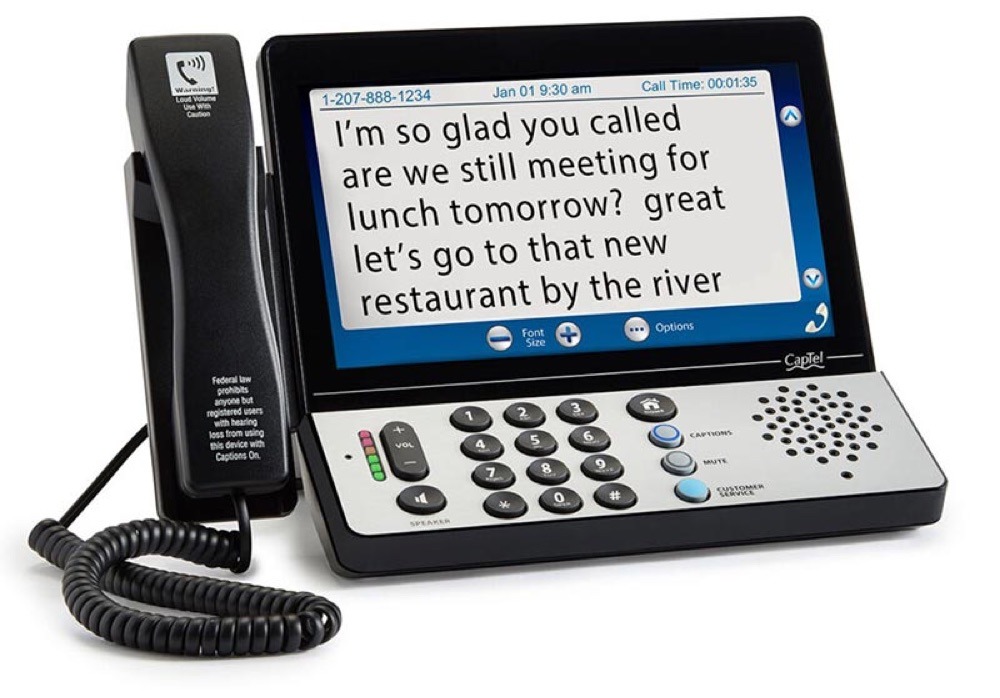 CapTel★ Best home phone CapTel★ Best home phone |
Home phone | Internet (840PLUS uses landline only) | $0 service and phone; or buy ~$75 | A simple, big-display home phone |
| 02 | 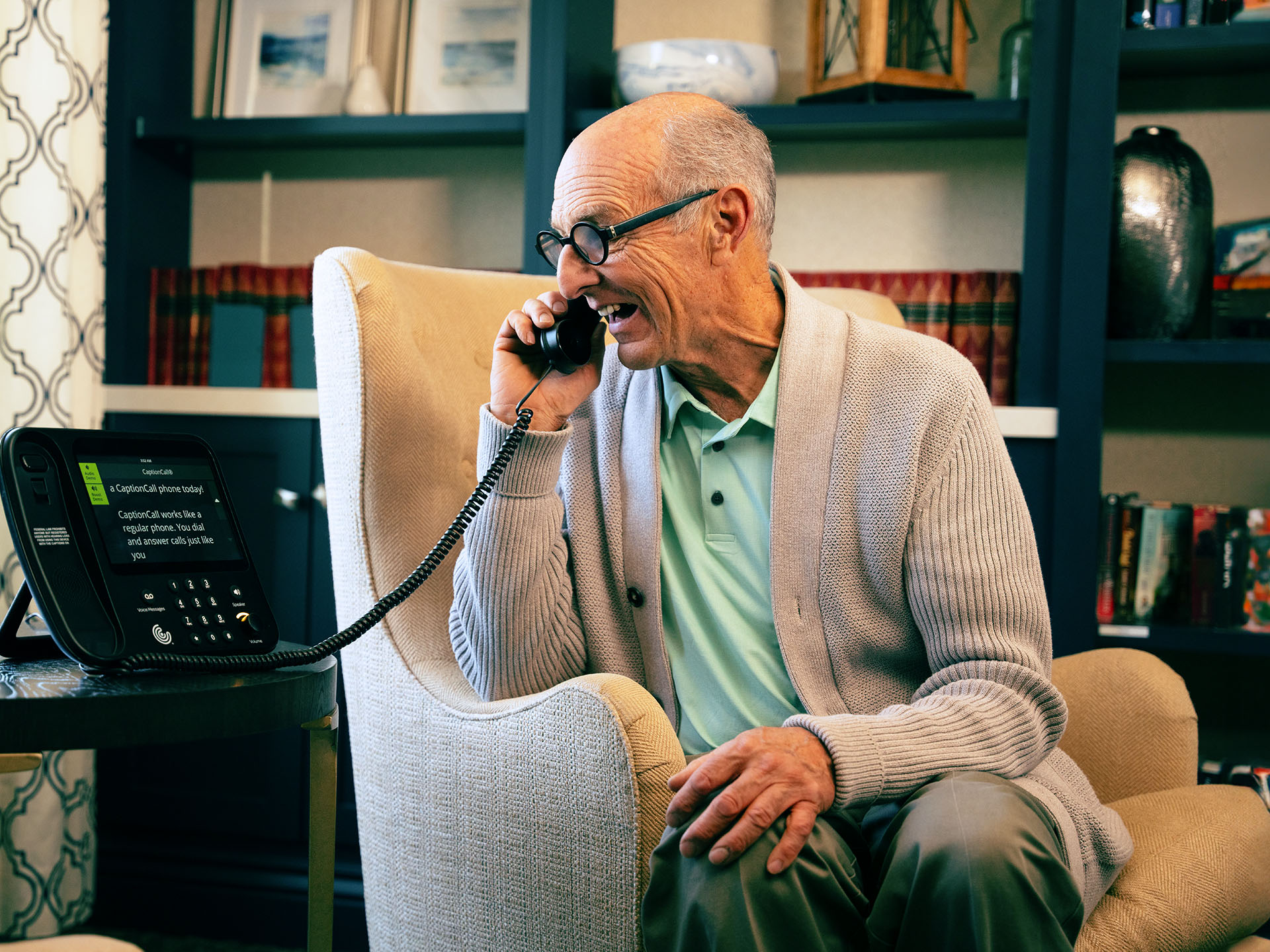 CaptionCall by SorensonBest white-glove install CaptionCall by SorensonBest white-glove install |
Home phone + app | Internet | $0 service and phone | In-home setup and training |
| 03 | 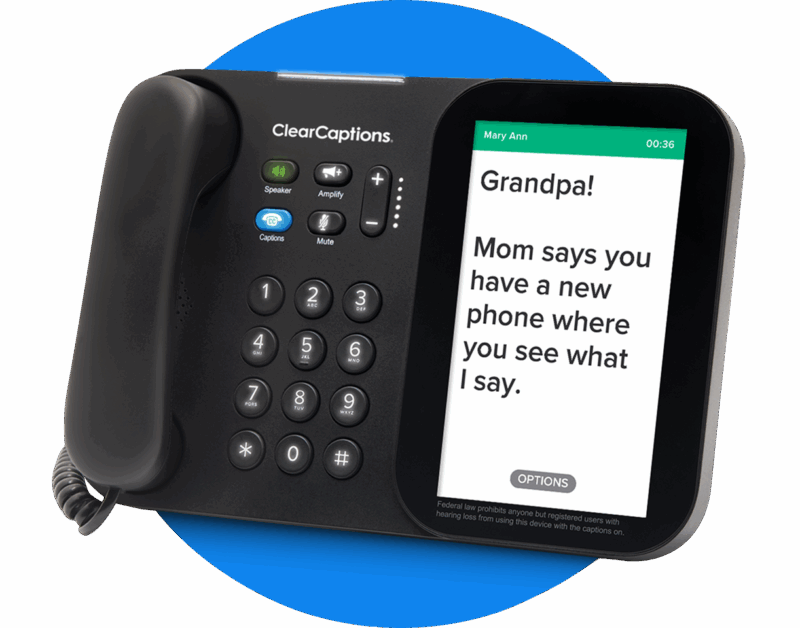 ClearCaptionsSimplest sign-up ClearCaptionsSimplest sign-up |
Home phone + app | Internet | $0 service; some taxes/fees | Easy self-certification, no paperwork |
| 04 | 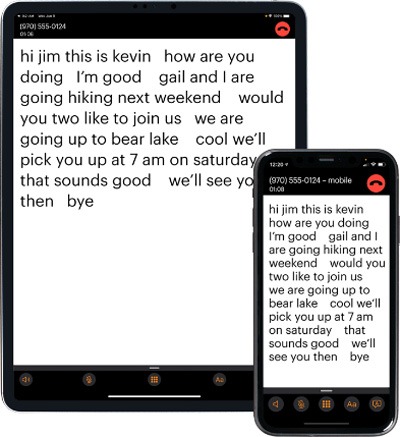 Hamilton CapTelMost device choice Hamilton CapTelMost device choice |
Home phone, app, browser | Internet or mobile data | $0 service | English or Spanish, widest options |
| 05 | 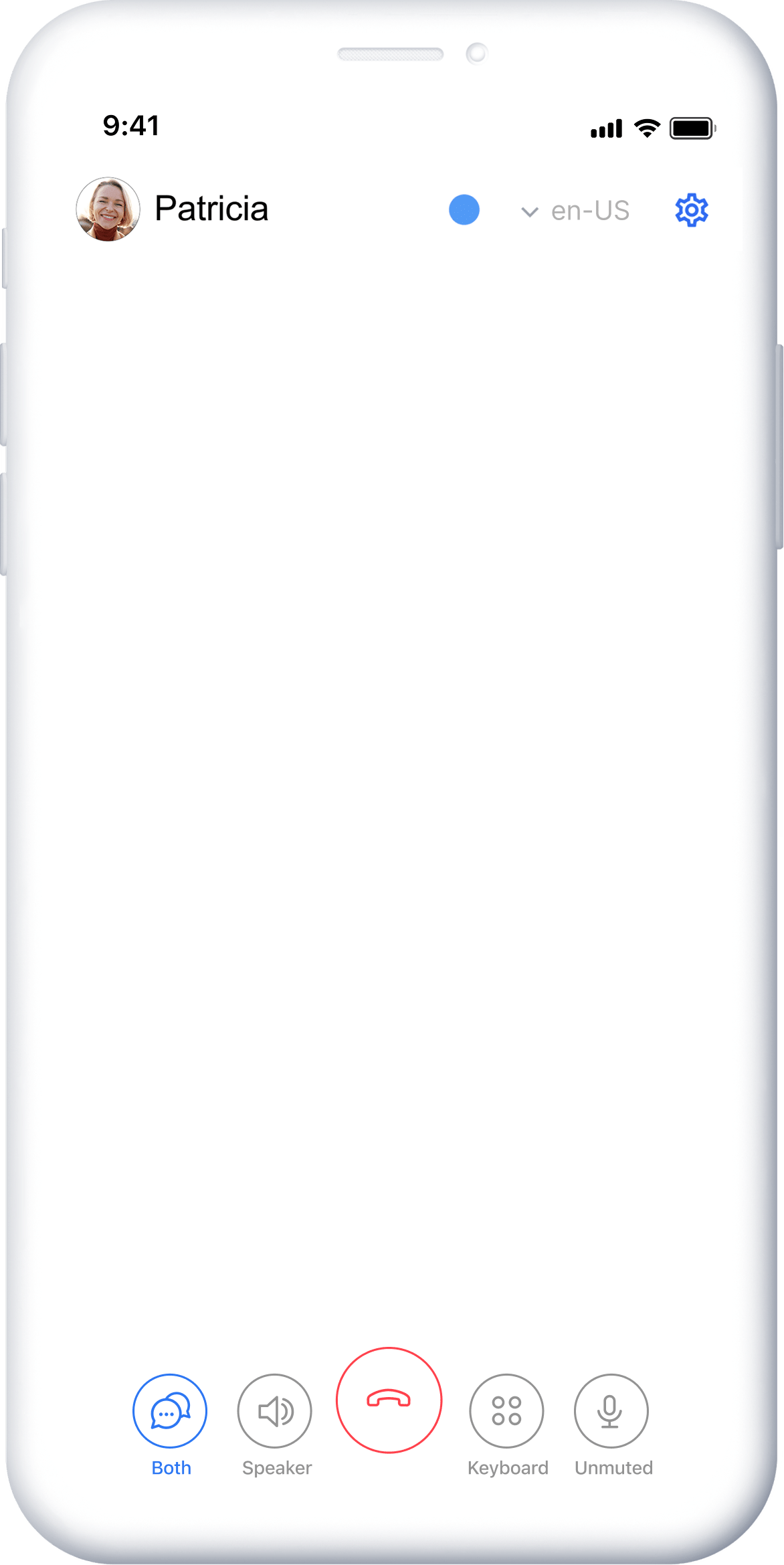 InnoCaptionBest accuracy on mobile InnoCaptionBest accuracy on mobile |
Mobile app + computer | Smartphone | $0 service | Live stenographer or automated |
| 06 | 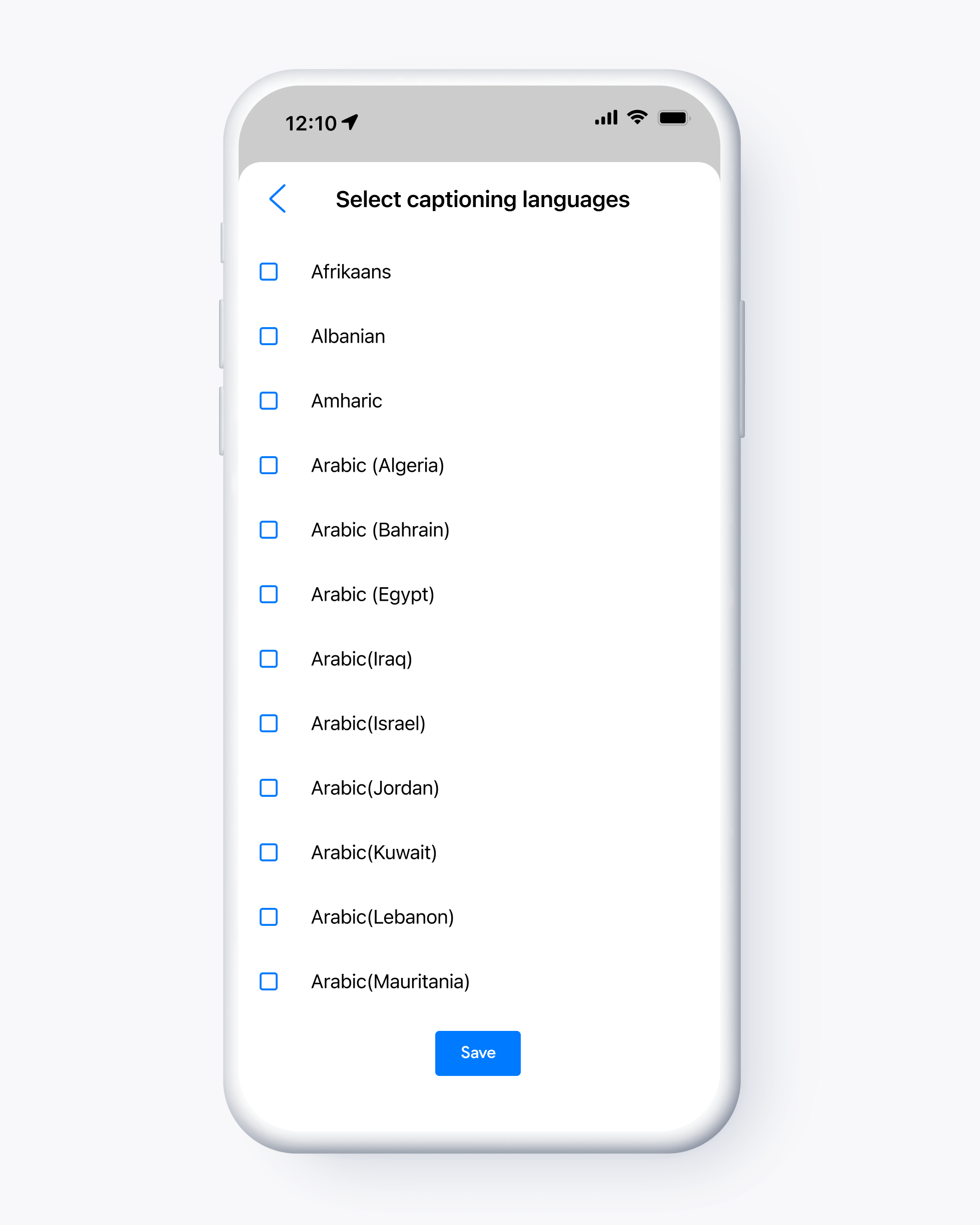 CaptionMateMost languages CaptionMateMost languages |
Mobile app | Smartphone | $0 service | Automated captions in 100+ languages |
Provider details, eligibility, and pricing verified July 2026 at official provider and FCC sources. Subject to change.
How we ranked this: Our order reflects caregiver fit, not what we earn. The captioning service and most equipment are free to qualified users, so for most families there is nothing to buy here. The one optional path, for families who prefer to own the device, is buying the CapTel 2400i outright.How We Judged These Providers
We started from the brands listed in the original article, dropped the retired names, and verified every current provider against its official pages and the FCC’s program in July 2026. Rather than rank on price, since almost everything here is free to eligible users, we weighed the things that decide whether a caption phone actually gets used.
- Fit for the situation. Whether the provider offers a simple home phone, a mobile app, or both, so it can match a loved one who wants a big-button phone or one who lives on a smartphone.
- Setup burden. How much a caregiver has to do, from white-glove in-home installation to a self-serve app, and whether internet is required.
- Eligibility and cost clarity. How simple the self-certification is, and how honest the provider is about what is free versus what carries taxes or fees.
- Caption accuracy. Whether the provider offers a live human stenographer, automated speech recognition, or both, since accuracy matters most on important calls.
- Accessibility. Display size, amplification, and font options for aging eyes and ears.
- Support. Whether help is available by phone, in person, or only in-app, which our roundup of caregiver apps for families can complement once the phone is working.
The Providers, Reviewed
Six current caption-phone providers, walked through for real caregiving situations, from the simplest big-button home phone to the most accuracy-focused mobile app option.
CapTel (from Ultratec and CapTel from T-Mobile)
★ Best home phoneThe most established captioned home phone, with a model for internet homes and one for landline-only homes.
- Best forA dedicated, large-display home caption phone with simple buttons
- TypeHome phone (models for internet and for landline-only)
- Cost$0 captioning service; free phone for qualified users, or buy the 2400i outright for about $75
- Internet2400i and 840i/880i need high-speed internet; 840PLUS uses a standard analog line, no internet
- CaptionsEnglish (Spanish on some models); up to 40dB amplification on the 2400i
Specs and the no-cost program verified July 2026 at captel.com; the ~$75 buy-outright price verified at hamiltoncaptel.com.
Start with CapTelCapTel was the first FCC-certified captioned telephone service, and it remains the easiest dedicated home phone to recommend. The flagship CapTel 2400i has a large color touchscreen, dial-by-picture, up to 40dB amplification, and a built-in answering machine that captions your messages, so it suits a loved one who simply wants a phone that looks and works like a phone.
The most important detail for families is the model match. The 2400i, 840i, and 880i all need high-speed internet for captions. If your loved one has a landline but no internet, the CapTel 840PLUS is the verified model that carries captions over the standard phone line with no internet at all. The 880i adds extra-large fonts for low vision.
What works well
- The original, most established captioned phone service
- Models cover both internet homes (2400i) and landline-only homes (840PLUS)
- Large display, big buttons, and strong amplification suit seniors who do not want an app
- Captioning is free under the IP CTS program, with no per-minute cost
Worth knowing
- Most models require high-speed internet for captions
- Captions are English only, with Spanish on some models
- The user must self-certify hearing-loss eligibility to register
Free program first, buy-outright second
Most people get a CapTel phone at no cost through the program, so start at captel.com. If you are looking for the former Sprint CapTel path, captelfromtmobile.com now routes to T-Mobile Accessibility rather than a standalone order page, so use it as background instead of the primary setup link. Only buy the 2400i outright (about $75, with shipping, a 5-year replacement warranty, and a 30-day money-back guarantee) if you specifically want to own the device rather than receive it through the program.
CaptionCall by Sorenson
Best white-glove installA no-cost home caption phone that comes with someone to set it up and train your loved one.
- Best forA no-cost home phone with in-home installation and training
- TypeCaptionCall 67TB home phone plus the CaptionCall Mobile app (formerly Olelo)
- Cost$0 to qualified users for both the phone and the captioning service
- InternetRequired for the home phone; the phone includes a modem/router
- AccessibilityLarge touchscreen, up to 58dB amplification
Service, no-cost eligibility, and 67TB specs verified July 2026 at sorenson.com.
Check out SorensonCaptionCall stands out for one thing families value enormously: it sends someone to your loved one’s home to deliver, install, and train them on the phone. That white-glove, Red Carpet setup removes the part of this process that worries caregivers most, especially when supporting a parent from a distance. For more on supporting from afar, see our guide to long-distance caregiving tips.
The 67TB home phone has a large, easy-to-read touchscreen and strong amplification, and it pairs with the free CaptionCall Mobile app for calls on the go. Sorenson points to FCC caption-quality testing for the underlying mobile engine, formerly known as Olelo, as support for its accuracy claims.
What works well
- Free in-home installation and in-person training
- Pairs a dedicated home phone with a free mobile app for travel
- Provider cites FCC caption-quality testing to support its mobile-app accuracy claims
Worth knowing
- The home phone needs an internet connection
- Eligibility self-certification is required
- The phone is provided for the captioning service, not sold as a device to keep
ClearCaptions
Simplest sign-upA no-cost captioned home phone with the easiest eligibility process and no medical paperwork.
- Best forLandline-style home users who want simple self-certification
- TypeHome caption phone plus a mobile app (iOS)
- Cost$0 to qualified users; certain taxes and fees may apply
- InternetA reliable home internet connection is required
- EligibilitySelf-certification only, no doctor or audiologist sign-off
Eligibility, English-only captions, and FCC certification verified July 2026 at clearcaptions.com and the FCC.
Check out ClearCaptions home phoneClearCaptions is the path of least resistance for sign-up. Registration uses simple self-certification with no medical certification required, which removes a hurdle that can stall families when a parent is reluctant to involve their doctor. The FCC granted ClearCaptions full IP CTS certification effective April 4, 2023, through April 3, 2028.
It offers a home caption phone for U.S. residents who are deaf or hard of hearing, plus a mobile app. Captions are currently English only, and as with the program generally, some taxes, fees, and surcharges can apply even though the captioning itself is free.
What works well
- Full FCC IP CTS certification through April 2028
- Simple self-certification, no doctor or audiologist sign-off needed
- Provides a captioned phone at no cost to qualified users
Worth knowing
- Requires a reliable home internet connection
- Captions are English only
- Some taxes, fees, and surcharges can apply
Hamilton CapTel
Most device choiceOne provider that captions a home phone, a smartphone app, and a computer browser, in English or Spanish.
The Hamilton Mobile CapTel app captions calls on a phone or tablet, alongside the home phone and browser.
- Best forFamilies who want the widest device choice from one provider
- TypeHome phones, the Hamilton Mobile CapTel app (iOS/Android), and browser captioning
- Cost$0 captioning service; the 2400i hardware can be bought outright for about $75
- InternetHome phone needs high-speed internet; mobile off Wi-Fi needs a data plan
- CaptionsEnglish or Spanish; automated or operator-assisted
Service, device options, and the ~$75 buy-outright price verified July 2026 at hamiltoncaptel.com.
Check out Hamilton CapTelHamilton CapTel is the most flexible single provider here. It captions calls on a home phone, on a smartphone app, and through a web browser, all from one account, and it captions both incoming and outgoing calls with built-in captioned voicemail. You can choose automated captions or operator-assisted captions depending on the call.
It is also the strongest choice for a bilingual household, since captions are available in English or Spanish, a feature most providers do not offer. With more than 20 years of service and over 400 million captioned calls, it is a known quantity. The same CapTel 2400i hardware is available here, and it shares the buy-outright Amazon option if you want to own the phone.
What works well
- Most flexible: home phone, app, and browser from one provider
- English and Spanish captioning
- Over 20 years of service and 400+ million captioned calls
Worth knowing
- Internet, or mobile data on the go, is required for captions
- Anyone buying hardware should confirm the specific model’s requirements
InnoCaption
Best accuracy on mobileThe only mobile app that lets a caller switch between a live human stenographer and automated captions mid-call.
- Best forTech-comfortable seniors and travelers who want the highest mobile accuracy
- TypeMobile app (iOS and Android) plus computer captioning
- Cost$0 to eligible users, funded by the Telecommunications Relay Service fund
- NeedsThe smartphone your loved one already owns; no home hardware
- CaptionsLive stenographer (CART) or automated, switchable on every call
Free, FCC-regulated status and the dual-captioning feature verified July 2026 at innocaption.com.
Check out InnoCaptionInnoCaption is the pick when accuracy matters most and your loved one is comfortable with a smartphone. It is the only mobile app that offers both a live human stenographer and automated speech recognition, and the user can switch between them on any call, which is genuinely useful when an important call needs the accuracy only a person can provide.
Because it works on the phone your loved one already owns, there is nothing to install at home, which makes it ideal for travel or for someone who lives on their mobile. It is free and federally funded. Registration does collect some personal information required by FCC rules, and caption quality on cellular data depends on the connection.
What works well
- Uses the phone the person already owns, with nothing to install at home
- Live stenographer option for the highest caption accuracy
- Free, federally funded, and portable for travel
Worth knowing
- A smartphone is required, so it suits less a loved one who wants a simple big-button home phone
- Registration collects personal information required by FCC rules
- Caption quality on data depends on the connection
CaptionMate
Most languagesA smartphone captioning app with automated captions in more than 100 languages, now backed by InnoCaption.
- Best forSmartphone users who want automated captions in many languages
- TypeMobile app (iOS and Android)
- Cost$0 and free for eligible U.S. users who are deaf or hard of hearing
- NeedsA smartphone; no home hardware
- CaptionsAutomated speech recognition in 100+ languages
FCC-certified status, the 100+ language support, and the InnoCaption ownership verified July 2026 at captionmate.com and innocaption.com.
Check out CaptionMateCaptionMate is the multilingual choice. Its automated captions cover more than 100 languages, which makes it a strong fit for households where calls happen in a language other than English. It is FCC-certified and free for eligible U.S. users who are deaf or hard of hearing.
Worth knowing: InnoCaption acquired CaptionMate on November 1, 2024, and it now runs as a standalone service supported by the InnoCaption team. If you find an older reference calling it “Captionate,” that is a misspelling of CaptionMate. Since it overlaps heavily with its parent and offers automated captions only, families who want a live stenographer option should look at InnoCaption above.
What works well
- Broad multilingual automated captioning in 100+ languages
- Free and FCC-certified
- Now backed by InnoCaption’s engineering and customer service
Worth knowing
- App only, with no dedicated home phone
- Automated captions only, with no live stenographer like InnoCaption
- Overlaps heavily with its parent InnoCaption since the 2024 acquisition
Which Caption Phone Should You Choose?
If you read only one section, read this one. The right caption phone depends far less on brand than on how your loved one makes calls and what they have at home.
- Choose CapTel if your loved one wants a simple, dependable home phone with a big screen. Pick the 2400i or 840i for an internet home, or the 840PLUS if there is a landline but no internet.
- Choose CaptionCall if you want the phone delivered, installed, and explained in person, especially when you are coordinating from a distance.
- Choose ClearCaptions if you want the simplest sign-up with no medical paperwork and a no-cost home phone.
- Choose Hamilton CapTel if you want home phone, app, and browser captioning from one provider, or you need Spanish-language captions.
- Choose InnoCaption if your loved one is comfortable with a smartphone and you want the highest mobile accuracy, with a live stenographer option.
- Choose CaptionMate if your loved one uses a smartphone and needs automated captions in a language other than English.
Whichever you pick, the device is only half the job. Coordinating the appointments, the provider account, and the day-to-day around it is the other half. Our roundup of elderly care apps for families and our guide to coordinating care for an aging parent are good next reads. If your loved one also uses a tablet, see our guide to the best tablets for seniors.
Setting It Up: A Caregiver Checklist
Once you have picked a provider, the steps below get a caption phone working with the least back-and-forth. Doing them in order prevents most of the support calls that come later.
- Confirm hearing loss and the need for captions. If you are unsure, a quick chat with the care team or a look at the basics of hearing loss helps before you register.
- Check internet or landline. Confirm whether the home has high-speed internet. If it only has a landline, choose the CapTel 840PLUS, the verified landline-only model.
- Complete the self-certification and register. Sign up on the provider’s site and complete the short self-certification of hearing loss. This unlocks the free captioning service.
- Schedule delivery or installation. For CaptionCall, book the in-home install and training. For others, plan who will set up the phone or install the app.
- Place a test call together. Make one captioned call with your loved one so they see the words appear and feel comfortable before they are alone with it.
- Save the account and support details where the family can find them. Store the provider account, the support phone number, and the setup notes in one shared place.
Frequently Asked Questions
Are caption phones really free?
The captioning service is free to people with hearing loss under the federal IP CTS program, which is paid for by a federally administered fund rather than by the family. Most providers, including CaptionCall, ClearCaptions, and CapTel, also supply the phone or the mobile app at no cost to qualified users. Some taxes, fees, or surcharges can still apply with certain providers, and you can choose to buy a CapTel device outright for about $75 if you prefer to own it. The honest summary: the service is free for eligible users, most equipment is free too, but “free” depends on confirming eligibility first.
Do caption phones need internet?
Most do. The CapTel 2400i and 840i, CaptionCall, ClearCaptions, and Hamilton CapTel home phones all need a high-speed internet connection to carry the captions. The one verified exception is the CapTel 840PLUS, which works over a standard analog telephone line with no internet, making it the right choice for a loved one who has a landline but not Wi-Fi. Mobile captioning apps use the smartphone’s data or Wi-Fi.
Can my loved one use a captioning app instead of a special phone?
Yes. If your loved one is comfortable with the smartphone they already own, a captioning app avoids buying or setting up any new hardware. InnoCaption offers both a live human stenographer and automated captions, switchable mid-call, and is a strong choice for accuracy. CaptionMate offers automated captions in more than 100 languages, and CaptionCall Mobile and Hamilton Mobile CapTel pair with their home-phone services. Apps are also the better fit for someone who travels.
How accurate are the captions?
Accuracy varies by method. Automated speech recognition is fast and works well on clear calls, while a live human stenographer may be a better fit for accents, background noise, or important details. InnoCaption is the only mobile app in this guide that lets the user choose either one and switch mid-call. Sorenson points to FCC caption-quality testing for the engine behind CaptionCall Mobile, formerly Olelo, as support for its accuracy claims. Captions appear a beat behind the speaker, so your loved one listens and reads at the same time.
Who is eligible, and what does certifying involve?
Eligibility is having hearing loss that makes captioned telephone service helpful. To register, the user completes a short self-certification with the provider. ClearCaptions, for example, uses self-certification only, with no doctor or audiologist sign-off required. Registration does collect some personal information required by FCC rules. There is no income test, and you do not need to prove a diagnosis with medical records to start.
Can a caption phone make emergency calls?
Caption phones place regular voice calls, including to 911, alongside the captions. For conversations away from a home phone, compare mobile captioning and transcription apps separately from the phone’s calling service. Because the setup, dialing, and 911 routing can differ by provider and by whether you are using a home phone, an app, or internet calling, confirm the exact emergency-calling behavior and any address-registration steps with your chosen provider during setup. Do not assume captions or location work the same way as a traditional landline. This guide is general information and is not a substitute for the provider’s emergency-calling instructions.
Lynda Menegotti writes for Caring Village on the practical side of caring for an aging loved one, from senior-safety devices to staying connected across a distance. Her focus is the same as this guide’s: not just which product is best on paper, but whether a family can realistically set it up, support it, and fold it into daily care.
Sources and verification
- FCC. Internet Protocol Captioned Telephone Service (IP CTS) consumer guide. Verified July 2026.
- FCC. Current IP CTS providers list, fcc.gov/ipcts-providers, and the 2025 CaptionCall full-certification document (TRS Fund eligibility through June 24, 2030). Verified July 2026.
- FCC. ClearCaptions full IP CTS certification, effective April 4, 2023 through April 3, 2028, fcc.gov. Verified July 2026.
- CapTel (Ultratec). CapTel 2400i and full phone line specifications, including the 840PLUS landline-only model and IP CTS no-cost service, captel.com. Verified July 2026.
- Hamilton CapTel. Mobile CapTel app, browser captioning, English/Spanish service, and the ~$75 buy-outright CapTel 2400i (5-year warranty, 30-day money-back), hamiltoncaptel.com. Verified July 2026.
- Amazon. Hamilton CapTel 2400iSPNBT captioned telephone product page, ASIN B00ZYHA1KI. Verified live on amazon.com July 2026.
- Sorenson / CaptionCall. CaptionCall 67TB no-cost phone, in-home installation, and the Olelo to CaptionCall Mobile rebrand (December 2023), sorenson.com. Verified July 2026.
- ClearCaptions. Home-phone product page and eligibility (self-certification, English-only, taxes/fees may apply), clearcaptions.com. Verified July 2026.
- InnoCaption. Free, FCC-regulated service with live stenographer and automated captions, and the CaptionMate acquisition completed November 1, 2024, innocaption.com. Verified July 2026.
- T-Mobile. CapTel from T-Mobile (formerly Sprint CapTel) accessibility and relay services, t-mobile.com. Verified July 2026.
All provider details, eligibility, and pricing were verified at official provider and FCC sources in July 2026. Programs, costs, certifications, and provider rosters are subject to change, so confirm current terms with the FCC and each provider before registering.
Disclaimer: This article is general information about hearing loss and captioned-phone options, not medical, financial, or legal advice. Eligibility, costs, and program rules can change, so confirm your loved one’s hearing needs with a qualified professional and verify current eligibility and pricing with each provider and the FCC before you register.