



Coordinating care for an aging parent stops feeling “hard” when it stops living in 10 places at once. For the needs worksheet, first-week priorities, and legal checklist, use our complete guide to caring for elderly parents. The fastest path to calmer caregiving looks boring on paper: assess needs, name roles, build a shared care plan, and run everything through one shared system.
If you are comparing digital tools for this workflow, start with our guide to the best caregiver apps for families.
In this article, we’ll cover:
- A step-by-step elder care workflow
- The “Village Method” for sharing responsibilities
- Tools and habits to prevent burnout
Using a dedicated system like Caring Village can help by keeping schedules and documents in one central place for the whole family.
Read on to learn how to simplify your coordination and find a bit more breathing room.
TL;DR – The Village Method
- Spot the Flags: Look for “early warnings” like scorched pans or missed mail to start coordinating before a crisis hits.
- Audit Real Needs: Use a 72-hour snapshot to track daily vitals and “holes” in current support.
- Assign Ownership: Divide work into 4 Lanes (Medical, Logistics, Finance, Comms). If everyone is “helping,” nobody is owning.
- Build One Source of Truth: Replace group texts with a shared calendar, secure document vault, and digital medication list.
- Schedule Sanity: Use 15-minute weekly “operational” check-ins to prevent burnout and sibling friction.
- Streamline with Caring Village: Instead of juggling 5 different apps, use the Caring Village app to centralize all communication, tasks, and wellness updates in one secure hub for the whole family.
Legal note: POA, HIPAA authorization, advance directive, healthcare proxy, and financial authority rules vary by state and situation. Use this as a planning checklist, then confirm documents with a qualified attorney, clinician, or local advisor.
When to Start Coordinating Care: Spotting the “Early Warning” Signs
Coordination shouldn’t begin in an ER waiting room. The best time to build your village is while your parent is still relatively independent. Look for these subtle “red flags” that suggest the current system is fraying:
- The Kitchen Test: Scorched pans, expired food in the fridge, or a sudden reliance on pre-packaged snacks.
- The Mail Pile: Unopened bills, clutter on the counters, or “past due” notices for services that were always paid on time.
- Physical Cues: Unexplained bruising from minor stumbles—which often happen in high-risk areas like staircases—is a major red flag. Understanding why seniors face increased risks on stairs can help you address home safety before a more serious fall occurs.
- Social Withdrawal: Canceling long-standing lunch dates or stopping hobbies they once loved.
If you notice more than two of these, it’s time to move from “watching” to “coordinating.” Starting early allows your parent to be a partner in the plan, rather than the subject of it.
Tips for Coordinating Elder Care
Below is the exact workflow we use when families need structure fast—without turning caregiving into a second full-time job.
| Step | Action | Key Tools/Features | Caring Village Integration |
|---|---|---|---|
| 1 | Assess Needs | 72-hour snapshot, ADL/IADL checklist, identify triggers | Wellness Journal to track appetite, mood, sleep, and mobility |
| 2 | Organize a Family Meeting | 1-hour timed agenda, ground rules (assume good intent) | Secure Messaging for aligned group communication |
| 3 | Assign Roles | “4-Lane Setup” (Medical, Logistics, Finance, Comms) | To-do Lists with assigned owners and backups |
| 4 | Gather Key Documents | “Minimum Viable Packet” (Legal/Medical/Insurance) | Secure Document Storage for instant mobile access |
| 5 | Build a Care Plan | 7-day schedule with “Definition of Done” for tasks | Care Plans + Shared Calendar to prevent conflicts |
| 6 | Master Med Management | Visual confirmation (photos), dosages, and provider info | Medication List with photos and refill tracking |
| 7 | Streamline Comms Stack | Establish a cadence (Daily “All Clear” / Weekly check-ins) | Secure Messaging + dashboard broadcasts |
| 8 | Monitor and Adjust | Bi-weekly feedback loop to catch “misses” and friction | Julia (AI assistant) for guidance on next steps |
| 9 | Plan for Emergencies | “If/Then” protocols and “Go-Bag” digital packets | Preparedness Checklists + emergency notifications |
1. Assess Needs (Quickly, Not Perfectly)
Don’t wait for a “big planning day” to figure everything out. Start with a 72-hour snapshot to capture what is actually happening in the home right now, rather than working off an idealized version of what “should” be happening.
Focus on what changes day-to-day:
- ADLs & IADLs: Track Activities of Daily Living (bathing, dressing, toileting) alongside Instrumental Activities (meal prep, shopping, transportation, and bill pay).
- Identify Triggers: Look for patterns that cause friction or health risks. Note specifics like “increased confusion after 6 PM (sundowning),” “fatigue after physical therapy,” or “missed meds when the routine is interrupted by a visitor.” If you notice this, it’s helpful to learn how to manage sundowning to keep evenings calm and safe.
- The Support Map: Map out who is currently helping and how often. Is it one neighbor twice a week? One sibling every weekend? Seeing the “holes” in the map helps you prioritize your next moves.
How to Do It Well: Write down observations as they happen. Small signals—like a slight change in gait or a decrease in appetite—can become major problems quickly if they aren’t caught early.
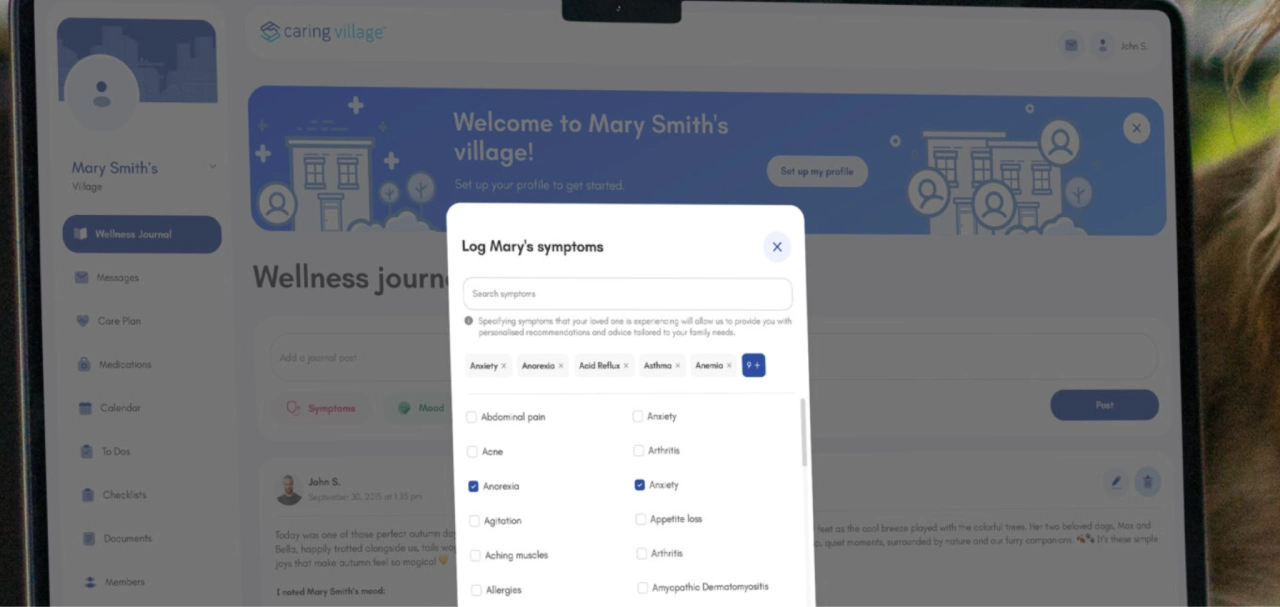
Tip: Use a Wellness Journal for quick updates like appetite, mood, sleep, pain, confusion, and mobility. When multiple people log entries, you stop relying on one person’s memory.
2. Run a “Rule-Based” Family Meeting
You don’t need a “family summit.” You need one hour and a clear agenda. The goal isn’t to solve every problem for the next year—it’s to align on the next thirty days.
The One-Hour Agenda
Keep a timer running to ensure no single topic derails the progress:
- Current Situation (10 min): A high-level briefing on your loved one’s health and daily status right now.
- Risks (10 min): What are we worried about in the next 30 days? (e.g., a looming surgery, a risky staircase, or a caregiver’s upcoming vacation).
- Roles (20 min): Determining who “owns” specific categories like medical, logistics, or finances.
- Tools (10 min): Finalizing exactly where updates, tasks, documents, and medication lists will live so there is one source of truth.
- Next Check-In (10 min): Set the date for the next review and list exactly what you will evaluate then.
Ground Rules to Prevent Conflict
Sibling and family dynamics can get heated. Use these guardrails to keep the meeting productive:
- Assume Good Intent: Start with the belief that everyone is doing their best with the time and emotional capacity they have.
- Speak in Observations: Instead of saying “You always forget the meds,” try “The Tuesday evening dose was missed.” Observations are harder to argue with than accusations.
- The “Owner” Rule: End every debate by asking, “Who owns the next step?”
3. Assign Roles (So “Help” Becomes Real)
Families often fail at coordination because everyone agrees to “help,” but nobody actually “owns” a specific category. Without clear ownership, tasks either get duplicated or, worse, ignored entirely.
The 4-Lane Setup
To create a sustainable rhythm, pick one Primary Owner for each of these lanes:
When paid help joins those lanes, use this framework for integrating paid caregivers into the family team to define scope, permissions, handoffs, and escalation.
- Medical Lead: Manages doctor appointments, communicates with providers, tracks symptoms, and notes care plan changes.
- Logistics Lead: Handles the “boots on the ground”—transportation, meal prep, home safety checks, and supply refills.
- Finance & Legal Lead: Manages insurance claims, pays care-related bills, organizes the POA, and tracks benefits/documents. If the family is still choosing coverage, that lead can compare 2026 long-term care carriers by policy type and payment model.
- Communications Lead: The point person for family updates, scheduling check-ins, and keeping extended relatives informed.
Always Name a Backup: For every lead, assign a second person: “If the Medical Lead is unavailable, [Name] covers urgent pharmacy calls.”
4. Gather and Store Key Documents (Before the Emergency)
Most families hunt for documents during an emergency—which is the worst time to look. You need a Minimum Viable Packet ready at all times. Here’s what to gather first:
- Identification & Coverage: Photo IDs and all insurance/Medicare cards.
- Medical Records: A current medication list, allergy list, and provider contact sheet.
- Legal Authority: Advance directives, living wills, and Healthcare Proxy/Durable Power of Attorney forms.
- Recent History: The most recent hospital discharge summary or key lab results.
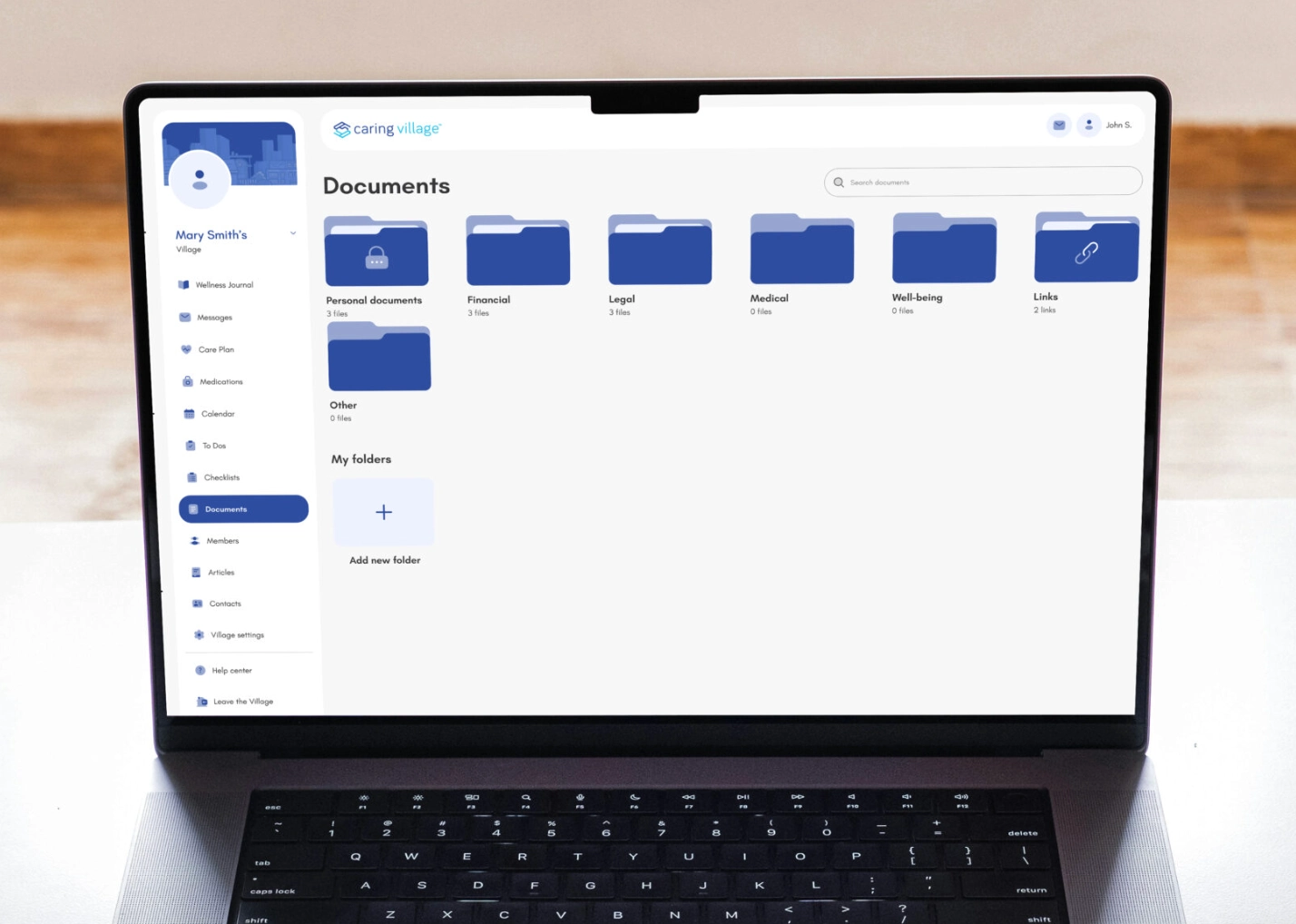
Standardize Your Filing: Take photos of these documents the same day you find them. Use a consistent naming convention so they are searchable in a crisis: ParentName_DocumentType_Date (e.g., MariaLopez_InsuranceCard_2026-01-12).
Tip: Store these in a Document Storage for instant access on your phone during a doctor’s visit or ER trip.
5. Build a Reality-Based Care Plan
A care plan only works if it matches the actual rhythm of your loved one’s life. Too often, plans stay vague and eventually fail because nobody knows what “success” looks like. The goal is to create a 7-day schedule that provides structure without being overwhelming.
Create a Weekly Rhythm
Break the care plan down into manageable daily beats and weekly necessities:
- Morning Routine: Beyond just breakfast, include specific medication times and any necessary mobility exercises or stretches.
- Midday Check: Focus on hydration, a nutritious lunch, and a quick “mood check” to gauge mental well-being.
- Evening Routine: Include dinner, hygiene assistance, and a final “safety walk-through” of the home (locking doors, clearing trip hazards).
- Weekly Logistics: Dedicate specific days for laundry, grocery runs, prescription refills, and errands.
- The Travel Plan: Don’t just list appointments; list exactly who is providing transportation and at what time.
Add the “Definition of Done”
Vague tasks lead to vague results. Instead of a checklist item like “check in,” write specific, actionable instructions.
- Vague: “Check on Dad.”
- Actionable: “Call at 7 PM; confirm dinner was eaten and evening blood pressure meds were taken.”
6. Master Medication Management
Medication coordination is one of the highest-risk areas of caregiving. AHRQ/NCBI materials note that about 30% of hospital admissions among older adults are drug-related, with more than 11% attributed to medication nonadherence.
Sources: NCBI Bookshelf medication management chapter and AHRQ PSNet medication non-adherence review.
For legal planning, see HHS guidance on HIPAA personal representatives and Medicare information on advance care planning, then confirm state-specific documents with a qualified professional.
When a regimen involves multiple prescriptions, varying dosages, and different times of day, “winging it” is no longer an option.
Track the Non-Negotiables
- The Specifics: Record the medication name, the exact dosage, the schedule, and the name of the prescribing provider.
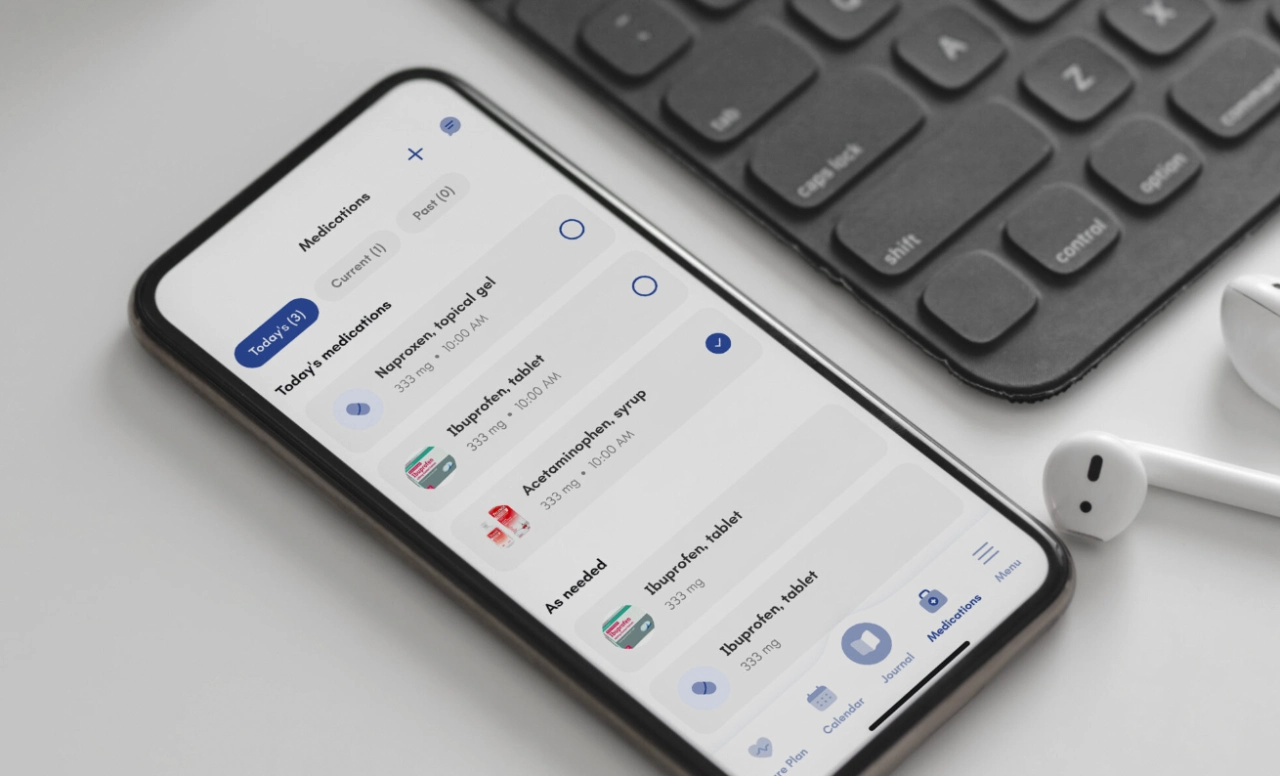
- Visual Confirmation: Take a photo of the bottle and the label. This prevents dangerous mix-ups between look-alike pills or outdated bottles.
- The “Why” Behind Changes: Always document when a medication is started or stopped, and why. If a doctor stops a blood thinner due to a fall risk, that context is vital for the next provider they see.
Tip: Use a Medication List with refill tracking and photos so anyone stepping in can confirm the medication name, dosage, schedule, and bottle label.
7. Streamline Your Communication Stack
More communication doesn’t fix caregiving. Better routing fixes it. When updates are scattered across texts, voicemails, and emails, critical details inevitably vanish.
Build Your “Care Stack”
To keep everyone sane, pick one place for each type of information:
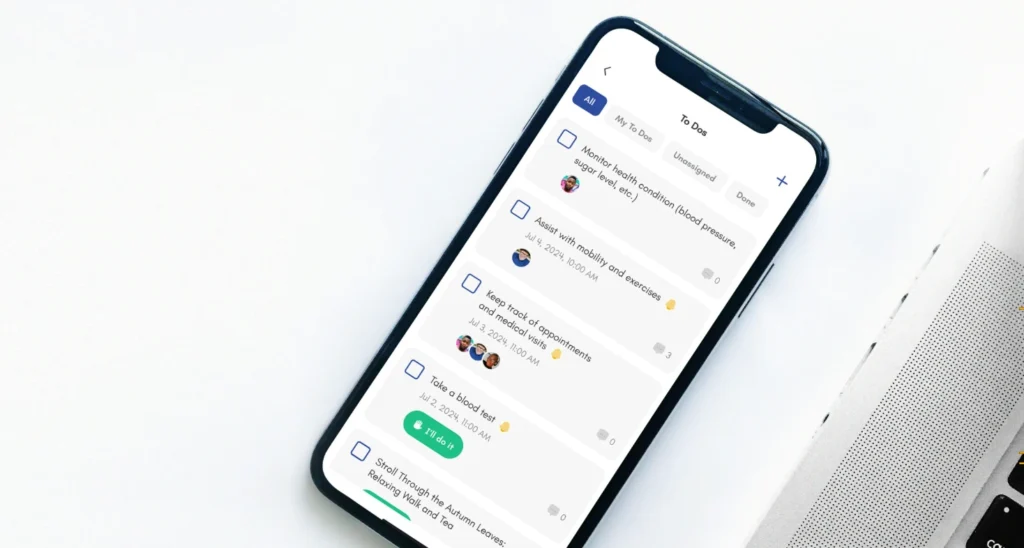
- Tasks: A single source for assigned “to-dos,” due dates, and reminders.
- Calendar: The master view for doctor appointments, rides, and family visits.
- Wellness Updates: A dedicated spot for tracking symptoms, mood, and daily status (e.g., “Mom had a great day; appetite is back”).
- Vital Documents: One secure digital folder for insurance cards, POAs, and discharge notes.
- Quick Messages: A chat channel for immediate questions and rapid decision-making.
Establish Your Cadence
Consistency reduces anxiety. Decide on a rhythm so the team isn’t constantly guessing what’s happening:
- Daily: A 2-minute status update (The “All Clear”).
- Weekly: A 15-minute check-in to look at the upcoming week’s logistics.
- Monthly: A deeper care plan review to discuss what is or isn’t working.
8. Monitor, Review, and Adjust
Care coordination fails when the plan never updates after new symptoms, new meds, or a new fall risk. If there’s a new symptom, a medication change, or an increased fall risk, your system must adapt immediately to stay effective.
The Bi-Weekly Feedback Loop
Every two weeks, the core care team should spend 15 minutes reviewing these four pillars:
- The “Miss” List: Did any appointments, doses, meals, or bills slip through the cracks? Identifying these early prevents them from becoming chronic issues.
- Friction Points: Where is the family tension? Look for unclear roles, late status updates, or two people accidentally doing the same task.
- Medical Shifts: Have you noticed new physical symptoms, cognitive changes, or new restrictions from a doctor?
- The Simplification Test: Is the system too “heavy”? If a tool or communication channel isn’t being used, cut it out to reduce the mental load.
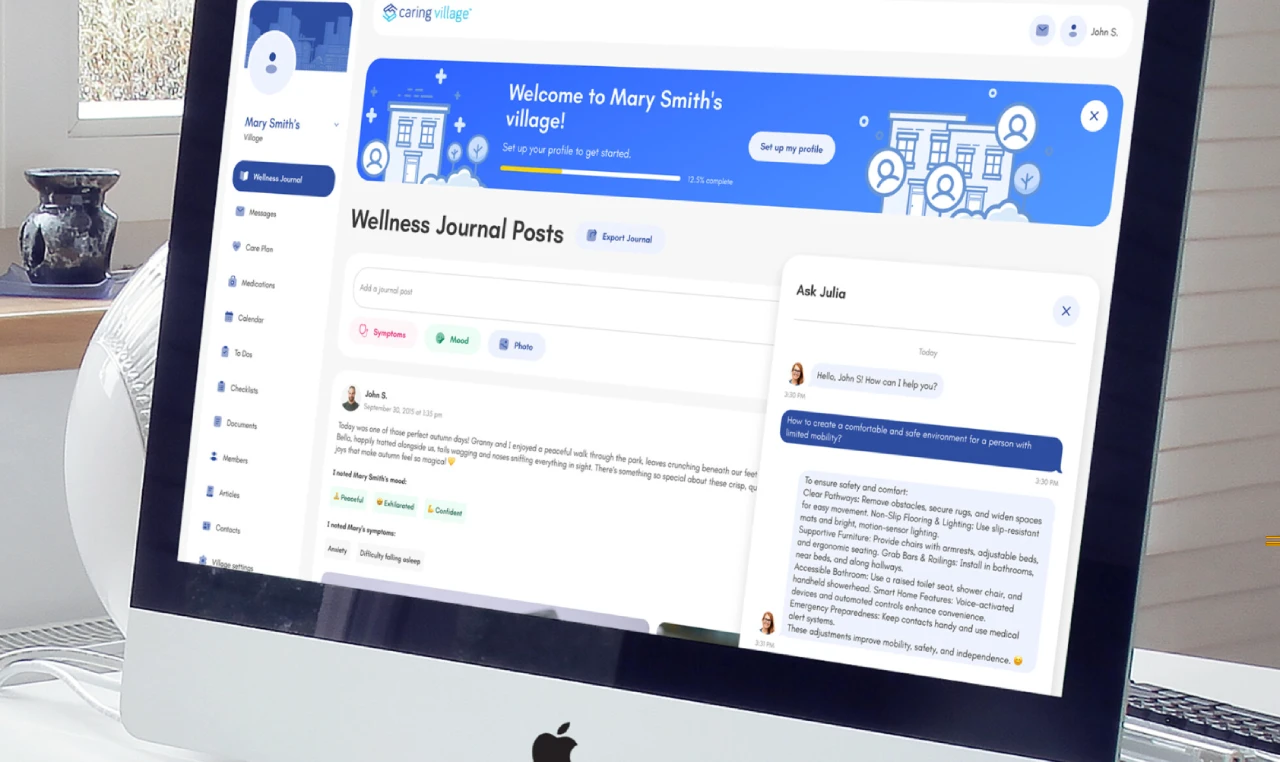
Tip: Look for apps with an AI Assistant for guidance and to reduce cognitive load when new questions pop up, especially during “we don’t know what to do next” moments.
9. Build an “If/Then” Emergency Plan
Emergency planning isn’t dramatic. It’s a checklist. When a crisis hits, you shouldn’t have to think—you should only have to follow the plan.
Emergency If/Then Protocol
Create clear triggers for different levels of care so everyone knows when to call 911 versus when to call the primary doctor:
- High Alert: “If a fall involves a head hit or loss of consciousness → Call 911/ER immediately.”
- Moderate Alert: “If there is a new cough or mild confusion → Call PCP + notify Medical Lead.”
- Logistical Alert: “If the primary caregiver is sick → Backup lead takes over meds/meals.”
Emergency Essentials to Have Ready:
- The “Go-Bag” Digital Packet: Ensure every family member has a current medication list, insurance photos, and a list of all specialists saved to their phone.
- Key Contacts: Beyond doctors, include the preferred pharmacy, a helpful neighbor with a spare key, and the power of attorney.
- Home Safety Walkthrough: Keep a checklist of the home’s layout—where the water shut-off is, any gate codes, and hidden hazards like loose rugs or poor lighting.
Tips for Successful Family Care Coordination
1. Schedule Meetings That Don’t Drain Everyone
Caregiving discussions shouldn’t be marathons. Keep them short and structured to avoid “caregiving fatigue.”
- 15-Minute Weekly Check-ins (Operational): Focus on the immediate “boots on the ground” logistics for the week ahead.
- 30-Minute Monthly Reviews (Strategic): Discuss the big picture—budget, health trends, and long-term planning.
Use a Repeating Agenda:
- What changed since the last check-in?
- The next 7 days (Rides, meds, and tasks).
- Address exactly one hard decision (don’t tackle three at once).
- Confirm owners and deadlines before hanging up.
2. Use Calendars to Stop “Surprise Conflicts”

A shared calendar is your best defense against burnout. It prevents double-booked visits, missed rides, and the anxiety of “Who is taking Mom to the dentist today?”
- The calendar rule: Every event goes on the calendar—even a “quick 10-minute drop-in.” If it isn’t on the calendar, it doesn’t exist to the rest of the team.
- The Master Editor: Designate one person to own the final edits to the calendar to reduce accidental deletions or conflicting entries.
3. Define Decision Authority Early
Families argue less when they know exactly who has the “final say” in specific areas. Use a clear split of power:
- Medical Decisions: Medical Lead + Healthcare Proxy.
- Financial/Legal Decisions: Finance Lead + Power of Attorney (POA).
- Daily Routines: Primary Caregiver + Logistics Lead input.
4. Set Boundaries (Before Resentment Sets In)
The fastest way to caregiver burnout is trying to be everything to everyone. Be honest about your capacity from the start.
- The “Can-Do” List: Explicitly state what you can commit to (e.g., “I can do 4 hours on Saturday mornings”).
- The “Non-Negotiable” List: Identify what you cannot or will not do (e.g., “I cannot manage night driving” or “I am not comfortable handling the complex finances”).
- Identify the Gap: Once everyone lists their boundaries, you’ll see exactly where you need to hire paid help or recruit a new volunteer. Price the uncovered hours with this guide to the cost of in-home care before the family commits to a schedule.
Essential Legal and Medical Planning Checklist
Think of this as your “Crisis Prevention Kit.” Having these documents organized now prevents high-stress scrambling during an emergency.
Legal Foundations
- Advance Directives (Living Will): Outlines medical wishes for end-of-life care.
- Healthcare Power of Attorney (Proxy): Designates who makes medical decisions if the parent cannot.
- Financial Power of Attorney: Grants authority to manage bank accounts, pay bills, and handle taxes.
- HIPAA Authorization: Essential for doctors to legally share health information with you.
Medical Data
- Insurance & Identity: Copies of Medicare/Medicaid cards, private insurance IDs, and Social Security cards.
- Medication & Allergy Master List: Include dosages, frequency, and pharmacy contact info.
- Provider Directory: Names and numbers for the PCP, specialists (Cardiologists, etc.), and dentists.
- Medical History Highlights: A summary of major diagnoses, past surgeries, and recent test results.
Technology and Tools for Caregiver Collaboration
Effective coordination requires tools that reduce the mental load of managing multiple schedules and threads. If you’re overwhelmed by the options, start with our breakdown of using technology to manage and simplify family caregiving to find the right fit for your family.
What to Look for in a Coordination App
- Centralized Calendar: A single source of truth for appointments and home care shifts.
- Task Management: The ability to assign specific chores to specific people.
- Secure Messaging: A private space for health updates that keeps sensitive info out of standard texts.
- Medication Tracking: Digital logs that include photos and refill reminders.
How Caring Village Supports Your Family

Caring Village is designed to bridge the gap between one person doing everything and a team-based approach. By inviting family, friends, and even professional aides into a private village, you ensure everyone has real-time visibility into your parent’s care.
Simplifying the Daily Routine
- Julia, Your AI Assistant: You can get help answering caregiving questions, thinking through next steps, and organizing care decisions whenever you feel stuck. Julia is not a medical, legal, or crisis service.
- Unified Wellness Journal: This feature allows you to track moods and symptoms in a simple feed. It helps family stay emotionally connected through daily updates and photos.
- Easy Task Delegation: You can post specific needs, such as a grocery run or a ride to therapy. Village members can then volunteer for tasks, which takes the pressure off you to constantly ask for help.
- Secure Document and Med Storage: Keep photos of pill bottles and digital copies of legal documents accessible to the right people. This is vital during an emergency when you need info fast.
By centralizing these chores, the app reduces the heavy mental load of caregiving. This allows you to focus less on logistics and more on spending quality time with your parent.
“It’s a comfort to be able to just look in regularly just to see how Mom is and know she is fine and is being attended to daily; and without having to feel like, as when calling her, I may be disrupting her routine.”
— Richard Hodgson
The Village Method: Scaling Your Support
Caregiving often becomes stressful when one person becomes the sole project manager. The Village Method transforms care into a shared system, ensuring the plan remains stable even if the primary caregiver needs a break.
The 7-Step Framework
- Vision: Agree on shared goals like safety, budget, and independence.
- Invite: Bring in family, friends, and professionals early on.
- List: Turn vague needs into concrete, assignable tasks.
- Leverage: Use technology to automate reminders and centralize files.
- Integrate: Enable long-distance family to handle digital tasks like pharmacy refills.
- Grow: Review the plan monthly and adapt as health needs change.
- Evaluate: Review what is working, what is slipping, and what needs to change before the next care meeting.
| Old Way | The Village Method |
|---|---|
| Missed appointments | Shared calendar with automated alerts |
| Lost medical files | Secure, searchable digital storage |
| Sibling tension | Transparent roles and real-time updates |
| Caregiver burnout | Distributed workload and specific requests |
Protecting Yourself: Preventing Caregiver Burnout
Burnout isn’t caused by a lack of love; it is caused by the weight of too many loose ends. When caregiving responsibilities are undefined, the mental load becomes unsustainable.
Recognizing the Warning Signs
- Emotional Shifts: Feeling unusually irritable, numb, or resenting the care role.
- Physical Toll: Persistent exhaustion, sleep disruption, or your own health starting to slip.
- Withdrawal: Dreading phone calls or feeling like no one else understands your stress.
Strategies to Guard Your Energy
- Divide the Workload: Split tasks by type. Assign one person to “physical work” (groceries, rides) and another to “administrative work” (insurance, pharmacy, billing).
- Be Specific with Help Requests: General asks like “I need help” often go unanswered. Instead, try: Can you handle the Tuesday 2pm appointment and post the notes afterward?
- Set Clear Boundaries: Distinguish between micro-tasks (one-time favors) and ownership (someone taking over as the medical lead for 30 days).
Taking these small steps early is the best way to learn how to avoid caregiver burnout before the stress becomes unmanageable.
How Caring Village Acts as a Safety Net
By centralizing these logistics, the platform naturally reduces the friction that leads to burnout. Use the Volunteer Task list to let family members claim chores without you having to ask, and lean on Julia for help thinking through next steps when you feel the mental fog setting in. This gives the primary caregiver a practical backup system instead of another list to manage alone.
From Coordination Chaos to Peace of Mind
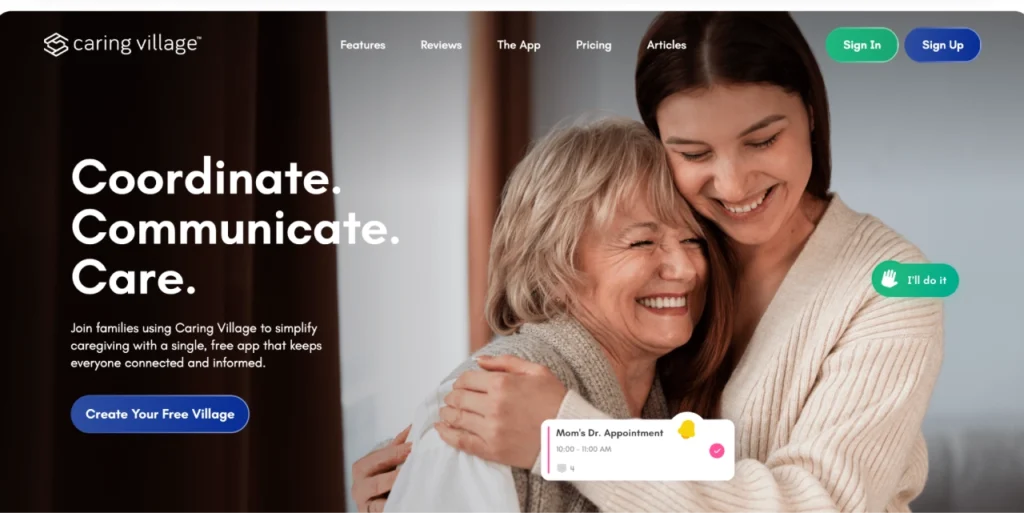
Managing care through scattered texts and emails often adds to the very stress you are trying to avoid. By adopting a structured workflow, you move from being a solo “project manager” to leading a supported team.
Making the Village Method a Reality
The goal is to turn “trying to help” into reliable execution. Moving your coordination into a dedicated space like Caring Village ensures that:
- Information stays centralized: No one has to hunt for medication lists or insurance IDs during a crisis.
- Ownership is clear: Tasks are claimed and tracked, so you know exactly who is handling the pharmacy run or the next doctor visit.
- Your energy is protected: By automating reminders and using the wellness journal, you quiet the mental noise of caregiving.
Ready to stop keeping the entire plan in your head? Caring Village provides the shared tools and AI-supported organization you need to make this shift. It is about more than just organization; it is about reclaiming your time and providing the best possible care for your parent without losing yourself in the process.
When siblings disagree while coordinating care for elderly parents, pick a single decision-maker for each domain such as medical, logistics, or finance, then document the decision. Use a shared care plan and written updates to reduce conflict.
Long-distance caregiving works best when distant helpers own real tasks such as calls, refills, scheduling, or paperwork, and receive consistent updates in one place.
Use one shared system that combines a centralized calendar with reminders and a current medication list, including photos and refill timing. Review it after every appointment.
Store key elder care documents digitally in one secure hub and control access with permissions. Include insurance cards, advance directives, POA paperwork, and emergency contacts.
The best apps for caregiving coordination combine shared calendars, task assignments, secure messaging, document storage, and medication management. Caring Village is one example, but the best choice depends on the complexity of the care situation.